Updates
Changelog for version 1.3.0 🚀

Changelog for version 1.3.0 🚀
Anton Ingachev
April 14, 2026
In this release we added a "Team" section where you can add colleagues to manage the app with different roles.
- Select the "Team" section in the sidebar and click the "Add team member" button.
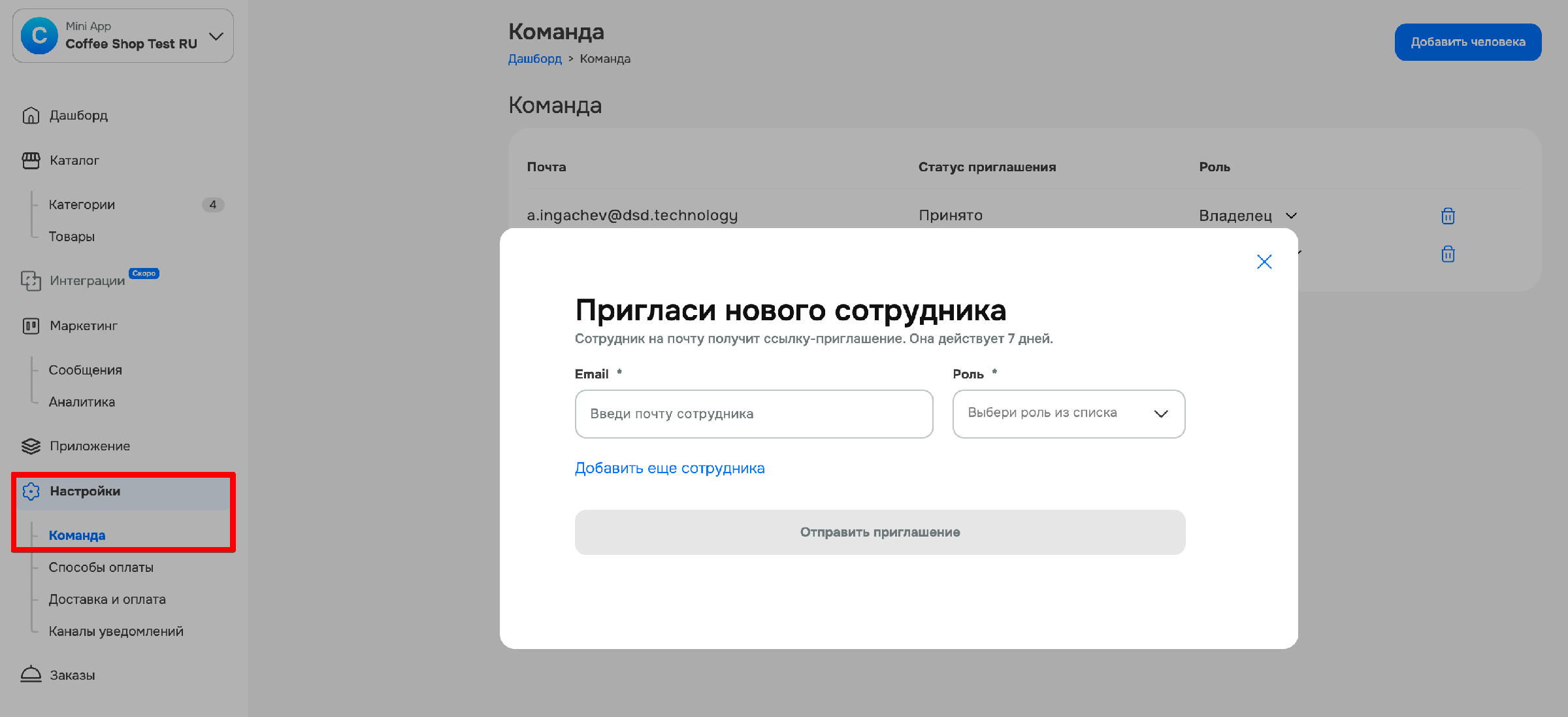
2. Enter their email and choose a role for them.
3. The invitation sent to the email must be accepted by your colleague.
4. If that email already has an account in the service, they will be immediately authorized in your application. If there is no account in the service yet, an account will need to be created first using the email specified in the invitation.
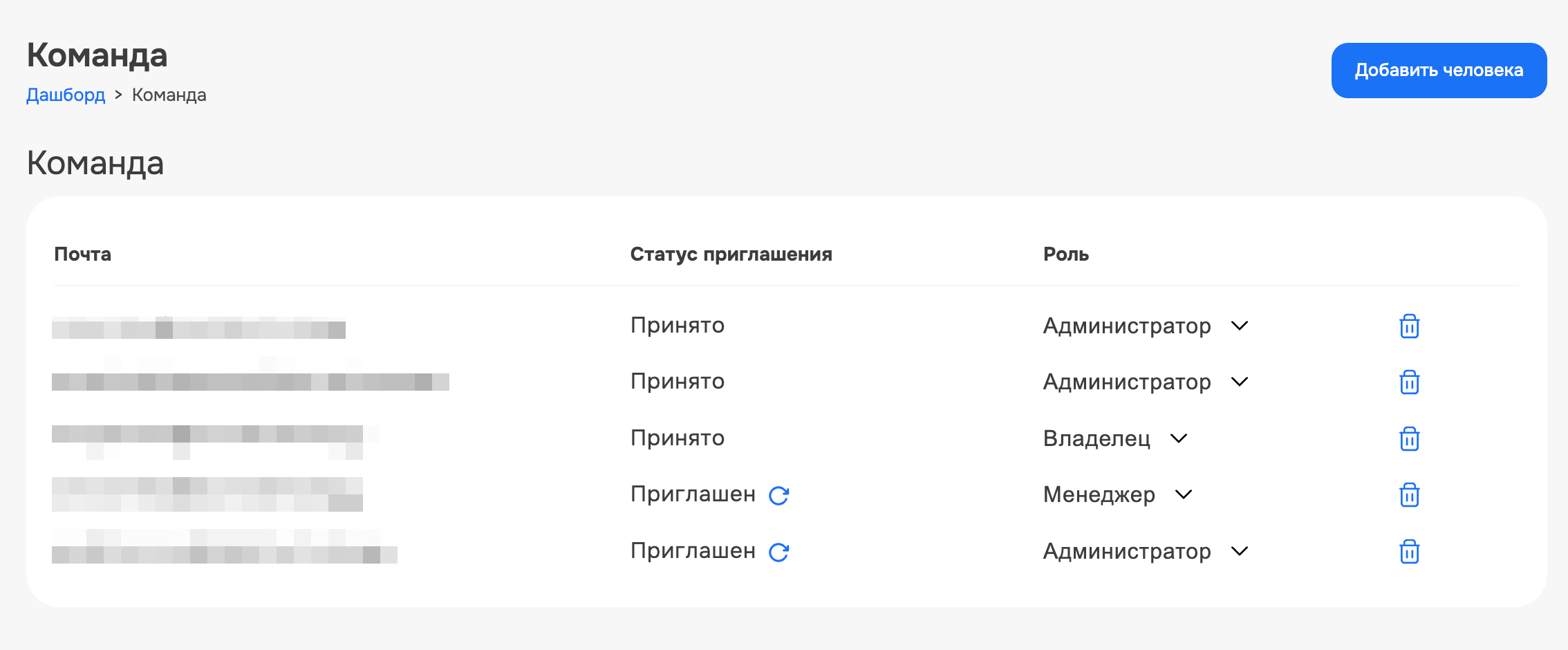
In the same section you can view issued invitations and change roles or revoke access for any team member.
The functionality is available to Mini Apps Builder users on any plan.











