ऑनलाइन स्टोर के लिए मोबाइल एप्लिकेशन विकास
ऑनलाइन स्टोर के लिए मोबाइल एप्लिकेशन विकास
परिचय
2026 में यह स्पष्ट है कि लगभग हर व्यवसाय के पास (फॉर्मेट कोई भी हो: एकल उद्यमी/स्व-नियोजित/खुला ООО या कई मिलियन के टर्नओवर वाला ООО) अपने माल या सेवाओं के साथ एक ऑनलाइन विट्रिन होना चाहिए।
यह लेख एक व्यावहारिक विश्लेषण है: ऑनलाइन स्टोर के लिए ऐप कैसे बनता है, कौन-कौन से दृष्टिकोण हैं (Telegram Mini Apps, कंस्ट्रक्टर्स, नेटिव विकास), स्टोर के लिए ऐप बनाने की लागत कितनी होती है, फ़ंक्शनलिटी में क्या अनिवार्य होना चाहिए और बिना अनावश्यक खर्च के कैसे विकल्प चुनें।
ऑनलाइन स्टोर को मोबाइल ऐप की आवश्यकता क्यों
किसी भी ऑनलाइन स्टोर को अपने उत्पादों या सेवाओं को बेचना और इन बिक्री को प्रबंधित करना होता है। ध्यान में रखते हुए कि हर उपयोगकर्ता के पास स्मार्टफोन है, मोबाइल ऐप ग्राहकों के साथ इंटरैक्शन का सबसे सुविधाजनक चैनल है।
- “स्टैंडर्ड” स्टोर ऐप निम्न परिदृश्यों को कवर करता है:
- विट्रिन. उत्पादों और सेवाओं का प्रदर्शन। उनका पूरा विवरण, कीमत, फोटो/वीडियो। अगर उत्पाद बहुत हैं, तो आम तौर पर कैटलॉग और खोज होती है।
- ऑर्डर करने की सुविधा. ग्राहक आवश्यक उत्पाद/सेविस चुनता है और कार्ट में जाकर ऑर्डर करता है।
- भुगतान की सुविधा. या विक्रेता से जुड़ने का विकल्प, ताकि अतिरिक्त विवरण या बाकी प्रश्न स्पष्ट किए जा सकें।
- सेल्स एनालिटिक्स. चुनिंदा अवधि के लिए बिक्री का विश्लेषण करने की क्षमता, ताकि व्यवसाय प्रबंधन के लिए टैक्टिकल और स्ट्रैटेजिक निर्णय लिए जा सकें।
- मार्केटिंग क्षमताएँ. नए उत्पाद/सेवा का वर्णन करते हुए ईमेल/पुश-नोटिफिकेशन भेजना। प्रचारों के बारे में बताना आदि।
- CRM-सिस्टम. ऑर्डर स्टेटस, ग्राहक इत्यादि का प्रबंधन।
आदर्श रूप में, यह सब एक ही सर्विस में होना चाहिए ताकि “एक ही विंडो” से प्रबंधित करना आसान हो। ये सभी क्षमताएँ हमारे सर्विस में पहले से मौजूद हैं: Mini Apps Builder।
स्टोर के लिए मोबाइल ऐप बनाने के तरीके
सामूहिक रूप से स्टोर के लिए ऐप बनाने के 3 तरीके हैं:
- सब कुछ खुद करें। इसके लिए इस क्षेत्र में अनुभव चाहिए, आम तौर पर शुरुआती/छोटे व्यवसाय के लिए उपयुक्त नहीं।
- विशेषज्ञों की टीम नियुक्त करें। वे कुछ भी बना देंगे, लेकिन 99% मामलों में यह शुरुआती/छोटे व्यवसाय के लिए बहुत महंगा होगा।
- सर्विस-कंस्ट्रक्टर्स के माध्यम से टेम्पलेट समाधान बनाएं। आम तौर पर शुरुआत/छोटे व्यवसाय के लिए सबसे उपयुक्त विकल्प।
Telegram Mini Apps — मोबाइल कॉमर्स का नया युग
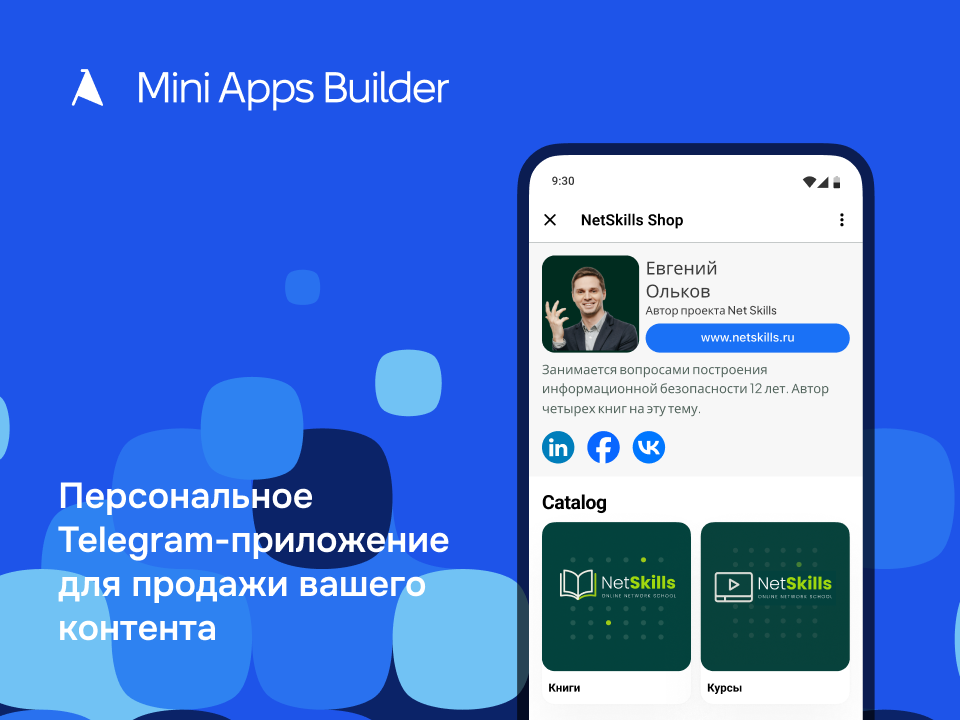
तकनीकी दृष्टिकोण से देखें तो: यह बस साइट का मोबाइल वर्शन है जो Telegram API में "रैप" किया गया है। यह ब्राउज़र में नहीं बल्कि Telegram के अंदर लॉन्च होता है।
ऐसी इम्प्लीमेंटेशन के कारण, Telegram Mini App वेब और मोबाइल ऐप दोनों प्लेटफ़ॉर्म के फायदे लेकर आता है।
यह वेबसाइटों की तरह ही आसानी से और तेज़ी से विकसित होता है (यहाँ तक कि तेज़ और आसान भी), और उपयोगकर्ता के लिए यह नाटिव मोबाइल ऐप जैसा दिखता है।
यह Telegram की क्षमताओं का उपयोग करता है:
- Telegram ID - उपयोगकर्ता ऐप लॉन्च करते ही ऑथोराइज़्ड होता है। हर बार रजिस्ट्रेशन करने की जरूरत नहीं।
- मोबाइल ऐप्स की तरह Google Play/App Store में रिव्यू प्रक्रिया से गुजरने की आवश्यकता नहीं है।
- किसी भी डिवाइस पर उपलब्धता, क्योंकि Telegram सभी प्लेटफ़ॉर्म के लिए ऐप्स रखता है।
- उपयोगकर्ता Mini App लॉन्च करते समय Telegram नहीं छोड़ता, जिससे लक्षित कार्रवाई में कन्वर्ज़न बढ़ता है।
पारंपरिक मोबाइल ऐप्स
नेटिव मोबाइल ऐप्स, जिन्हें आम तौर पर 3–5 सदस्यीय टीम ज़ीरो से बनाती है, कुछ महीनों में बनते हैं और इनकी लागत $20,000 से शुरू होती है (यह मानते हुए कि टीम की स्तर शुरुआती/मध्यम है)। समय सीमा भी: 3–6 महीने विकास।
ऐप कंस्ट्रक्टर्स
ऊपर दिए विकल्प के समान, ऐसे कंस्ट्रक्टर्स होते हैं जिनमें कोड लिखने की आवश्यकता नहीं होती या लगभग नहीं होती; यह पूर्ण टीम के विकास की तुलना में काफी सस्ता और तेज़ होता है, पर फिर भी Telegram Mini Apps जितना तेज़ नहीं रहेगा। साथ ही आप App Store/Google Play के रिव्यू प्रक्रिया पर निर्भर होते हैं, हर रिलीज़ पर लगभग 1–2 दिन, और बड़े त्यौहारों पर यह समय 3–4 दिन तक बढ़ सकता है।
एक और महत्वपूर्ण बात, Apple और Google के पास ऐप्स के लिए काफी विस्तृत आवश्यकताएँ हैं।
| मानदंड | Telegram Mini Apps | ऐप कंस्ट्रक्टर | नेटिव विकास |
|---|---|---|---|
| लॉन्च की गति | बहुत तेज: तेज़ स्टार्ट के परिदृश्य में “लगभग 30–60 मिनट” | मध्यम: टीम से तेज़, पर "तुरंत" नहीं | धीमी: महीनों |
| स्टार्ट लागत | पूर्ण विकास की तुलना में कम (लगभग मुफ्त के समान) | सब्सक्रिप्शन (मासिक/वार्षिक) | उच्च: $20,000 से |
| App Store/Google Play में पब्लिकेशन | आवश्यक नहीं | आवश्यक; रिलीज़ पर 1–2 दिन का रिव्यू (त्योहारों पर अधिक) | आवश्यक; रिव्यू + सामग्री तैयारी |
| ऑथोराइज़ेशन | Telegram ID, उपयोगकर्ता पहले से ऑथोराइज़्ड | प्लेटफ़ॉर्म पर निर्भर | पूर्ण स्वतंत्रता (कोई भी लॉजिक) |
| कन्वर्ज़न टू एक्शन | अक्सर ज्यादा क्योंकि उपयोगकर्ता Telegram नहीं छोड़ता | UX और मार्केटिंग पर निर्भर | UX और मार्केटिंग पर निर्भर |
| लचीलापन/कस्टमाइज़ेशन | Mini App और चुनी हुई इम्प्लीमेंटेशन की सीमाओं तक सीमित | कंस्ट्रक्टर की क्षमताओं तक सीमित | अधिकतम |
| सर्वोत्तम परिदृश्य | Telegram‑ऑडियंस के बीच हाइपोथेसिस जल्दी जाँचना और बिक्री शुरू करना | बिना कोड के तेज़ “ऐप-के-रूप में चैनल” यदि स्टोर्स में होना जरूरी हो | बड़ा प्रोडक्ट, जटिल लॉजिक, इंटीग्रेशन, स्केलिंग |
स्टोर के लिए ऐप बनाने की लागत कितनी है
ऐप बनाने की लागत चुने हुए तरीके पर निर्भर करती है। हमने इन्हें ऊपर संक्षेप में बताया है:
- सर्विस-कंस्ट्रक्टर्स के माध्यम से टेम्पलेट समाधान. सबसे सस्ता और तेज़ विकल्प। आमतौर पर यह ऐप बनाने और प्रबंधित करने के लिए सर्विस-कंस्ट्रक्टर की मासिक/वार्षिक सदस्यता होती है। कीमत: लगभग $50 प्रति माह।
- सब कुछ खुद करना. यह मध्यवर्ती विकल्प है, क्योंकि यह कंस्ट्रक्टर्स से महंगा पर समर्पित टीम से सस्ता होता है। यहाँ केवल खुद को धोखा नहीं देना चाहिए — आपके समय की भी लागत होती है, क्योंकि इन कार्यों में लगे रहने पर आप व्यवसाय के अन्य हिस्सों पर काम नहीं कर पाते। कीमत: आपके घंटे की दर * उन घंटों की संख्या जो आप इन कार्यों में लगाते हैं।
- विशेषज्ञों की टीम नियुक्त करना. सबसे महंगा विकल्प, वर्तमान IT टीम के वेतन को ध्यान में रखते हुए न्यूनतम हजारों डॉलर। कीमत: लगभग $20,000 से प्रोजेक्ट के लिए।
इंटरनेट-स्टोर के लिए ऐप विकसित करने के चरण
यहाँ Android और iOS ऐप्स बनाने का मुख्य (मैक्सिमम) रास्ता बताया जाएगा। इन चरणों में से कुछ हटाए जा सकते हैं, लेकिन अगर आप पहली बार कर रहे हैं तो कुछ सूक्ष्म बातें बाद में समस्याएँ पैदा कर सकती हैं।
1. प्रोडक्ट का निर्माण (Product Discovery)
1.1. लक्ष्य और हाइपोथेसिस
- ऐप कौन सी समस्या हल करता है
- किसके लिए (पर्सोना, JTBD)
- क्यों मोबाइल ऐप, न कि वेब
परिणाम: स्पष्ट प्रोडक्ट हाइपोथेसिस।
1.2. मार्केट और प्रतियोगियों का विश्लेषण
- प्रत्यक्ष और अप्रत्यक्ष प्रतियोगी
- उनकी फ़ंक्शनलिटी, UX, मुद्रीकरण
- App Store / Google Play आवश्यकताएँ
परिणाम: must-have और differentiators की सूची।
2. आवश्यकताएँ और आर्किटेक्चर
2.1. फ़ंक्शनल आवश्यकताएँ (PRD)
- मुख्य यूज़र परिदृश्य
- एज‑केसेस
- प्लेटफ़ॉर्म सीमाएँ
परिणाम: PRD या user stories।
2.2. प्लेटफ़ॉर्म और स्टैक का चयन
- Native: Swift (iOS), Kotlin (Android)
- Cross-platform: Flutter, React Native
- Backend: REST / GraphQL / Firebase / Supabase
- ऑथोराइज़ेशन, पेमेंट्स, पुश-नोटिफिकेशन
परिणाम: तकनीकी आर्किटेक्चर।
3. UX/UI‑डिज़ाइन
3.1. User Flow और Wireframes
- नेविगेशन
- मुख्य स्क्रीन
- एरर के समय व्यवहार
परिणाम: क्लिक करने योग्य प्रोटोटाइप (Figma)।
3.2. UI‑डिज़ाइन
- Design System
- iOS Human Interface Guidelines
- Material Design (Android)
परिणाम: फाइनल मॉकअप्स।
4. विकास
4.1. बैकेंड (यदि आवश्यक)
- डेटाबेस
- API
- ऑथोराइज़ेशन और सुरक्षा
- एडमिन पैनल
4.2. मोबाइल विकास
- स्क्रीन दर स्क्रीन
- इंटीग्रेशन (भुगतान, मैप्स, एनालिटिक्स)
- ऑफ़लाइन लॉजिक
- पुश-नोटिफिकेशन
4.3. इन्फ्रास्ट्रक्चर
- CI/CD
- TestFlight / Internal Testing
- मॉनिटरिंग और लॉगिंग
5. टेस्टिंग और क्वालिटी
5.1. टेस्टिंग के प्रकार
- Functional
- UI/UX
- Performance
- Security
- Regression
5.2. बीटा‑टेस्ट
- क्लोज्ड एक्सेस
- फीडबैक संग्रह
- फिक्सेस
परिणाम: स्थिर बिल्ड।
6. रिलीज़ की तैयारी
6.1. App Store / Google Play
- आइकॉन, स्क्रीनशॉट, वीडियो
- वर्णन और कीवर्ड
- Privacy Policy / Terms
6.2. जांच‑पड़ताल
- Apple Review Guidelines
- Google Play Policies
- भुगतान का काम करना
7. पब्लिशिंग
- iOS: App Store Review (आम तौर पर 1–5 दिन)
- Android: पब्लिशिंग लगभग तुरंत
8. सपोर्ट और विकास
8.1. एनालिटिक्स
- Retention
- DAU / MAU
- Crash-free users
8.2. इटरेशन्स
- UX में सुधार
- नई फ़ीचर
- A/B‑टेस्ट्स
समय सीमा के बारे में: सभी उपयोगकर्ताओं के लिए पहले रिलीज़ तक लगभग 4-8 महीने।
ऐप केवल कोड नहीं है, बल्कि एक प्रक्रिया है: हाइपोथेसिस → UX → आर्किटेक्चर → विकास → इटरेशन्स।
हमने अभी उन चरणों को नहीं भी शामिल किया है जैसे “App Store/Google Play में डेवलपर अकाउंट रजिस्ट्रेशन”, “सॉफ़्टवेयर लाइसेंस की खरीद”, “टीम का प्रबंधन” और अन्य छोटी‑छोटी चीज़ें।
Telegram Mini Apps बनाम पारंपरिक ऐप्स: क्या चुनें?
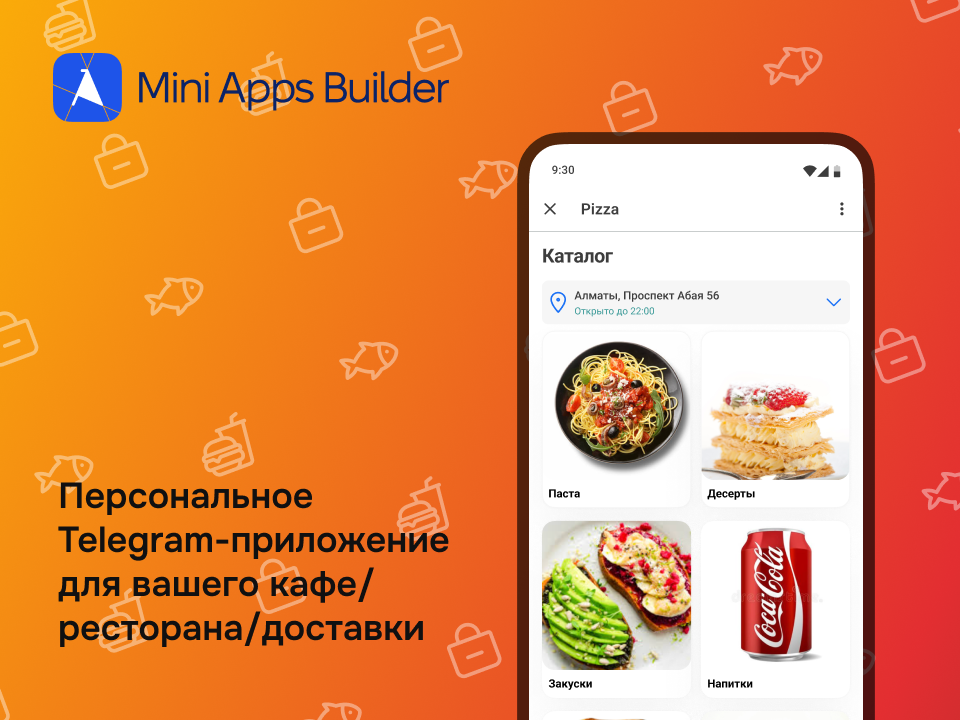
अगर आप सबसे तेज़ और सबसे सस्ते तरीके से बिज़नेस के लिए उत्पादों या सेवाओं की बिक्री हेतु ऐप लॉन्च करना चाहते हैं, तो इस लेख के समय पर सबसे तेज़ विकल्प Telegram Mini App है। आप लगभग 30 मिनट में आवश्यक ऐप बना सकते हैं, या पहले बार में जब सर्विस और Telegram Mini Apps के साथ काम करने की आदत बनी नहीं हो तो एक घंटे में।
यह गति आपको किसी और प्लेटफ़ॉर्म से नहीं मिलेगी। लागत के मामले में Telegram Mini App पूर्ण मोबाइल विकास की तुलना में लगभग मुफ्त है।
कब Telegram Mini Apps चुनें
- यदि आपको स्टार्ट पर स्पीड और न्यूनतम खर्च महत्वपूर्ण हैं।
- आपका ऑडियन्स सक्रिय रूप से Telegram का उपयोग करता है।
- हाइपोथेसिस जाँचना, पहली बिक्री प्राप्त करना, Telegram स्रोत में मार्केटिंग बनाना जरूरी है।
कब कंस्ट्रक्टर चुनें
- यदि आपके लिए App Store/Google Play में उपस्थिति अनिवार्य है।
- सरल, टाइपिकल फ़ंक्शनलिटी चाहिए बिना जटिल इंटीग्रेशन के।
- “तेज़ लॉन्च” ज़्यादा महत्वपूर्ण है बनाम पूरा कोड/आर्किटेक्चर का मालिक होना।
कब नेटिव विकास आवश्यक है
- कैटलॉग/प्राइसिंग/डिलिवरी/इंटीग्रेशन्स में जटिल लॉजिक हो।
- परफ़ॉर्मेंस, सुरक्षा, स्केलेबिलिटी की कड़े मांगें हों।
- प्रोडक्ट को वर्षों तक सक्रिय रूप से विकसित करना हो।
निष्कर्ष और विशेषज्ञ सुझाव
जैसा कि आम तौर पर होता है, सब कुछ आपके प्रोजेक्ट के लक्ष्यों, बजट, टाइमलाइन और टार्गेट ऑडियन्स पर निर्भर करता है। उस देश के लिए Telegram Mini App बनाना जहां Telegram का उपयोग आप ही के अलावा कोई नहीं करता और उम्मीद करना कि कल सैकड़ों ग्राहक आ जाएंगे — सही नहीं होगा। दूसरी ओर, अगर आप ऐसे देश में हैं जहां Telegram लोकप्रिय है, तो Telegram Mini Apps आपका सही विकल्प हो सकता है।
रफ़्तार और कीमत के अलावा यह आपको Telegram को मार्केटिंग चैनल के रूप में उपयोग करने का मौका भी देगा, जहाँ इस तरह के ऐप्स के लिए प्रतियोगिता और विज्ञापन लागत अभी कम हो सकती है, उदाहरण के लिए SEO और Paid Search की तुलना में।
इसके अलावा, आपका कन्वर्ज़न भी अधिक होगा क्योंकि उपयोगकर्ता को नया ऐप डाउनलोड या रजिस्टर करने की ज़रूरत नहीं होती — एक क्लिक में वह आपका ऐप Telegram के अंदर खोल सकता है।
FAQ सेक्शन
1) क्या बेहतर है: Telegram Mini App, कंस्ट्रक्टर या नेटिव विकास?
यदि तेज़ स्टार्ट चाहिए — Telegram Mini App; यदि स्टोर्स में ऐप बिना कोड के चाहिए — कंस्ट्रक्टर; यदि जटिल प्रॉडक्ट और लचीलापन चाहिए — नेटिव/क्रॉस‑प्लेटफ़ॉर्म विकास।
2) क्या बिना प्रोग्रामर्स के स्टोर के लिए मोबाइल ऐप बनाना संभव है?
हाँ — कंस्ट्रक्टर्स या Telegram Mini Apps के माध्यम से (तेज़ लॉन्च फॉर्मेट के रूप में)।
3) स्टोर के लिए ऐप बनाने की लागत कितनी है?
यह दृष्टिकोण पर निर्भर है: कंस्ट्रक्टर पर यह सदस्यता होती है; डेवलपमेंट टीम के लिए काफी अधिक लागत (पाठ में संकेत “$20,000 से”); Telegram Mini Apps टेक्स्ट में पूर्ण विकास के सापेक्ष सबसे सस्ता लॉन्च विकल्प बताया गया है।
4) इंटरनेट-स्टोर के मोबाइल ऐप के विकास में कितना समय लगता है?
मूल स्रोत में दिशानिर्देश दिए गए हैं: Discovery+डिज़ाइन 3–6 सप्ताह; MVP 2–4 महीने; प्रोडक्शन‑वर्ज़न 4–8 महीने।
5) क्या App Store/Google Play रिव्यू से गुजरना आवश्यक है?
नेटिव ऐप्स और कंस्ट्रक्टर‑आधारित ऐप्स के लिए — हाँ। Telegram Mini Apps के लिए — नहीं (जैसा कि मूल लेख में बताया गया)।
6) ऑनलाइन‑स्टोर ऐप में क्या अनिवार्य होना चाहिए?
विट्रिन (कैटलॉग/प्रोडक्ट पेज), कार्ट और ऑर्डर चेकआउट, पेमेंट/कॉन्टैक्ट, नोटिफिकेशन्स, एनालिटिक्स और बेसिक CRM‑लॉजिक — ये मूल परिदृश्य हैं जो स्रोत में "स्टैंडर्ड" ऐप के रूप में सूचीबद्ध हैं।
7) Telegram Mini Apps अधिक कन्वर्ज़न क्यों दे सकते हैं?
क्योंकि उपयोगकर्ता Mini App लॉन्च करते समय Telegram नहीं छोड़ता और वह पहले से Telegram ID के माध्यम से ऑथोराइज़्ड होता है।
8) क्या Mini App से शुरुआत करके बाद में नेटिव ऐप बनाना संभव है?
हाँ, यह एक सामान्य रणनीति है: पहले तेज़ लॉन्च और मांग जाँचना, फिर फ़ंक्शनलिटी बढ़ाना और अर्थशास्त्र मेल खाने पर पूर्ण विकास की ओर बढ़ना।
9) नेटिव विकास में छुपे हुए खर्च क्या होते हैं?
स्वयं विकास के अलावा, स्रोत में उल्लेख किए गए सहायक चरण होते हैं: डेवलपर अकाउंट पंजीकरण, सॉफ़्टवेयर लाइसेंस खरीद, टीम मैनेजमेंट आदि।
10) स्टार्ट पर क्या अधिक महत्वपूर्ण है: “खूबसूरती” या लॉन्च की गति?
यदि आप पहली बार प्रोडक्ट बना रहे हैं, तो अक्सर हाइपोथेसिस जाँचने के लिए गति अधिक महत्वपूर्ण होती है (ताकि बिना मांग के आदर्श उत्पाद पर बजट न खर्च हो)। फिर बाद में इटरेशन्स और सुधार (एनालिटिक्स, UX, नई फ़ीचर) किए जाते हैं, जैसा कि “सपोर्ट और विकास” सेक्शन में वर्णित है।
- परिचयऑनलाइन स्टोर को मोबाइल ऐप की आवश्यकता क्योंस्टोर के लिए मोबाइल ऐप बनाने के तरीकेTelegram Mini Apps — मोबाइल कॉमर्स का नया युगपारंपरिक मोबाइल ऐप्सऐप कंस्ट्रक्टर्सस्टोर के लिए ऐप बनाने की लागत कितनी हैइंटरनेट-स्टोर के लिए ऐप विकसित करने के चरणTelegram Mini Apps बनाम पारंपरिक ऐप्स: क्या चुनें?कब Telegram Mini Apps चुनेंकब कंस्ट्रक्टर चुनेंकब नेटिव विकास आवश्यक हैनिष्कर्ष और विशेषज्ञ सुझाव