
Changing the App Color
Anton Ingachev
May 27, 2026
One way to customize the app, besides a unique logo at launch: the ability to change the color of the main interface elements.
You need to select the section "App" in the sidebar, then "App theme" and then "Custom color", as shown in Fig. 1.
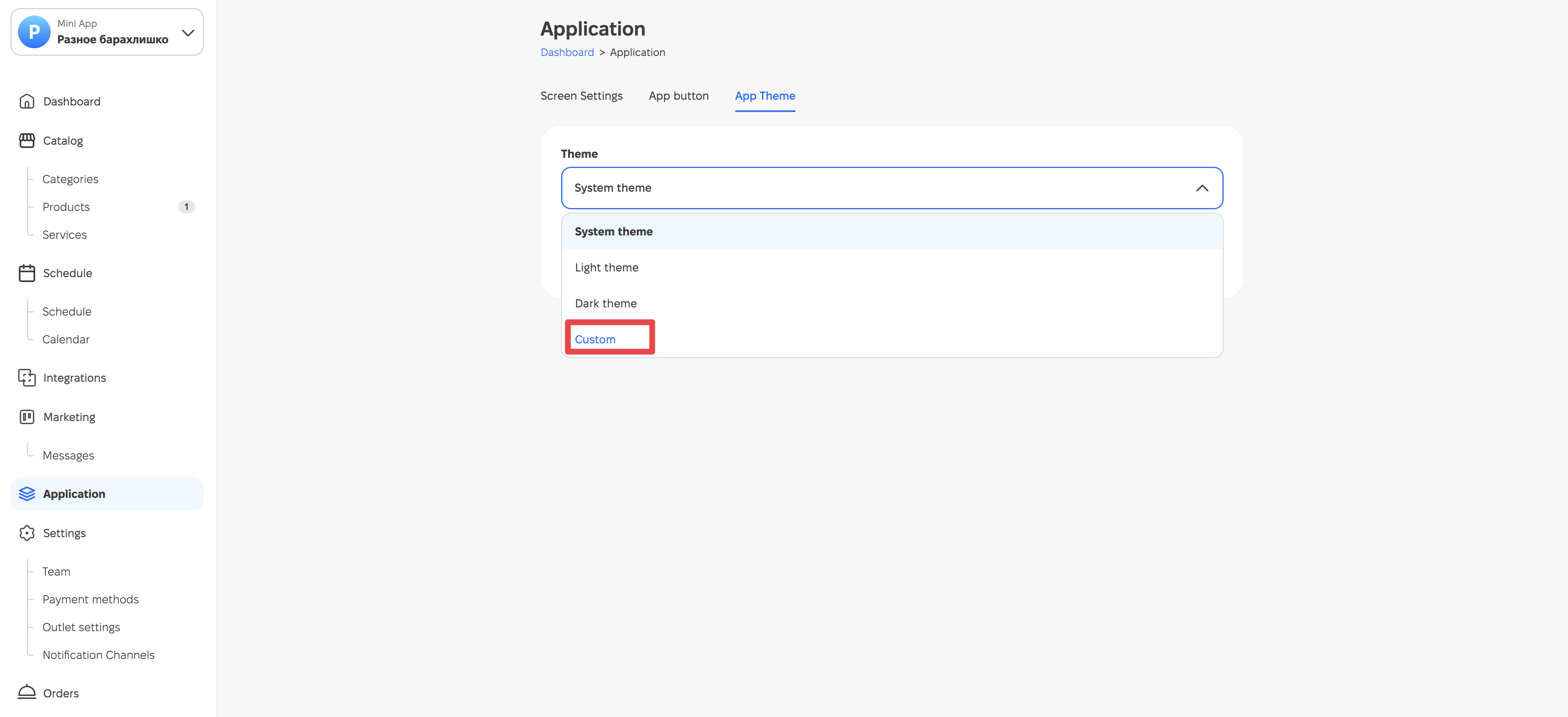
Fig. 1. Choosing any color for the app.
After that, choose the desired color from the palette and click the "Save" button (Fig. 2).
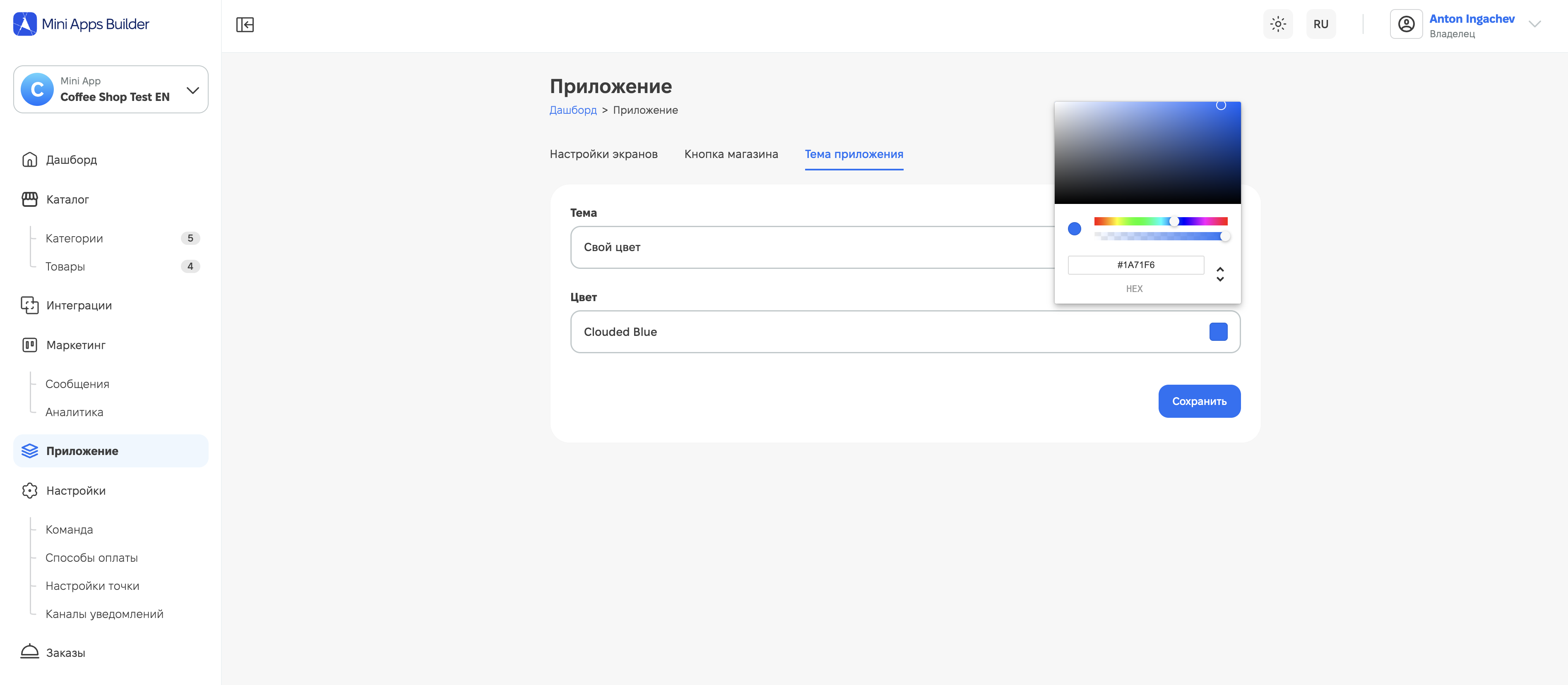
Fig. 2. The option to choose any color for the app.
After this, the color of the main interface elements in your app will update, for example as shown in Fig. 3.

Fig. 3. Pink color chosen for the interface.
If necessary, you can always revert to the default color or change it to any other new one.











