
Release notes for version 1.4.0 🚀
In this release we added an "Orders" section for the "Cafes, Restaurants, Delivery" app category to manage order statuses. Business owners and company staff with different access rights can manage incoming orders, seeing all necessary information about them.
Orders on the website
In the web dashboard, in the "Orders" section you will see all orders created from the Telegram app. By default they appear with the "New" status.
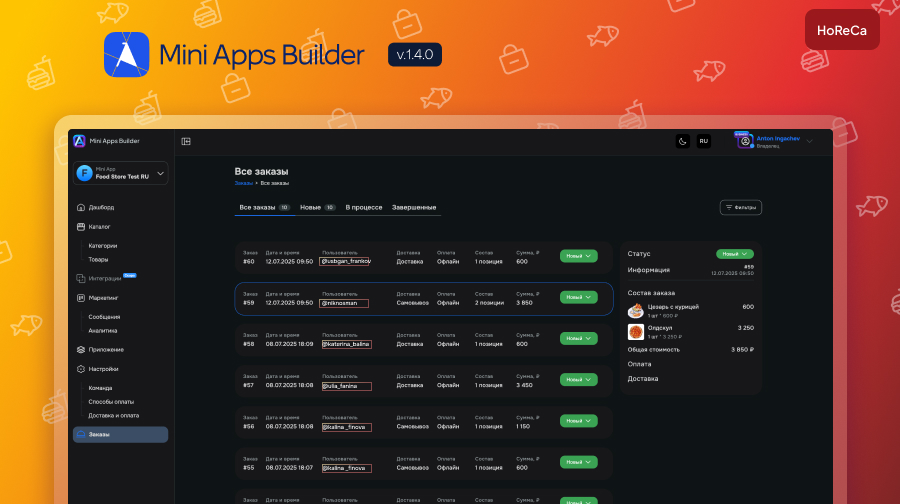
The order details include:
Order number.
Order date and time.
Order status.
Order contents.
Number of items.
Payment method.
Order amount.
- Delivery address/pickup point.
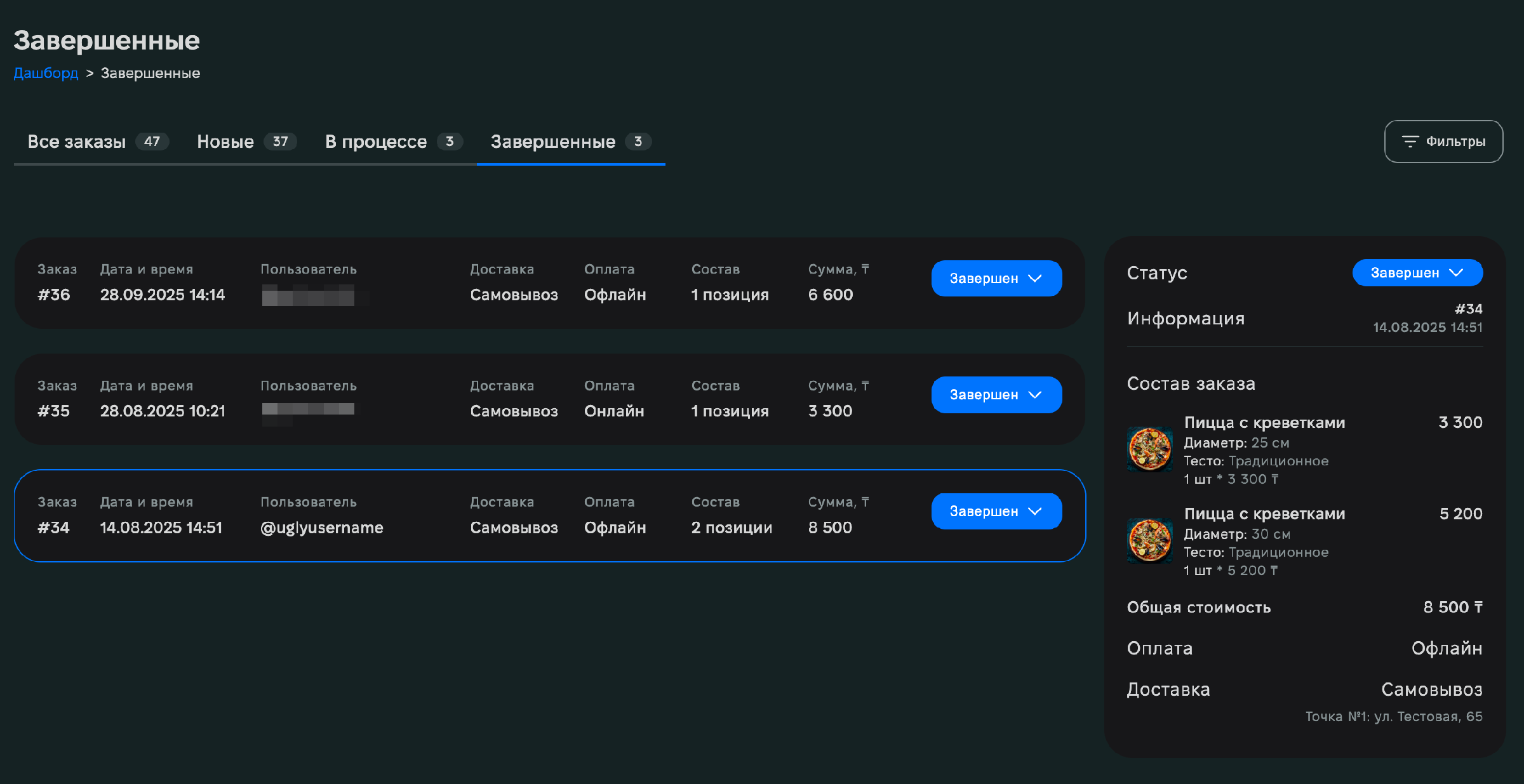
The same information is visible to the user in the transaction history in the Telegram Mini App.
Managing order statuses
You can change statuses in the dashboard so the user can see how their order is being prepared.
The functionality is available to Mini Apps Builder users on any pricing plan when creating applications in the "Cafes, Restaurants, Delivery" category.











