Update 1.57.0: Digital Products by Email in the Browser, Photos and Documents in CRM Chats
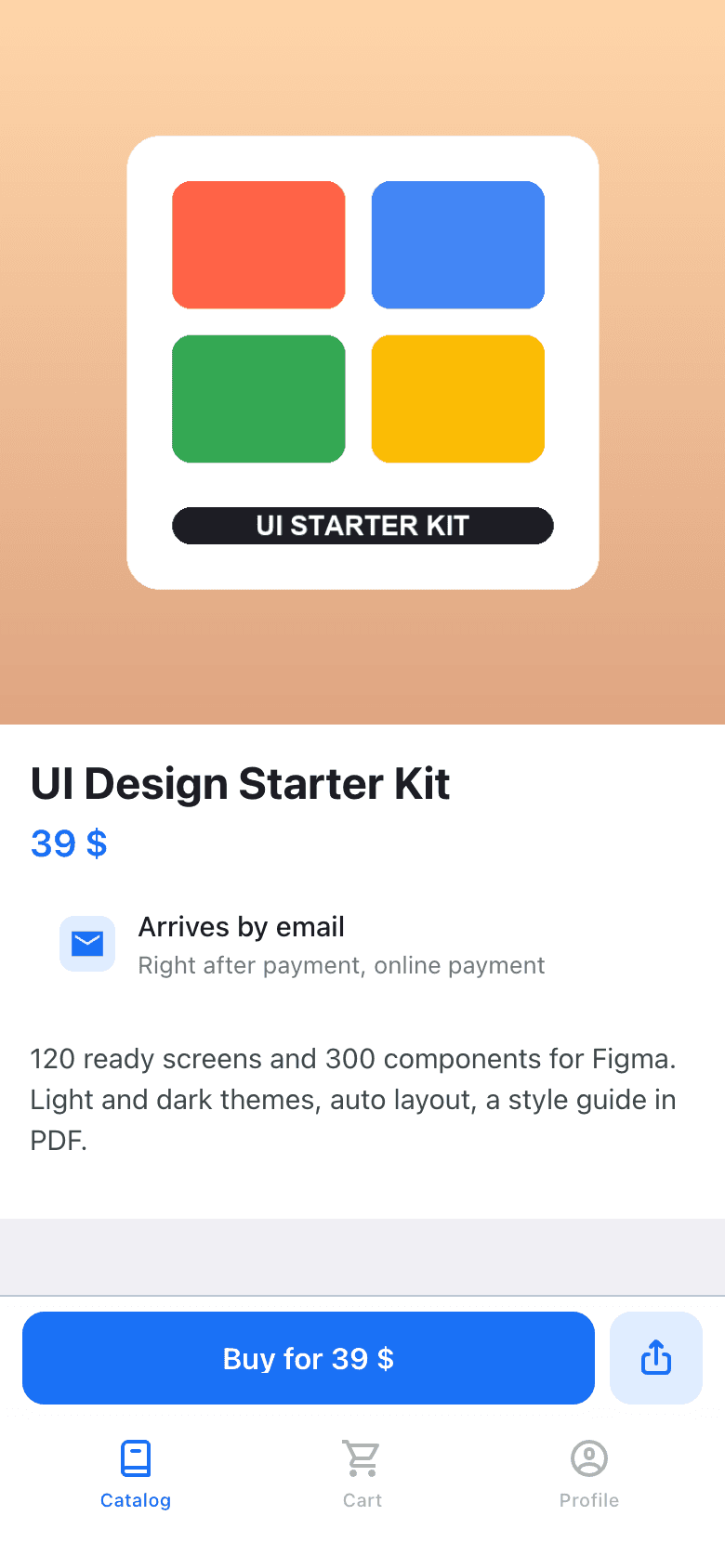
In Mini Apps Builder 1.57.0, the store in the browser sends digital products by email. Previously, the product page said “Available only in Telegram.” Now the buyer enters an email and receives files, links, and codes by email.
Store in the browser: digital products by email
The digital product page in the browser now says “Will arrive by Email” and “Immediately after payment, online payment.” The purchase button opens the “Where should we send it?” window with an “Email” field and a hint saying “We’ll send files and links to this email.” The “Proceed to payment” button becomes active when an email is entered in the field.
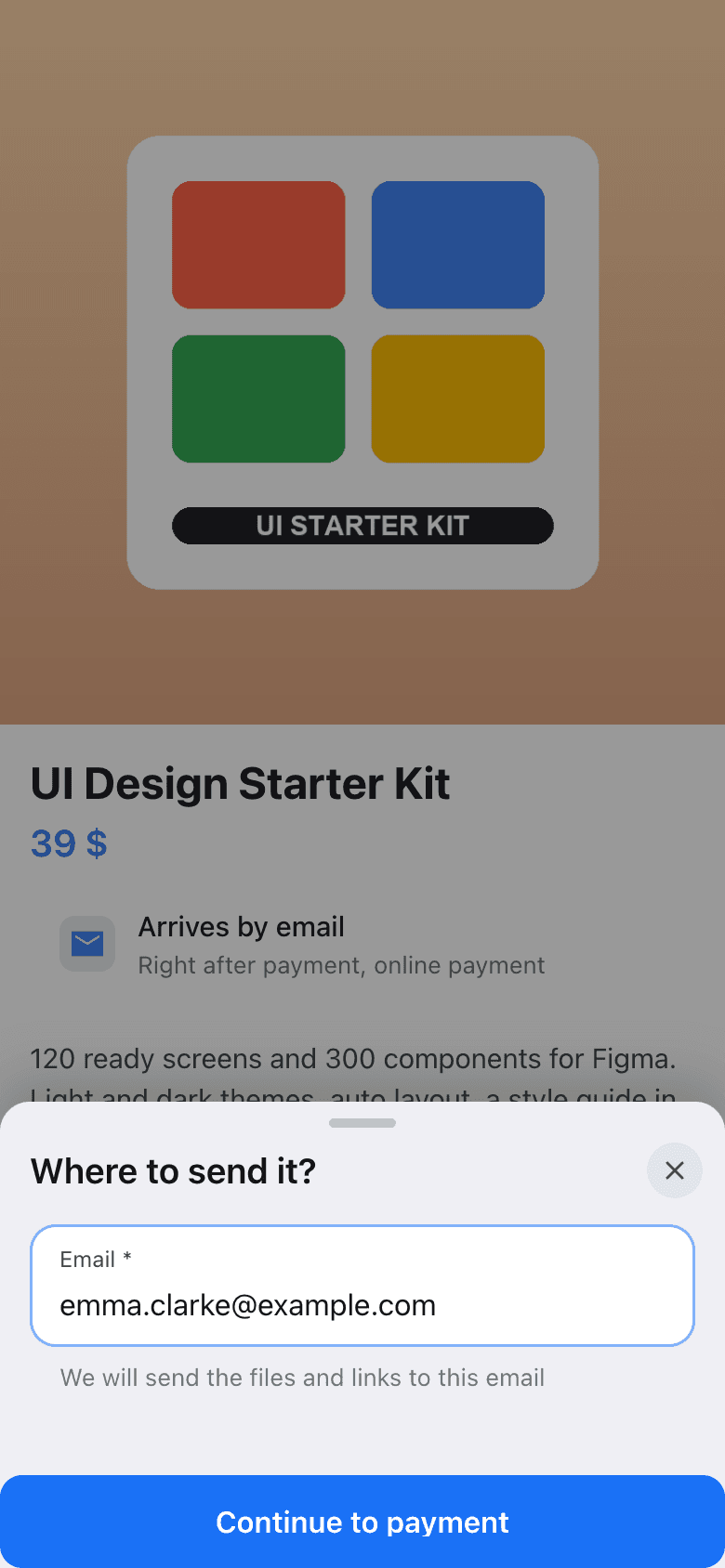
After payment, files, links, and one-time codes are sent by email. Demo and free materials are also delivered by email: in the window, the button says “Send,” and after sending you’ll see “Sent to …”. The same works in course stores and knowledge base stores. If the cart contains only digital products, the cart doesn’t ask for a phone number, but asks for an email instead: “We’ll send the digital products to this email.”
Content protection against forwarding in emails does not work.
CRM: photos, documents, and undelivered replies
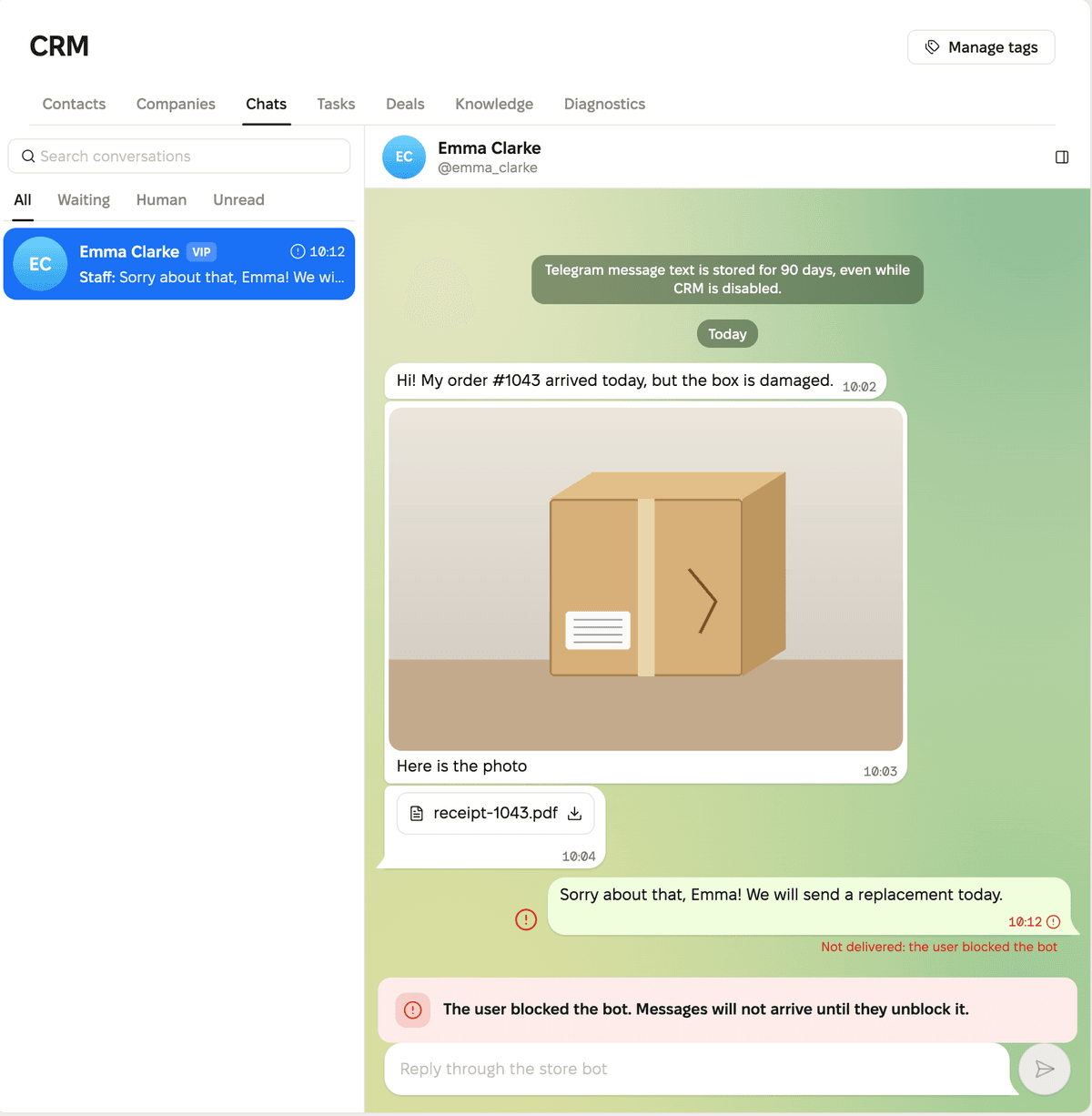
Photos and documents that the customer sends to the bot are now visible in the CRM chat. A photo is shown in the message and opens in full size when clicked. A document appears as a line with the file name, and it can be downloaded.
If Telegram didn’t deliver your reply, the reason is shown under the message. For example: “Not delivered: the user blocked the bot.” When the customer has blocked the bot, a warning appears above the reply field: “The user blocked the bot. Messages won’t be delivered until they unblock the bot.”
Translations in chats are also clearer now. While a message is being translated, you’ll see the label “translating…”. If the translation fails, the dashboard shows the reason. For example: “Translation is disabled for the store. Enable the ‘Content Translations’ plugin and try again.”
Dashboard: app list
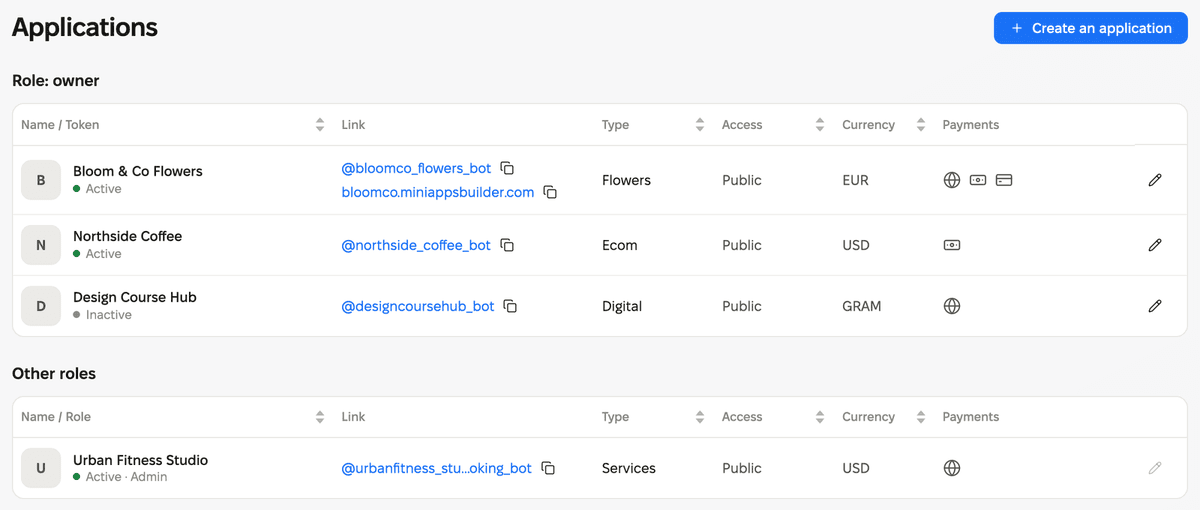
- The new “Payment” column shows icons for payment methods. The tooltip on the icon explains which method it is, for example, “Cash on delivery.”
- The app status is shown under its name.
- The currency column shows the currency code: RUB, USD, EUR. TON is now called GRAM in the dashboard.
- You can change column widths. The dashboard remembers them on this device.
- The tables are called “Role: owner” and “Other roles”.
There is no longer a “Dashboard” breadcrumb on the top-level dashboard pages.
We also fixed minor bugs and improved service stability.











