Update 1.41.0: Room field for speakers, color-coded ticket highlights, and improved participant search in conferences 🚀
In Event-style apps, it’s now easier to work with schedules, tickets, and participant lists — we’ve updated several conference and event screens at once.
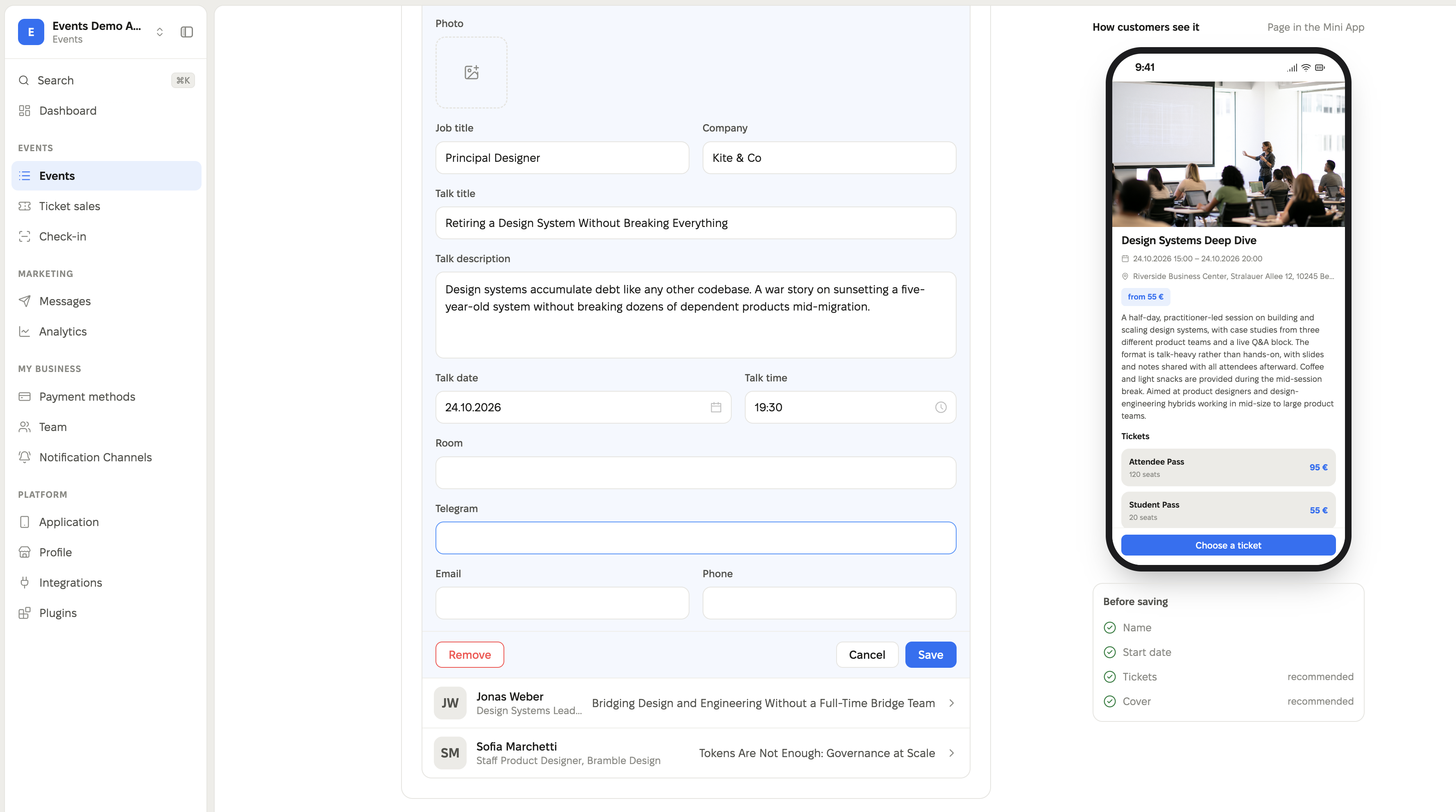
Room field for speakers
When creating or editing a speaker in the admin panel, an optional “Room” field (Room) has been added. If your event takes place in multiple rooms or tracks, you can now specify right away where the speaker is presenting — this value will be shown to participants in the mini app on the speaker page.
Color-coded ticket availability
Previously, the remaining ticket count was always highlighted in red, regardless of how many tickets were actually left. Now the highlighting reflects the real sales situation:
- More than half of the tickets left — green.
- From half down to 15% — yellow.
- Less than 15% — red.
This makes it immediately clear to organizers and participants how quickly event tickets are selling out.
Improved conference participant search
Searching for participants in the mini app has become more convenient. Previously, after entering a query and getting results, it wasn’t obvious how to quickly clear the search and return to the full list. Now you can clear the previous query with a single tap directly in the search field, and quickly return to the list of all participants without searching.
Also in this update
- Social media and website icons for conference speakers and participants — instead of text links, clear icons are now displayed.
- Removed the unused field for a second image for sponsors — it didn’t work and only caused confusion when filling out the sponsor card.
We also fixed some bugs in this release and improved service stability.
All changes apply to Event-style apps (conference and event registration) and are available in the admin panel for organizers of such events.











