
Update 1.41.0: The "Room" field for speakers, color-coded ticket highlighting, and improved participant search in conferences 🚀
In event-style apps, it became more convenient to work with the schedule, tickets, and participant list — we updated several conference and event screens at once.
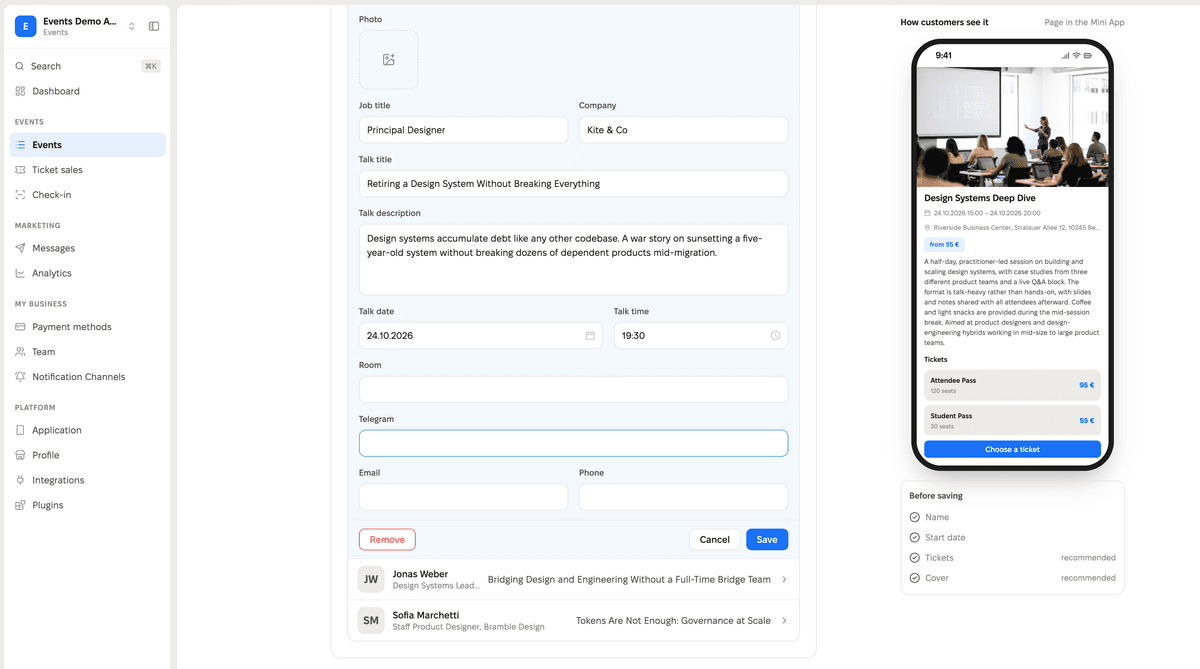
The "Room" field for speakers
When creating and editing a speaker in the admin panel, an optional "Room" field (Room) has been added. If you are running an event in several rooms or streams, you can now immediately specify where the speaker is presenting — this value is shown to participants in the mini app on the speaker page.
Color-coded ticket quantity highlighting
Previously, the remaining tickets were always highlighted in red, regardless of how many tickets were actually left. Now the highlighting reflects the real sales situation:
- More than half the tickets left — green.
- From half down to 15% — yellow.
- Less than 15% — red.
This makes it immediately clear to organizers and participants how quickly tickets for the event are selling out.
Improved conference participant search
Search for participants in the mini app has become more convenient. Previously, after entering a query and receiving results, it was not obvious how to quickly clear the search and return to the full list. Now you can clear the previous query with one tap directly in the search field, and also quickly return to the list of all participants without searching.
Also in this update
- Social network and website icons for conference speakers and participants — instead of text links, clear icons are now displayed.
- The unused field for a second image for sponsors has been removed — it did not work and only caused confusion when filling out the sponsor card.
In this release, we also fixed some bugs and improved service stability.
All changes apply to event-style apps (conference and event registration) and are available in the admin panel for organizers of such events.