Update 1.45.0: table orders via QR code and tables in outlet settings 🚀
In Mini Apps Builder 1.45.0, cafes and restaurants can take orders right at the table. Each table in an outlet has a number and its own QR code. The guest scans the code, opens the mini app, and the table is already selected in the order.
Dashboard: tables and QR codes
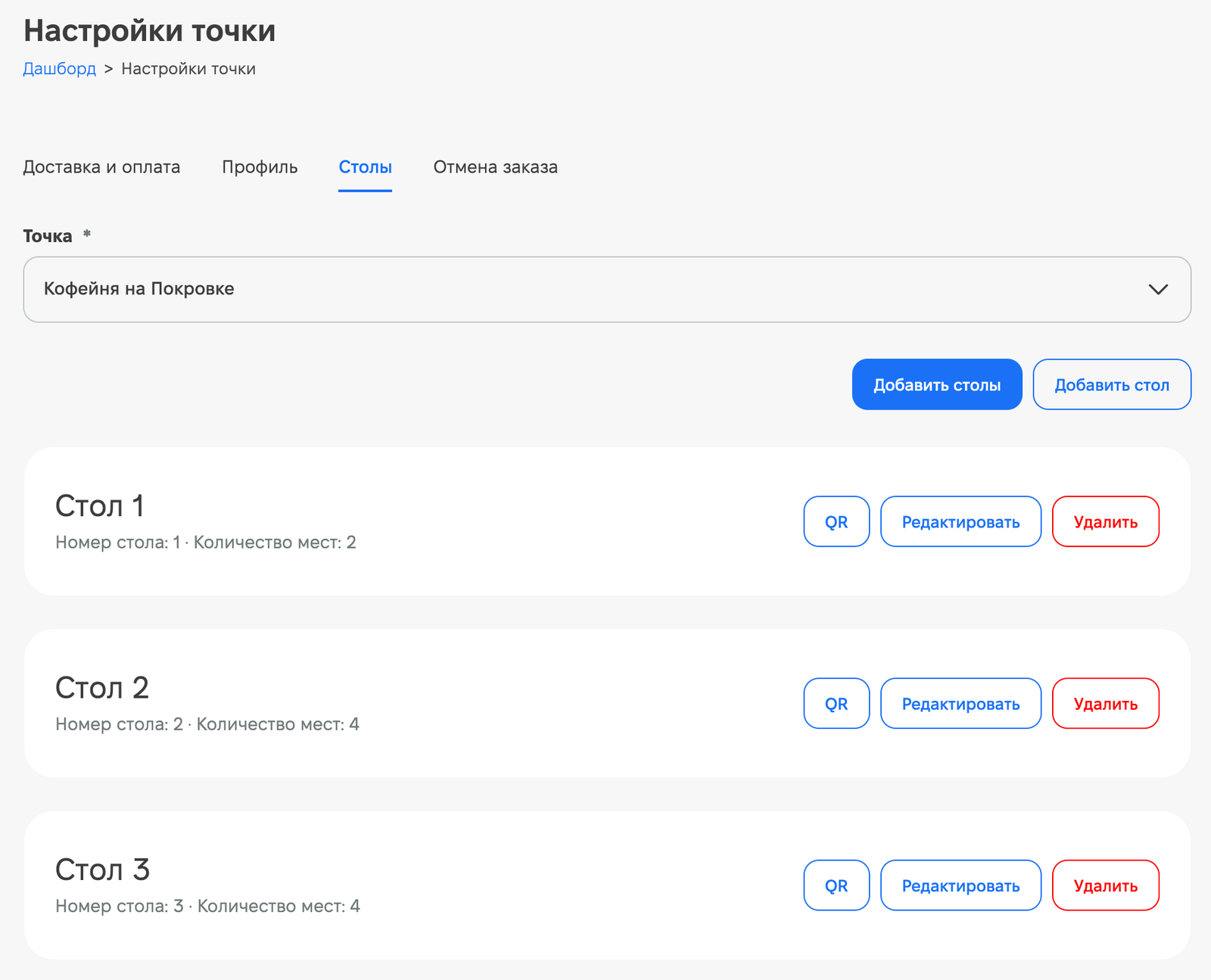
A «Tables» tab has appeared in the «Outlet settings» section. Select an outlet and add tables:
- The «Add table» button creates one table. A table has a name, number, number of seats from 1 to 20, a description, and an «Table available» indicator.
- The «Add tables» button creates up to 50 tables at a time. Tables receive names and numbers in order, starting from 1; occupied numbers are skipped.
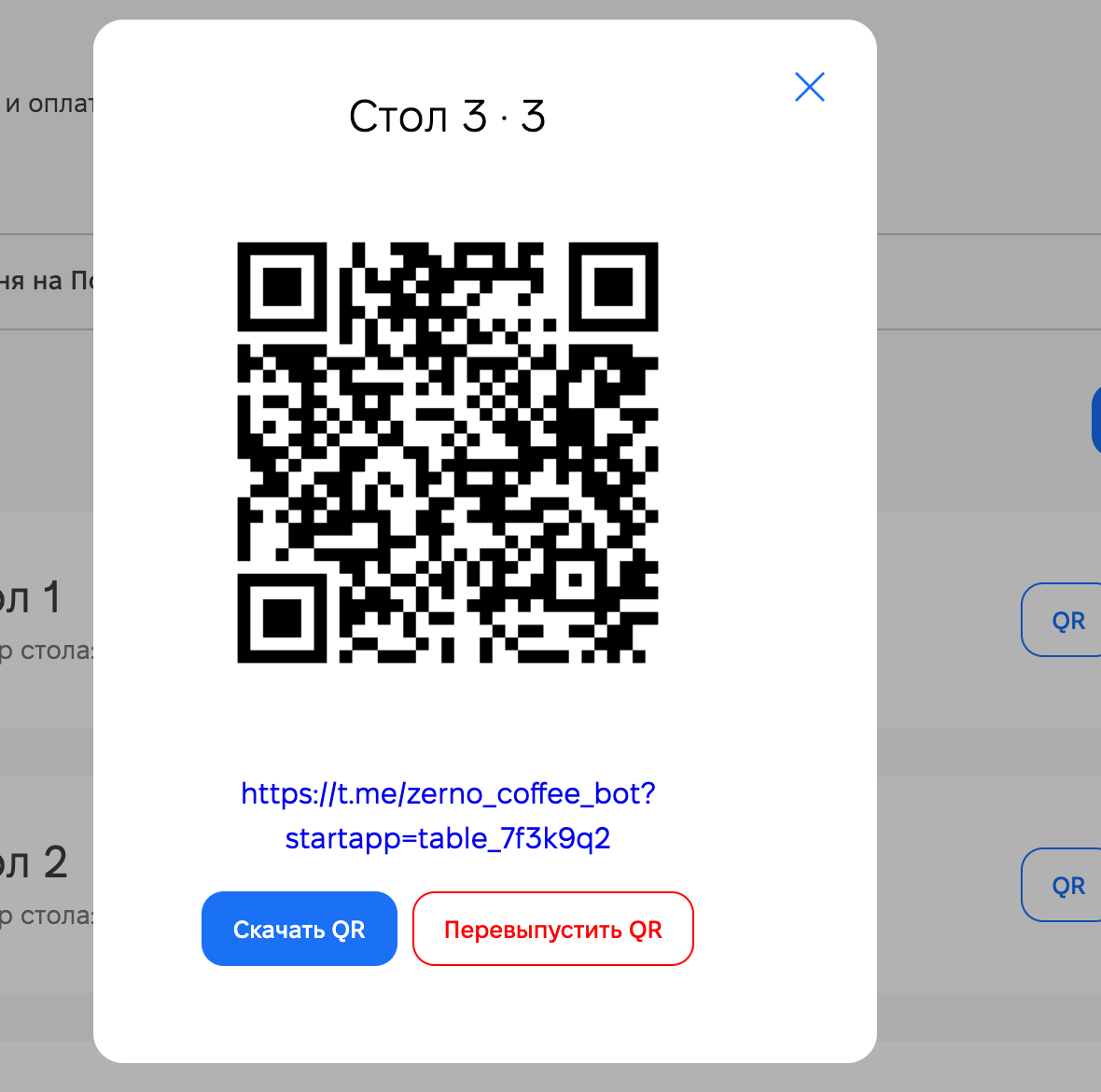
The «QR» button on a table opens the QR code and the link to the mini app. The code can be downloaded with the «Download QR» button and printed. The «Reissue QR» button creates a new code, and the old one stops working.
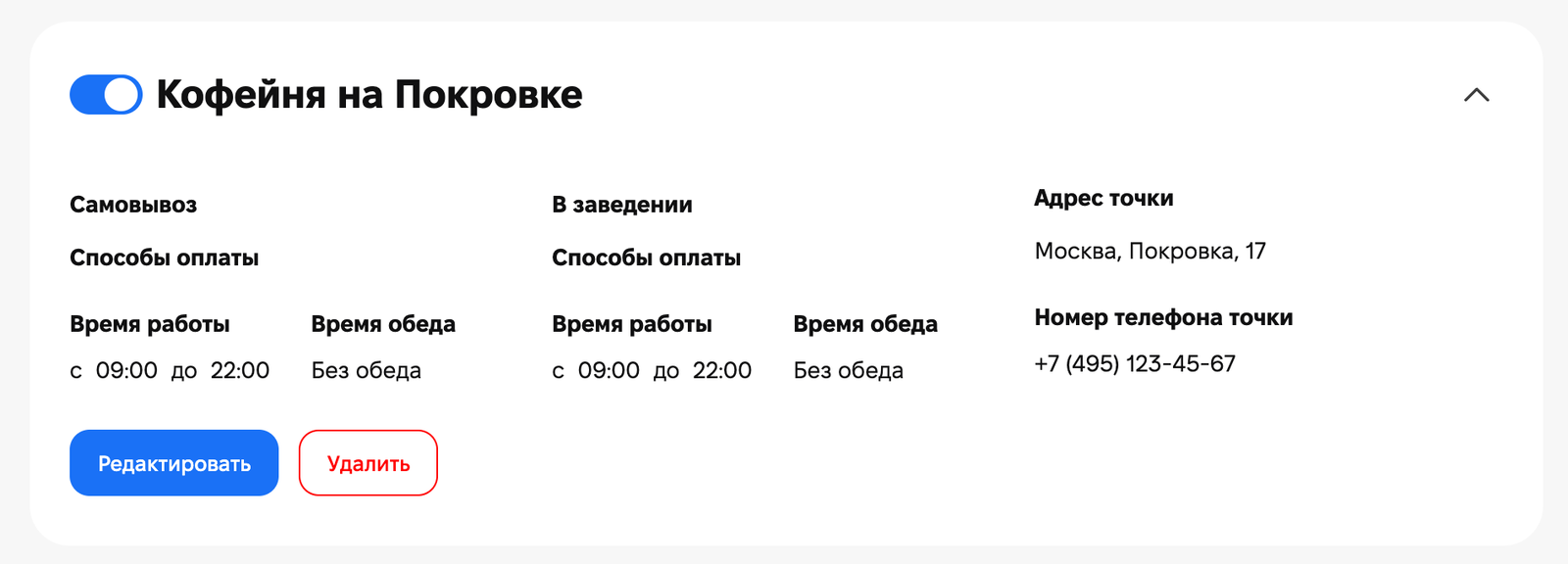
Dashboard: fulfillment method «Dine in»
On the «Delivery and payment» tab, a third order fulfillment method, «Dine in», has appeared for the outlet, alongside pickup and delivery. Payment methods, dining room hours, and break time are configured separately for it. In the order list, such orders are marked «Dine in», and the table name and number are visible in the order.
Mini app: table orders
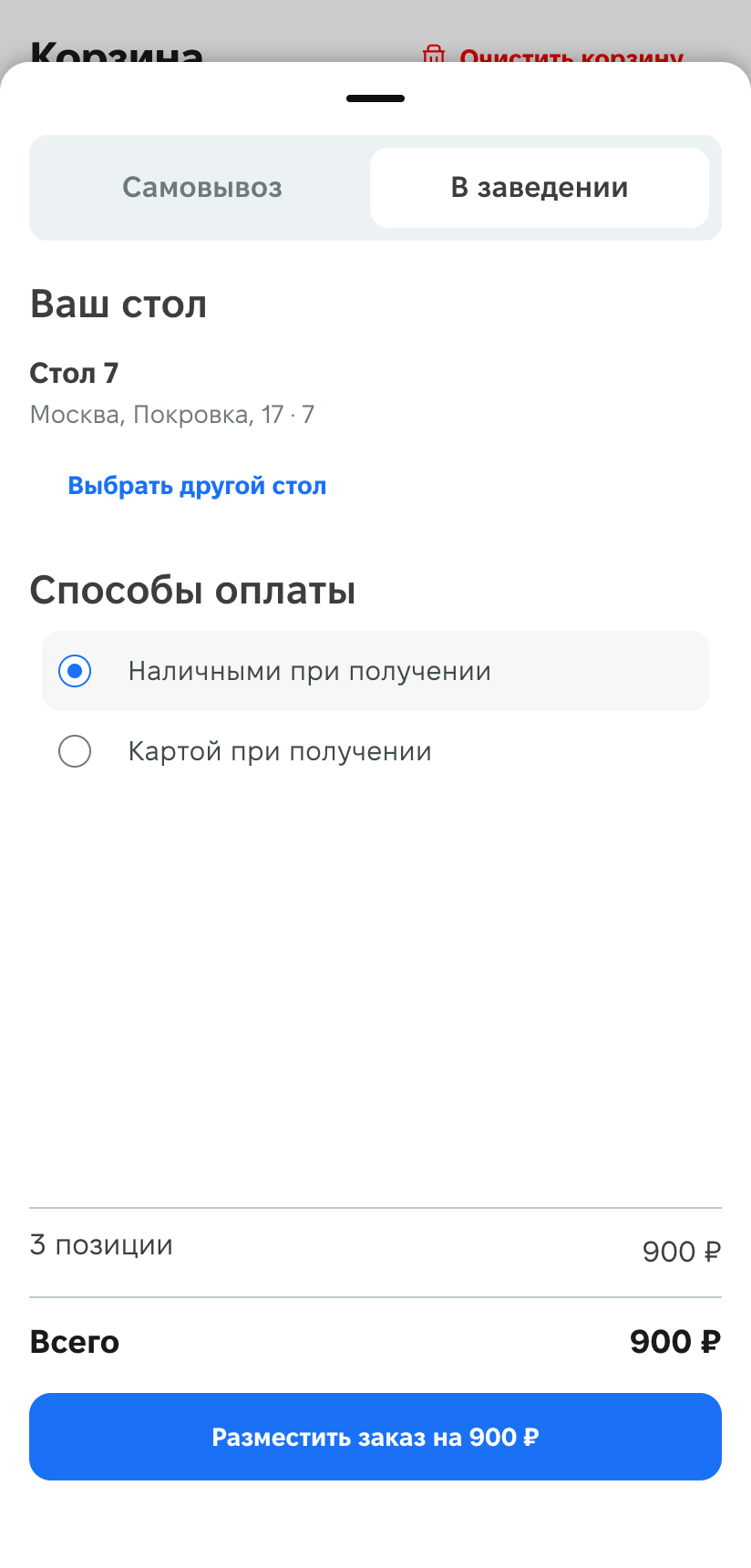
The guest points their phone camera at the table’s QR code, and the mini app opens for the correct outlet. When placing an order, the «Dine in» method is already selected, and the table is shown in the «Your table» block. The guest chooses a payment method and places the order. If they move to another table, they can change it with the «Choose another table» button. After ordering, the table remains selected, and they can order again from the same table.
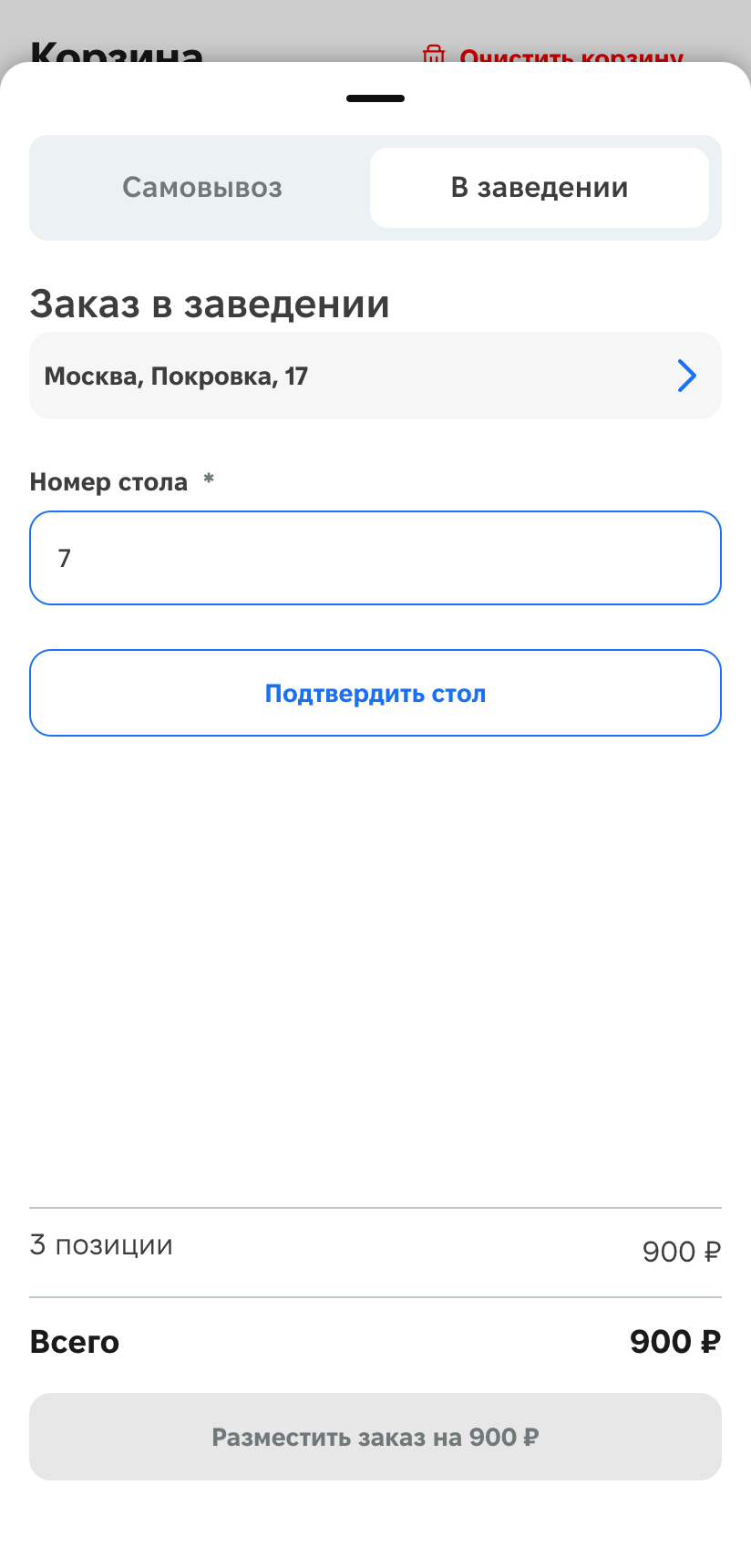
If the guest opened the mini app without a QR code, they select «Dine in», choose the outlet, enter the number in the «Table number» field, and click «Confirm table». Pickup and delivery remain available.
We also fixed some bugs in this release and improved service stability.











