
Update 1.45.0: table ordering by QR code and tables in location settings 🚀
In Mini Apps Builder 1.45.0, cafes and restaurants can take orders right at the table. Each table in a location has a number and its own QR code. The guest scans the code, opens the mini app, and the table is already selected in the order.
Dashboard: tables and QR codes
The “Tables” tab has appeared in the “Location Settings” section. Select a location and add tables:
- The “Add table” button creates one table. A table has a name, number, number of seats from 1 to 20, a description, and an “Table available” flag.
- The “Add tables” button creates up to 50 tables at once. Tables get names and numbers in order, starting from 1; occupied numbers are skipped.
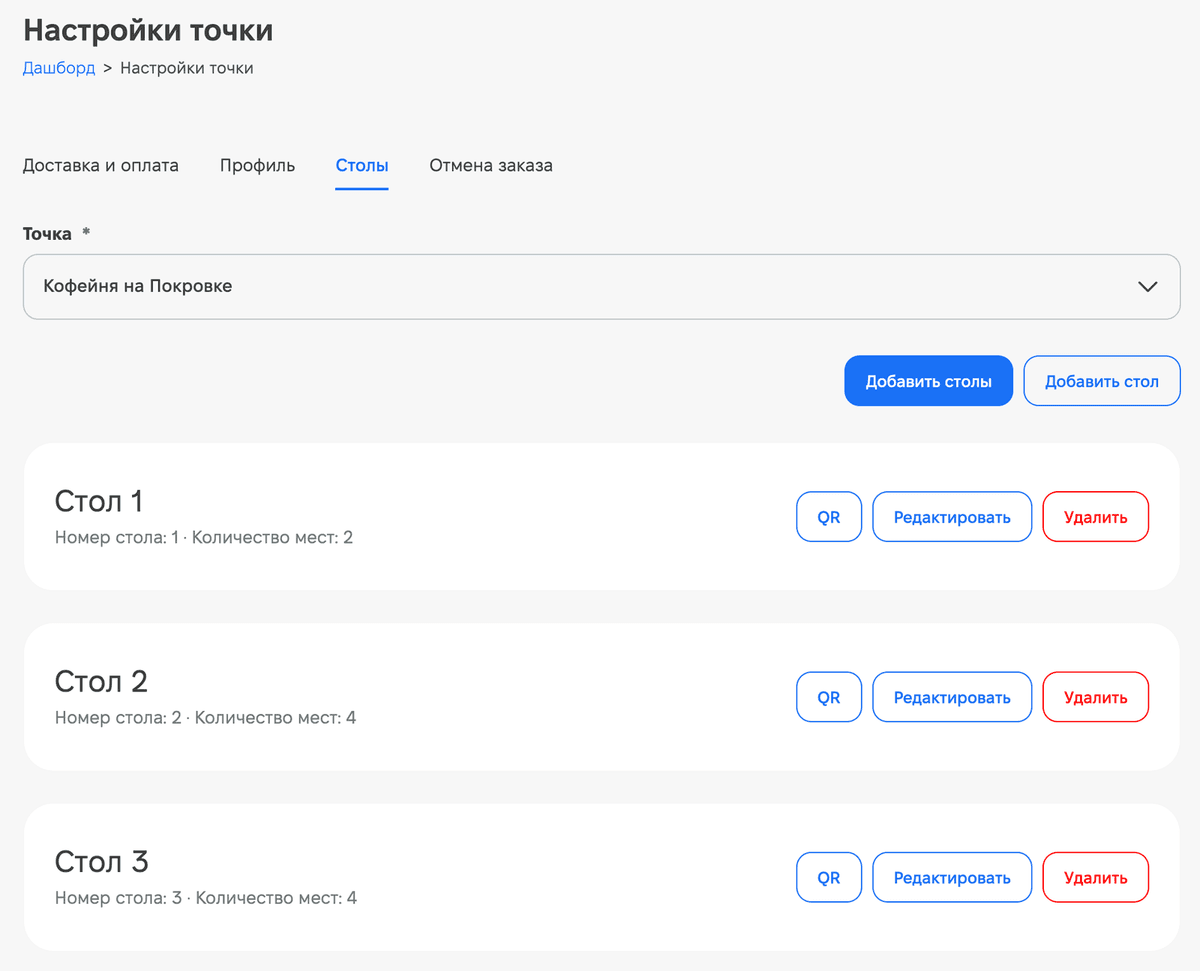
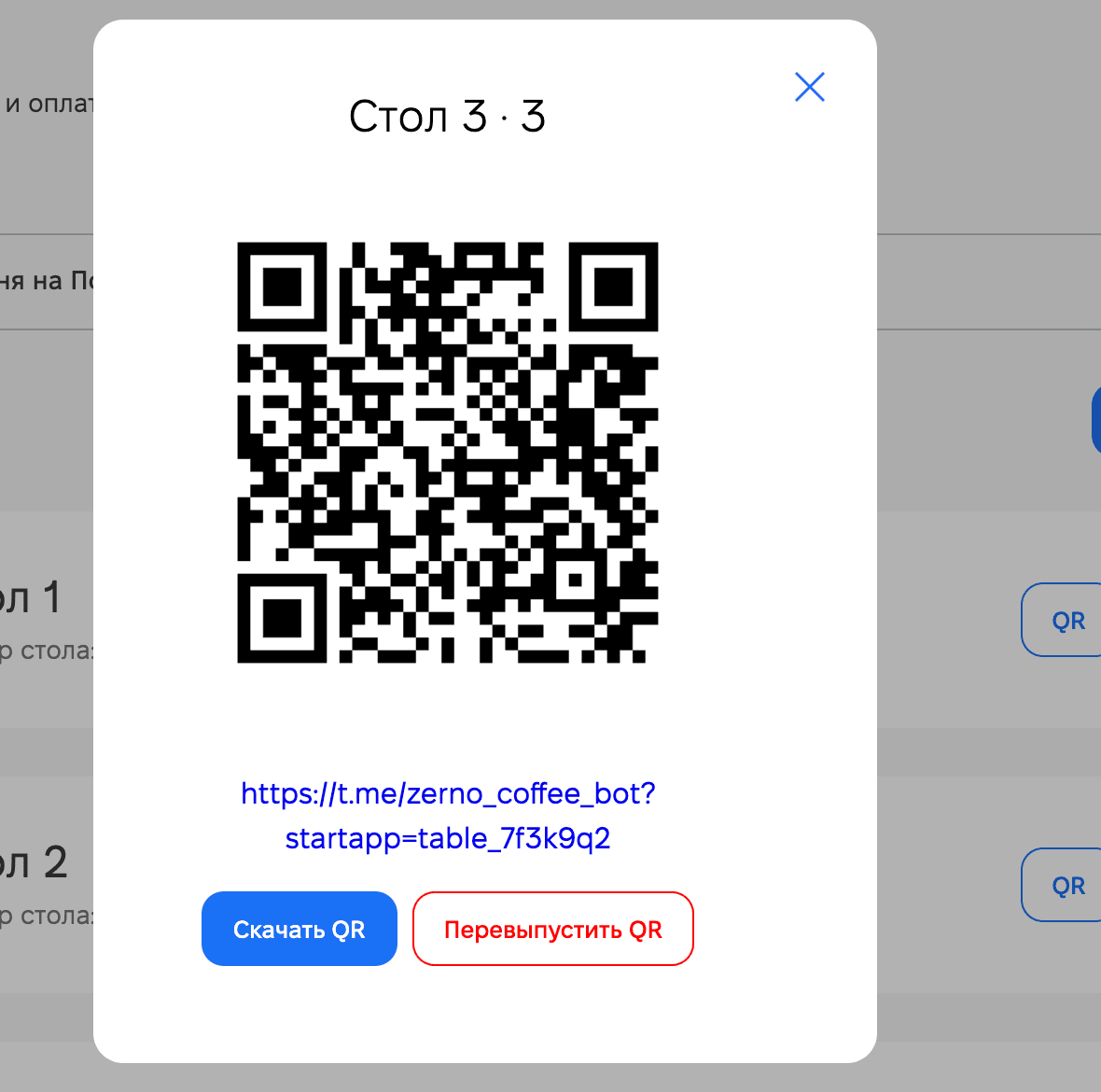
The “QR” button for a table opens the QR code and a link to the mini app. The code can be downloaded with the “Download QR” button and printed. The “Reissue QR” button creates a new code, and the old one stops working.
Dashboard: fulfillment method “Dine in”
On the “Delivery and payment” tab, a third order fulfillment method has appeared for the location, “Dine in”, alongside pickup and delivery. Payment methods, hall hours, and a break are configured separately for it. In the order list, such orders are marked “Dine in”; the order shows the table name and number.

Mini app: table ordering
The guest points the phone camera at the table’s QR code, and the mini app opens in the correct location. When placing an order, “Dine in” is already selected, and the table is shown in the “Your table” block. The guest chooses a payment method and places the order. If they move to another table, they can change it with the “Choose another table” button. After ordering, the table remains selected, and they can order again from the same table.
If the guest opened the mini app without a QR code, they choose “Dine in”, select a location, enter the number in the “Table number” field, and click “Confirm table”. Pickup and delivery remain available.


Also in this release, some bugs were fixed and service stability was improved.