Update 1.46.0: messaging formatting, location analytics, and a new venue profile 🚀
In Mini Apps Builder 1.46.0, messages in the “Marketing” section now support Telegram formatting, and analytics show data for each location. Also in this release: a venue profile with information under the cover, bot description translations via an AI assistant, and notifications in the mini app that close automatically.
Dashboard: message formatting
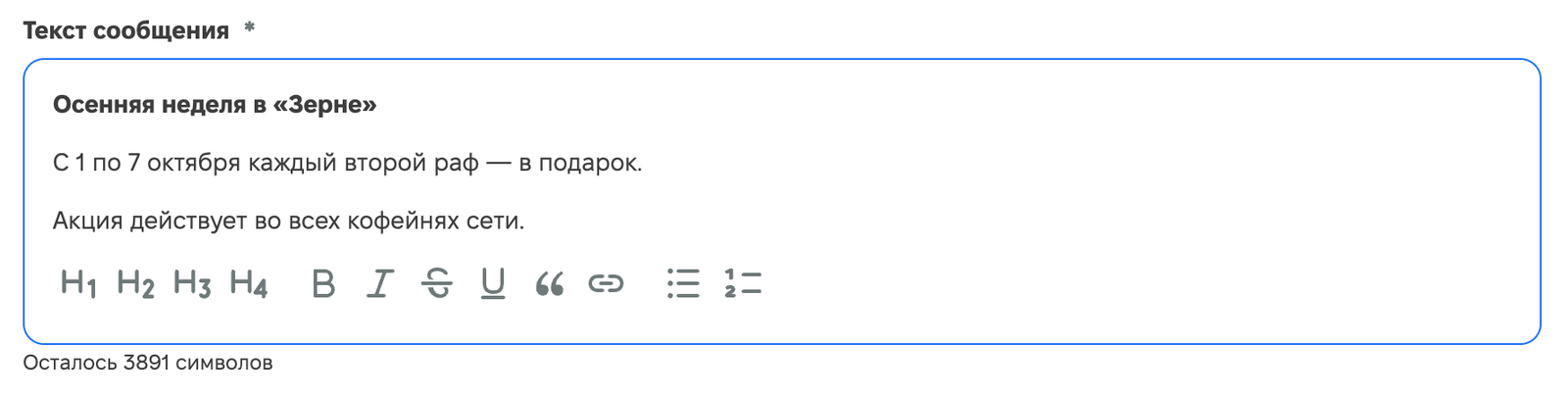
The message text in “Marketing” → “Messages” can now be formatted: bold, italic, underlined and strikethrough text, links, and lists. Line breaks are preserved, so you can split a message into paragraphs. Recipients see the same formatting in Telegram along with the attached image.
Dashboard: location analytics
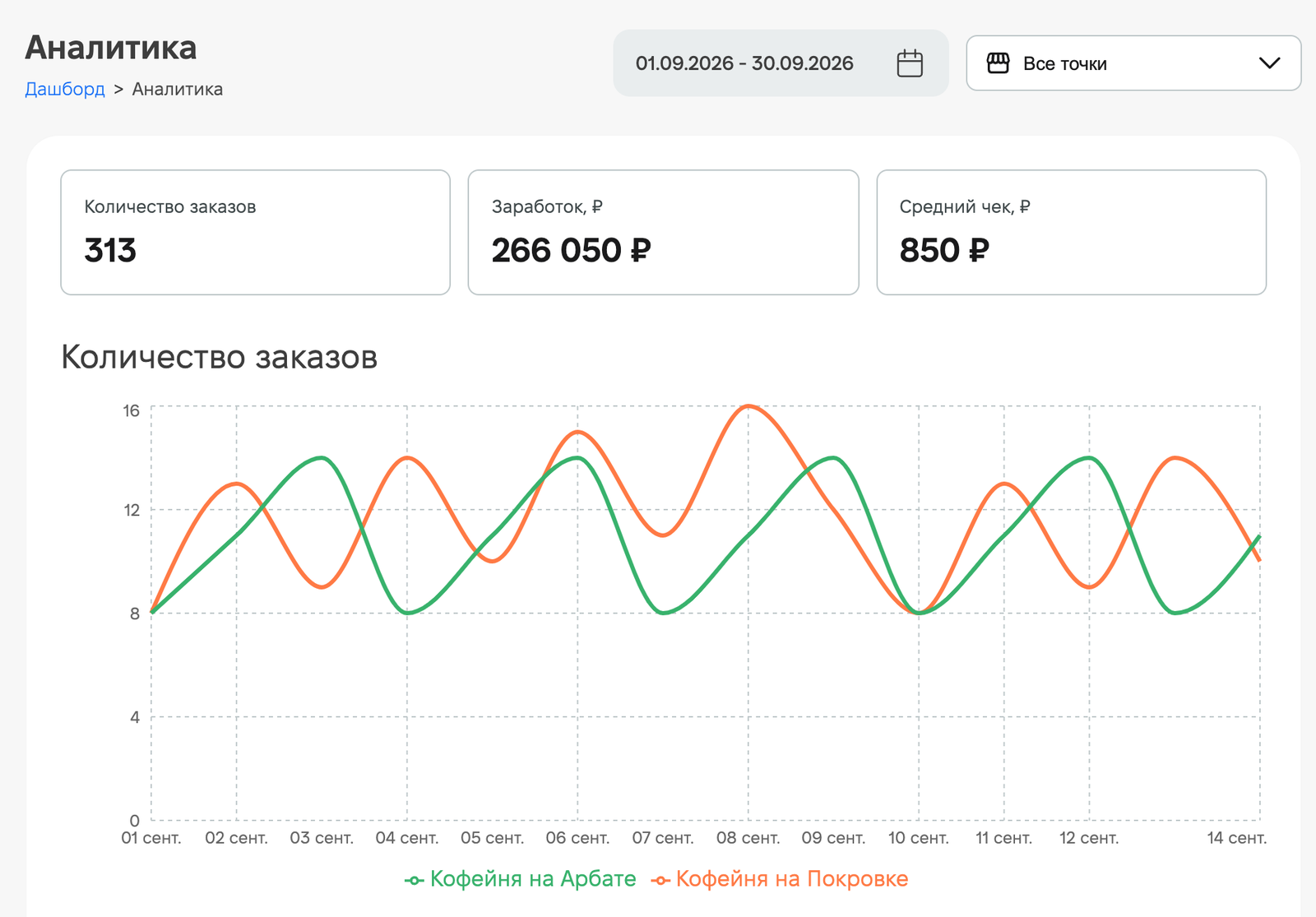
If the app has more than one location, a location filter has been added next to the calendar in the “Analytics” section. By default, “All locations” is selected. You can choose any locations, and on the charts for number of orders, revenue, and average check, each location is shown as a separate line. The time period is selected in the calendar.
Mini app: venue profile
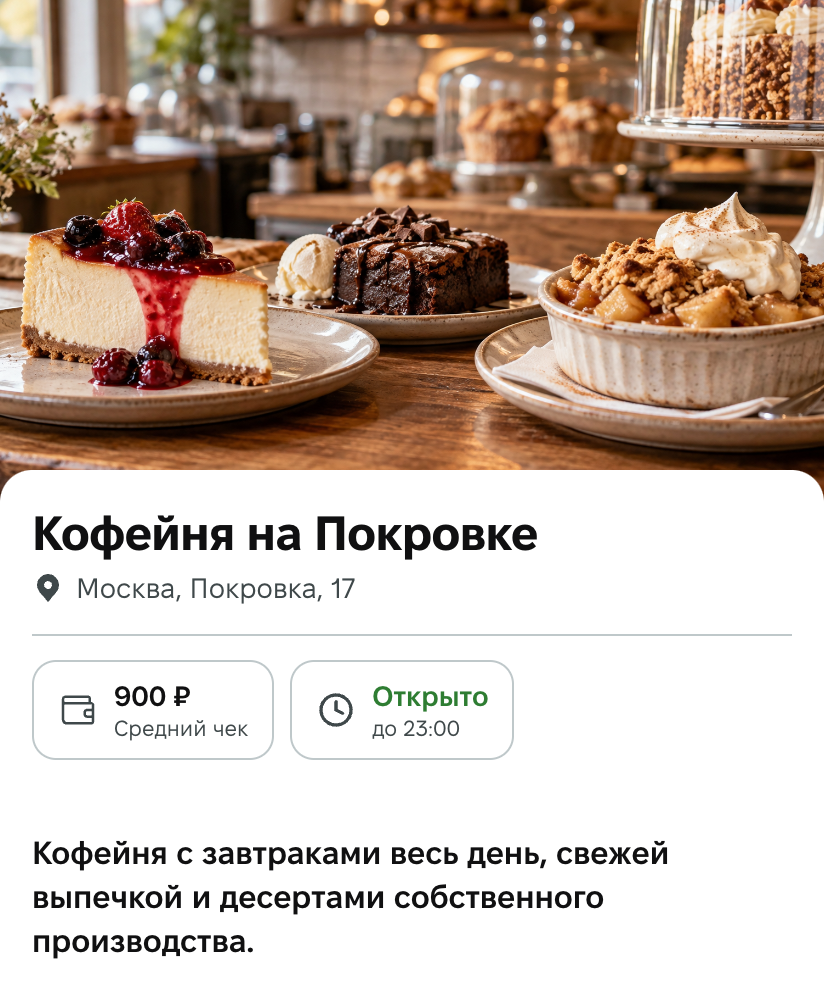
In the “Restaurant” tab, the location name, address, average check, and operating status, for example “Open until 23:00”, are now placed in a card under the cover instead of over the photo. The text is readable on any cover, and the photo no longer needs to be chosen to match the text.
Mini app: notifications and loading
- Popup notifications now close automatically: after 4 seconds for a successful action, and after 6 seconds for an error. Previously, some notifications stayed on the screen until you closed them manually.
- While the screen is loading, outlines of the future blocks are visible.
AI assistant: bot description translations
The AI assistant, connected to the app via Claude or ChatGPT, now works with translations for the bot name, short description, and full Telegram description. Ask it to translate the description into the required languages: the assistant will read the current texts, translate them, and save each language version. Text without a language specified is the default version: Telegram shows it if there is no translation for the user’s language. The assistant takes Telegram limits into account: up to 64 characters for the name, up to 120 for the short description, and up to 512 for the full description.
We also fixed some bugs and improved service stability in this release.











