Update 1.46.0: message formatting, branch-level analytics, and a new venue profile 🚀
In Mini Apps Builder 1.46.0, messages in the Marketing section now support Telegram formatting, and analytics show data for each branch. Also in this release: a venue profile with information under the cover, bot description translations through the AI assistant, and notifications in the mini app that close automatically.
Admin panel: message formatting
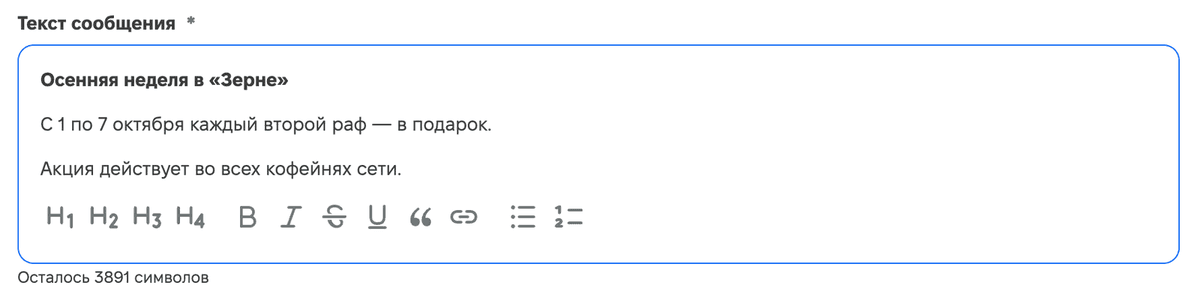
The message text in Marketing → Messages can now be formatted: bold, italic, underlined, and strikethrough text, links, and lists. Line breaks are preserved, so the message can be split into paragraphs. Recipients see the same formatting in Telegram along with the attached image.
Admin panel: branch-level analytics
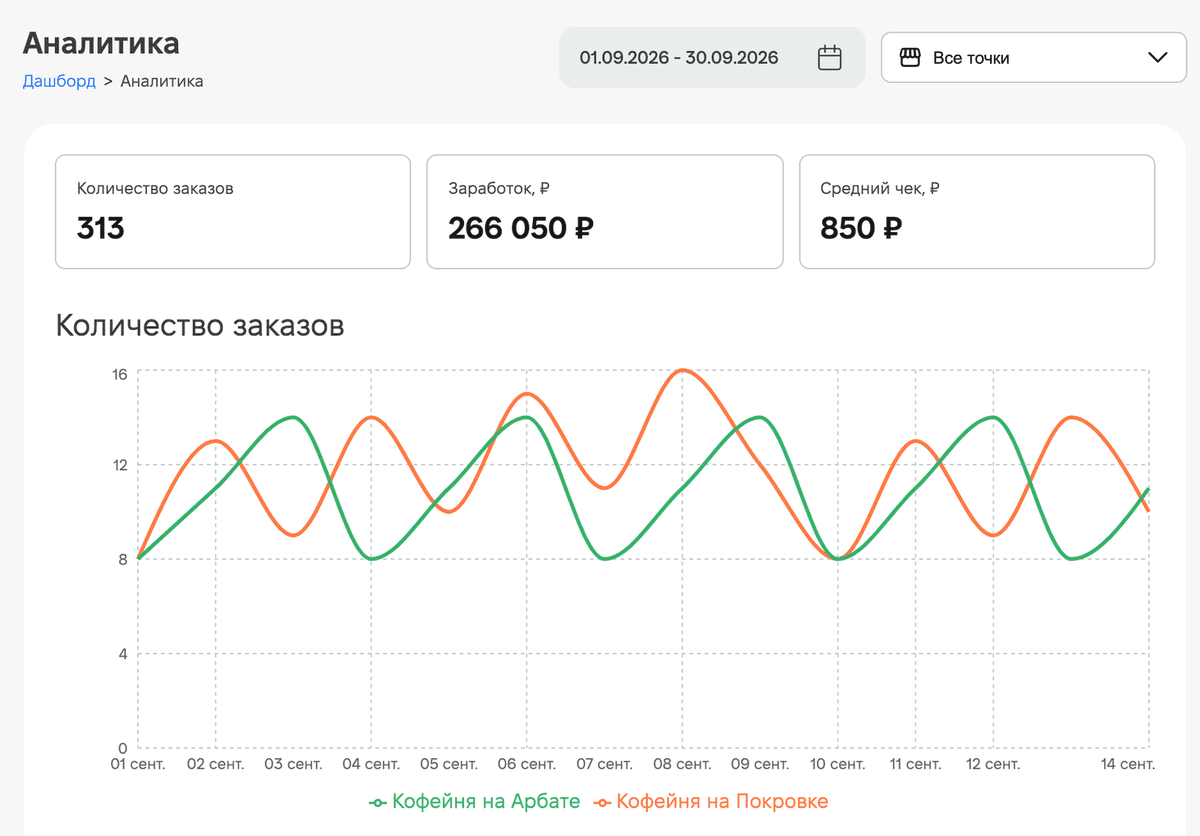
If the app has more than one branch, a branch filter now appears in the Analytics section next to the calendar. By default, All branches is selected. You can choose any branches, and on the charts for order count, revenue, and average check, each branch is shown as a separate line. The period is selected in the calendar.
Mini app: venue profile
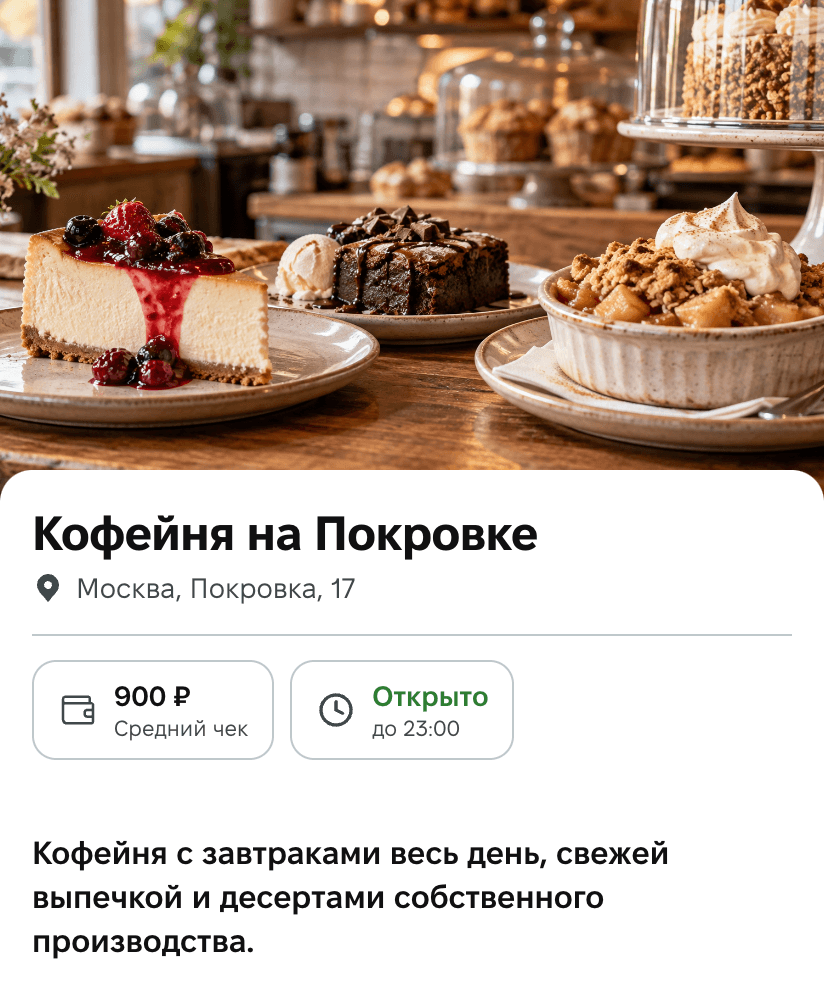
On the Restaurant tab, the branch name, address, average check, and operating status, for example Open until 23:00, are now placed in a card under the cover rather than over the photo. The text is readable on any cover, and the photo no longer has to be chosen to fit the text.
Mini app: notifications and loading
- Popup notifications now close automatically: after 4 seconds for a successful action and after 6 seconds for an error. Previously, some notifications stayed on the screen until you closed them.
- While the screen is loading, the outlines of the future blocks are visible.
AI assistant: bot description translations
The AI assistant, connected to the app through Claude or ChatGPT, works with translations of the bot name, the short description, and the full description in Telegram. Ask it to translate the description into the required languages: the assistant will read the current texts, translate them, and save each language version. Text without a language specified is the default version: Telegram shows it if there is no translation for the user's language. The assistant takes Telegram limits into account: up to 64 characters for the name, up to 120 for the short description, and up to 512 for the full description.
Also in this release, some bugs were fixed and the service stability was improved.