Random Coffee Plugin
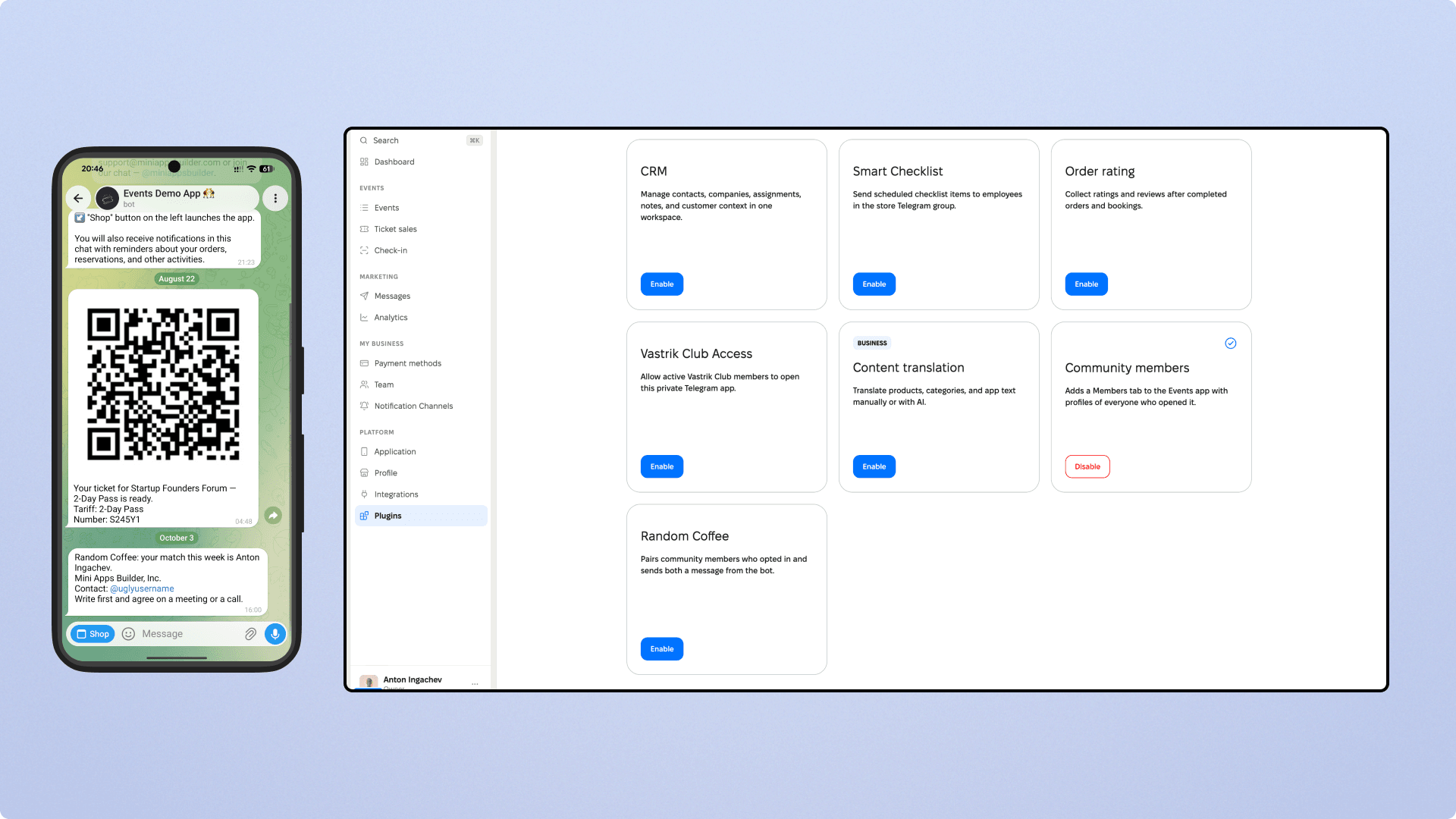
The Random Coffee plugin matches community members into pairs for introductions. Once a week, the plugin connects two people based on shared interests and sends both of them a message from the app bot with the other person’s name and contact details. The plugin works only in apps of the “Events” type and only together with the “Community Members” plugin.
How to enable the plugin
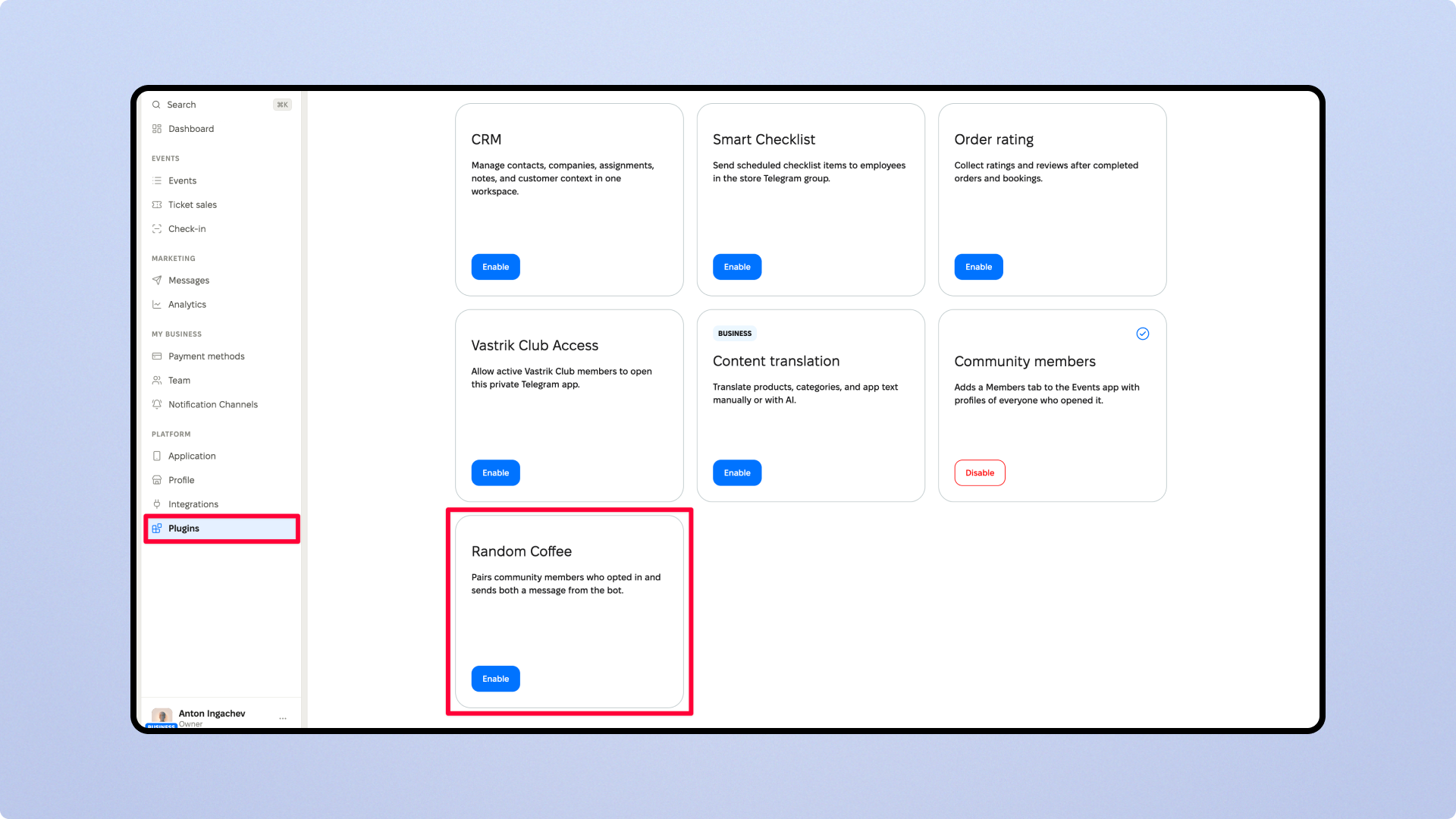
Open the admin panel and select the “Events” app.
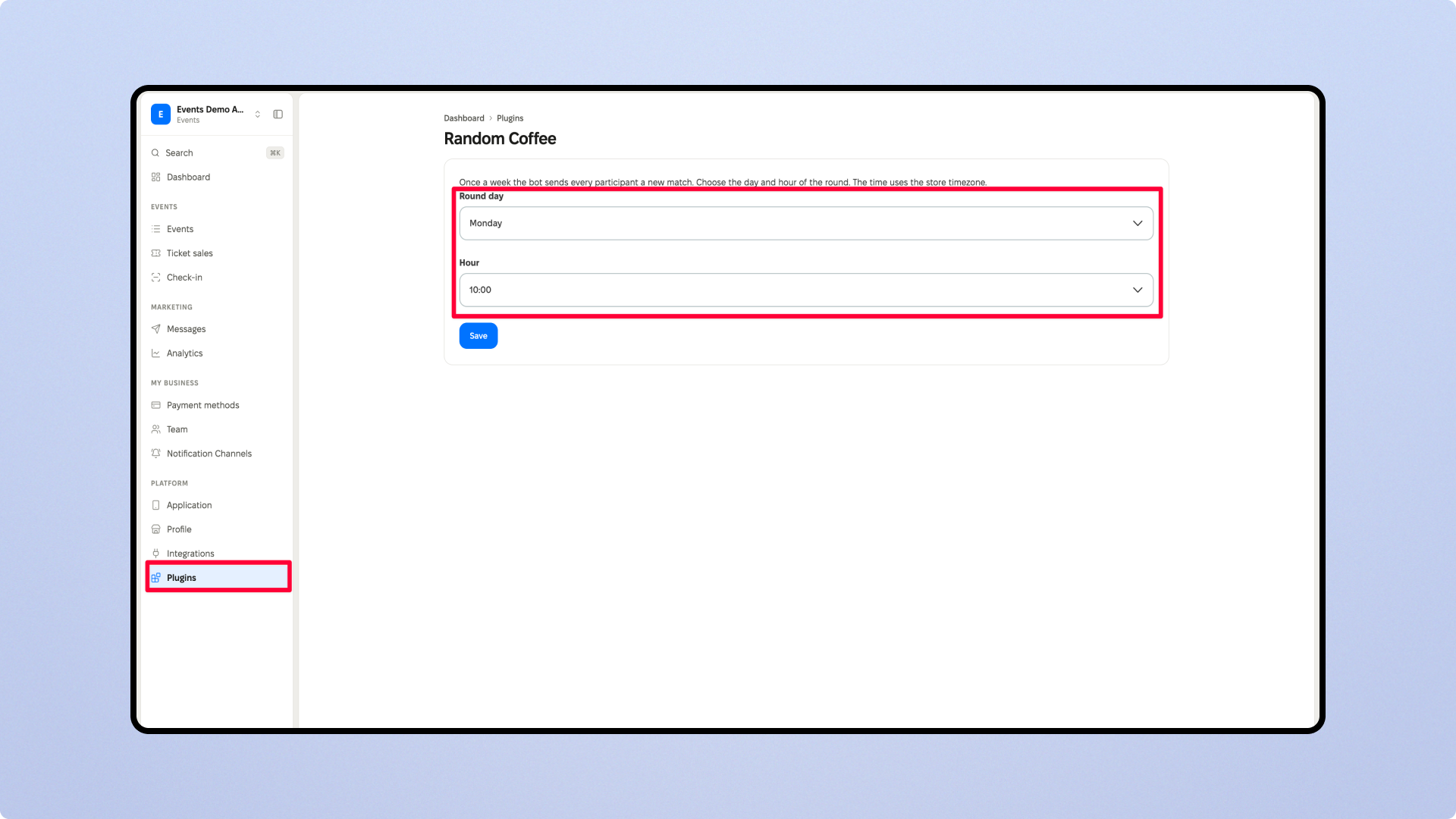
Go to “Platform” → “Plugins”.
First, enable “Community Members”. While it is disabled, the Random Coffee card is locked.
On the Random Coffee card, click “Enable”.
What participants need
Only those who have met both conditions can take part in Random Coffee:
completed their profile in the mini app, including providing a name and at least one contact method;
selected “Everyone in the community” in the “Who can see the profile” section.
The participant is marked in the “I’m taking part in Random Coffee” section of their profile. When they first open the “Participants” tab, they see a short window with the conditions. There they can click “Participate” or “Later”.
What happens if you disable the plugin
If you disable “Community Members” while Random Coffee is enabled, the admin panel will ask you to confirm the action. Random Coffee will remain enabled, but pairs will stop being matched, and participants will not be able to sign up.
How a participant can opt out
A participant can leave Random Coffee at any time: open your profile and clear the “I’m taking part in Random Coffee” checkbox. They can also hide themselves from lists by selecting “Nobody” in the “Who can see the profile” section.
Frequently asked questions
Can I enable Random Coffee without “Community Members”?
No. The Random Coffee card is locked while “Community Members” is disabled.
Will the plugin appear in an app for products or services?
No. The plugin is available only in “Events” apps.
Can the organizer add a participant to Random Coffee?
No. Participation is enabled by the participant themselves in their profile.