
उत्पादों या सेवाओं की श्रेणियाँ
Anton Ingachev
25 मई 2026
ऐप में उत्पादों के प्रदर्शन के विकल्प।
आप ऐप में श्रेणियों की सूची और उनके अंदर मौजूद उत्पादों के प्रदर्शन के तरीके बदल सकते हैं. इस समय दो विकल्प उपलब्ध हैं — भविष्य में हम और जोड़ेंगे।
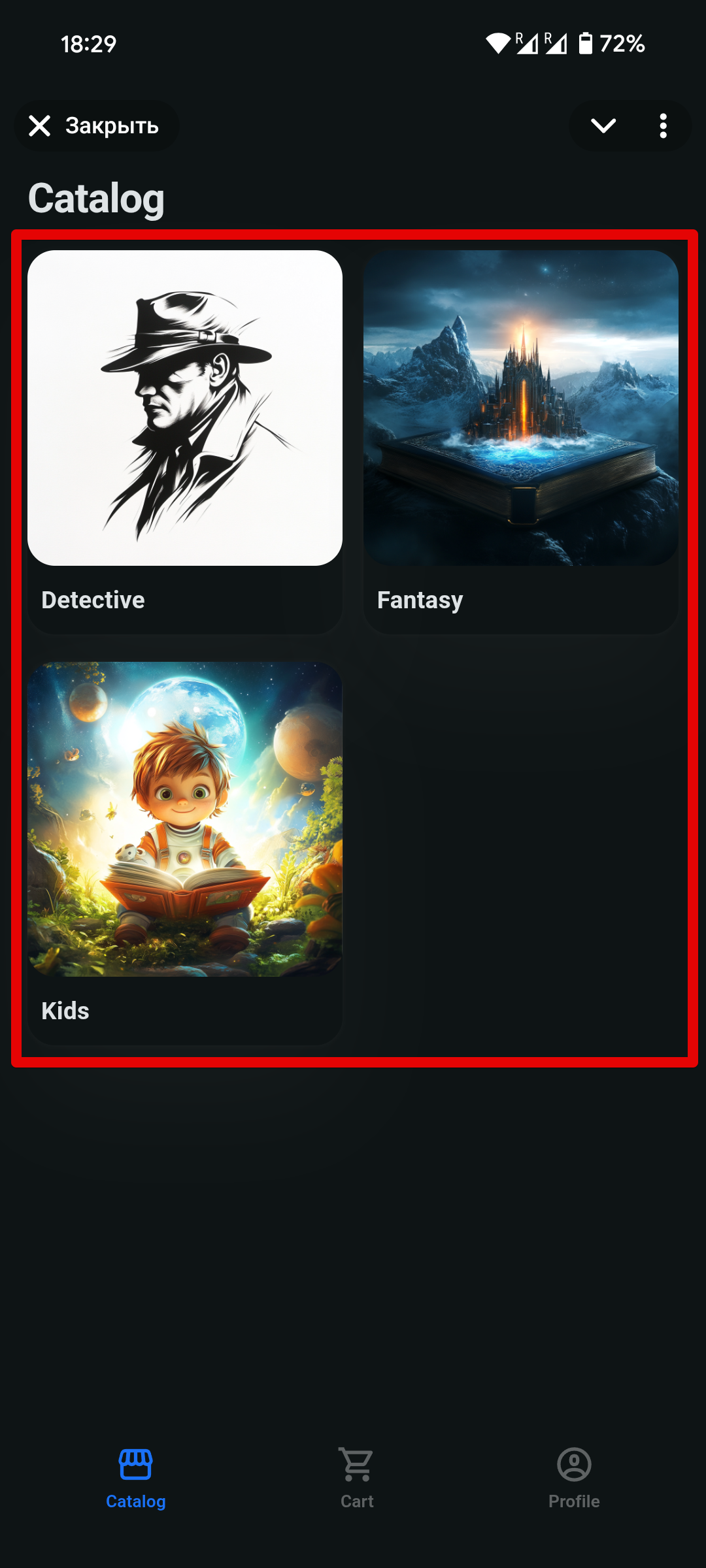
नेस्टेड संरचना
पहला विकल्प — नेस्टेड संरचना: पहले श्रेणियों की सूची दिखाई जाती है; किसी श्रेणी को खोलने पर उपयोगकर्ता उस श्रेणी में मौजूद उत्पाद देखता है। यह ऐप बनाने पर डिफ़ॉल्ट विकल्प है।
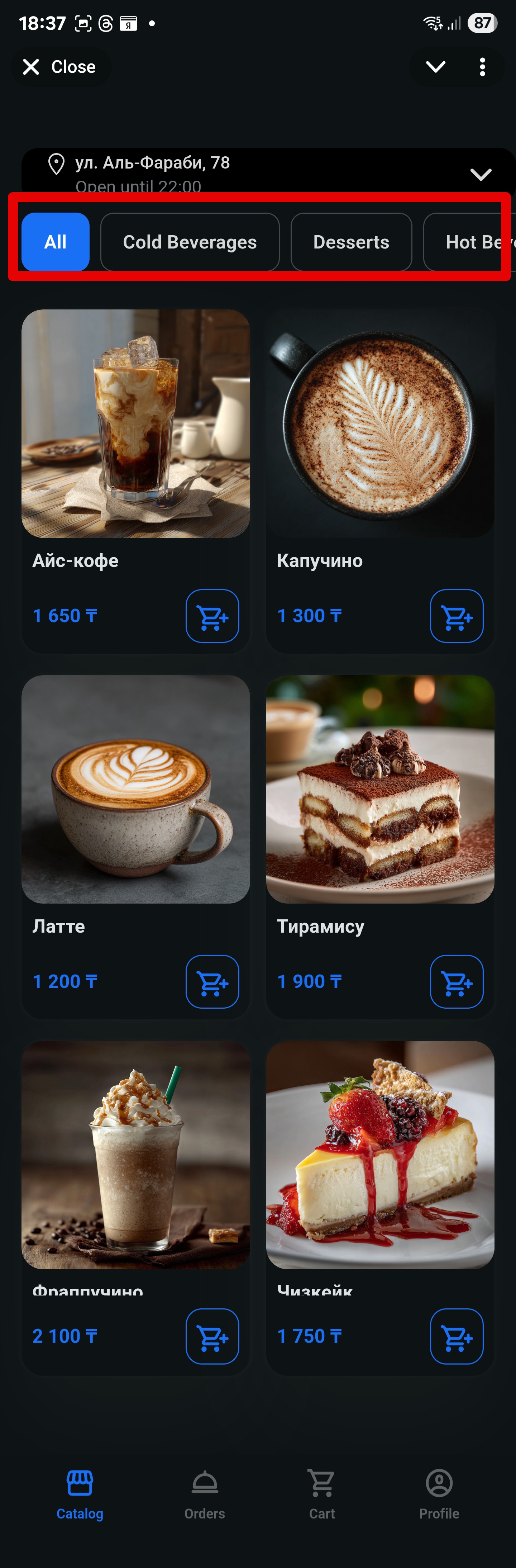
शीर्ष पर श्रेणियाँ
दूसरा विकल्प — श्रेणियाँ स्क्रीन के शीर्ष पर एक पंक्ति में दिखाई देती हैं, और नीचे चुनी हुई श्रेणी के सभी उत्पाद दिखते हैं।
दिखावट की सेटिंग
दिखावट के विकल्पों को प्रबंधित करने के लिए, साइड मेनू में «ऐप» सेक्शन खोलें और आवश्यक डिज़ाइन चुनें।
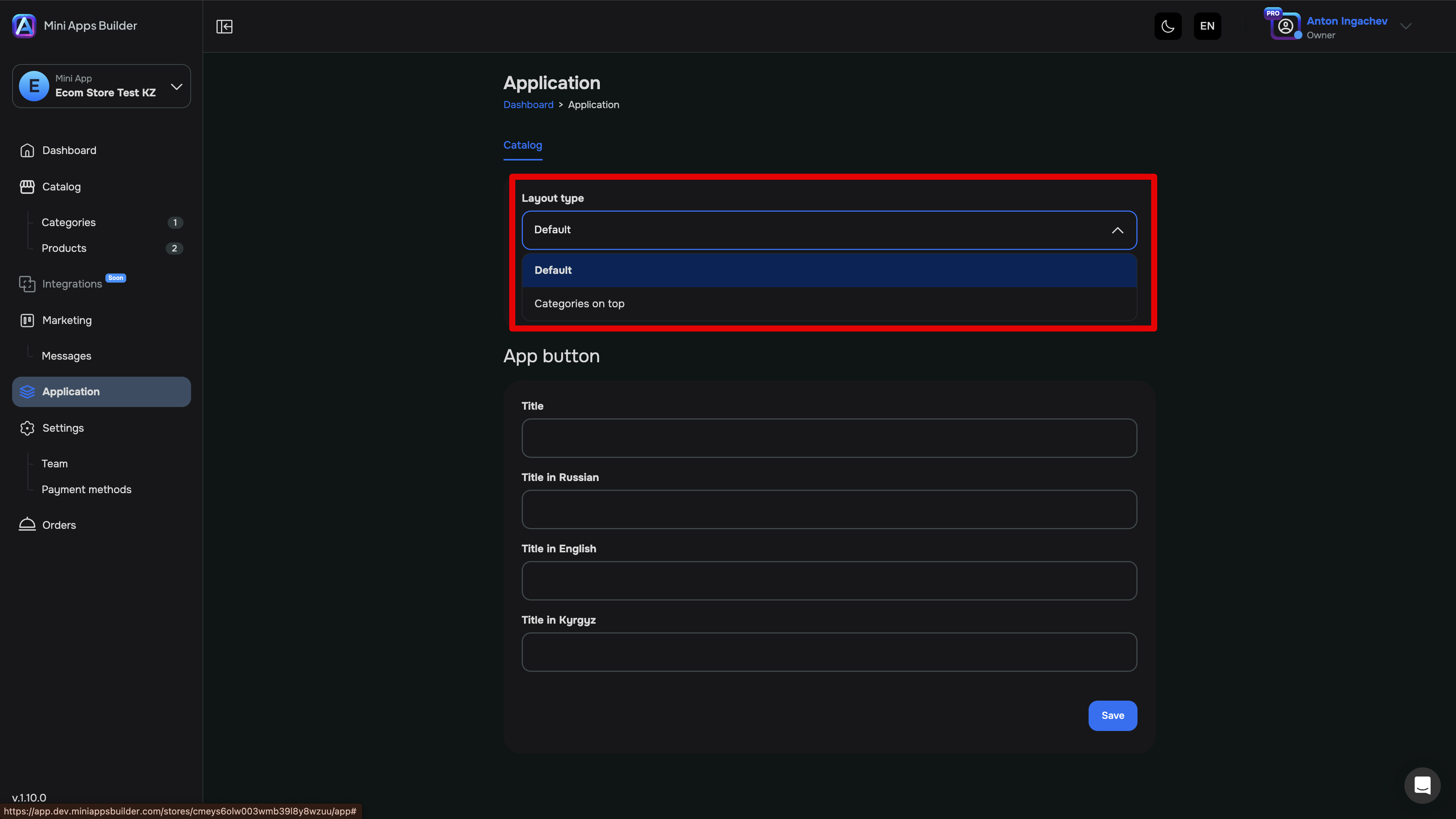
आप किसी भी समय बिना किसी प्रतिबंध के विकल्पों के बीच स्विच कर सकते हैं। यह फ़ीचर सभी टैरिफ योजनाओं पर उपलब्ध है।











