Update 1.47.0: product variants on the product page, “from” pricing, and the “Going” badge for events 🚀
In Mini Apps Builder 1.47.0, a product and its variants are edited on the same page, and characteristics are set freely, without ready-made templates. In the mini app, a product with variants at different prices shows a “from” price, and an event with a purchased ticket shows the “Going” badge.
Dashboard: variants on the product page
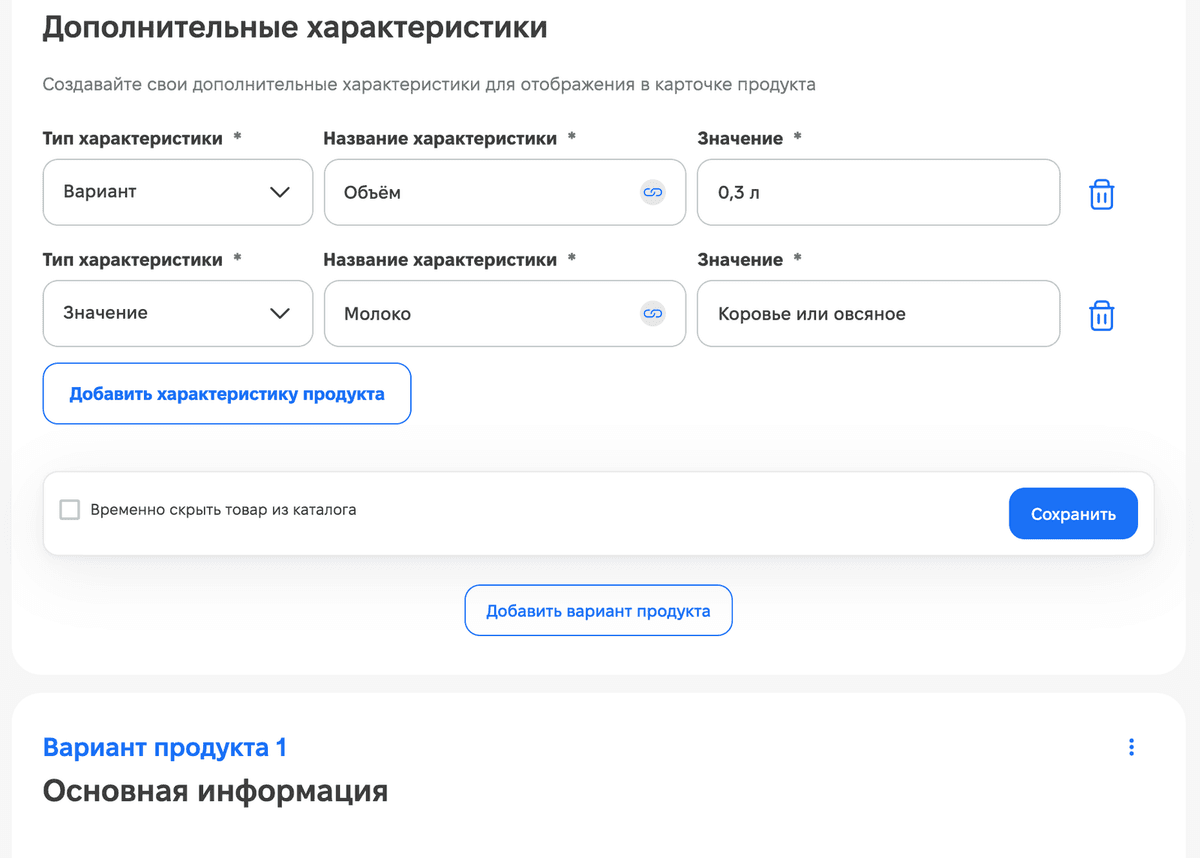
Product variants, such as 0.3, 0.4, and 0.5 l volumes, are now created directly on the main product page. Add a characteristic with the “Variant” type in the “Additional characteristics” block, for example “Volume: 0.3 l,” and click “Add product variant”. The main product will be saved, and the variant form will appear below it. It already includes the name, category, price, photo, and characteristics of the main product: change the variant value, price, and anything else that differs.
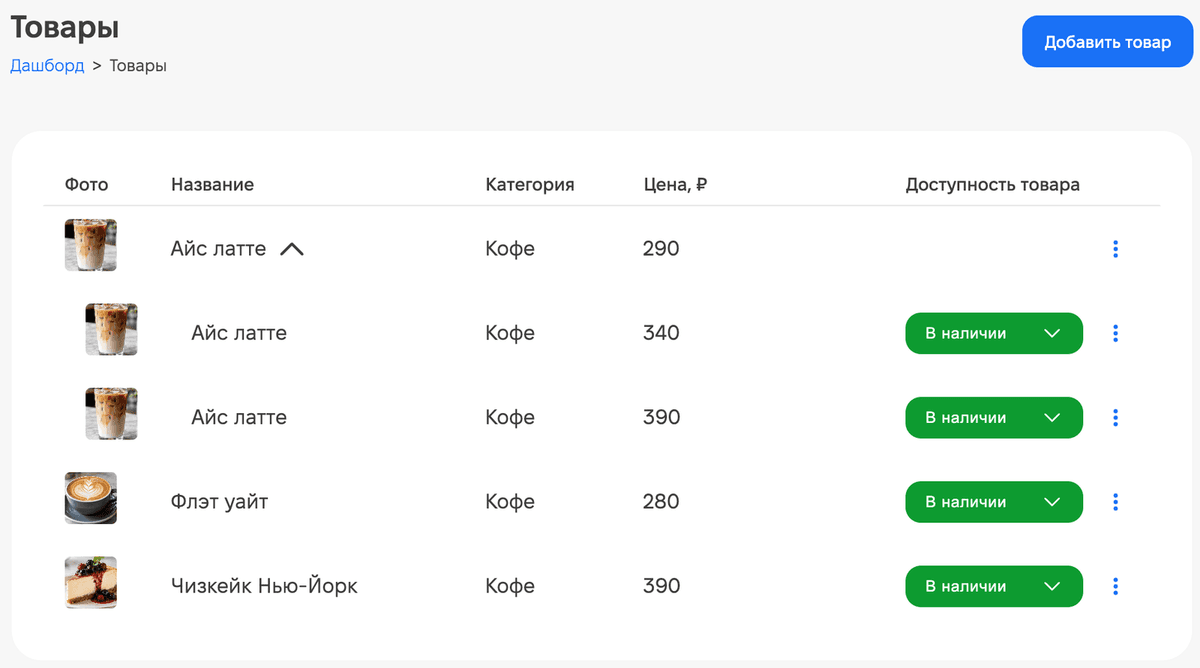
Each variant is saved with its own “Save” button. In the product list, variants are grouped under the main product: click the arrow next to the name to expand them.
Dashboard: free-form characteristics
In products for cafes and restaurants, flower shops and online stores, as well as in services, characteristics are set in a single editor: type, name, and value. Previously, cafes and flower shops had a set of ready-made fields, such as “Diameter” and “Dough” for pizza. Now these are ordinary characteristics: you can rename, delete, or add your own. When you enter a name and value, the dashboard suggests those already present in your products. Previously entered data has been preserved.
Mini app: “from” price and “Going” badge
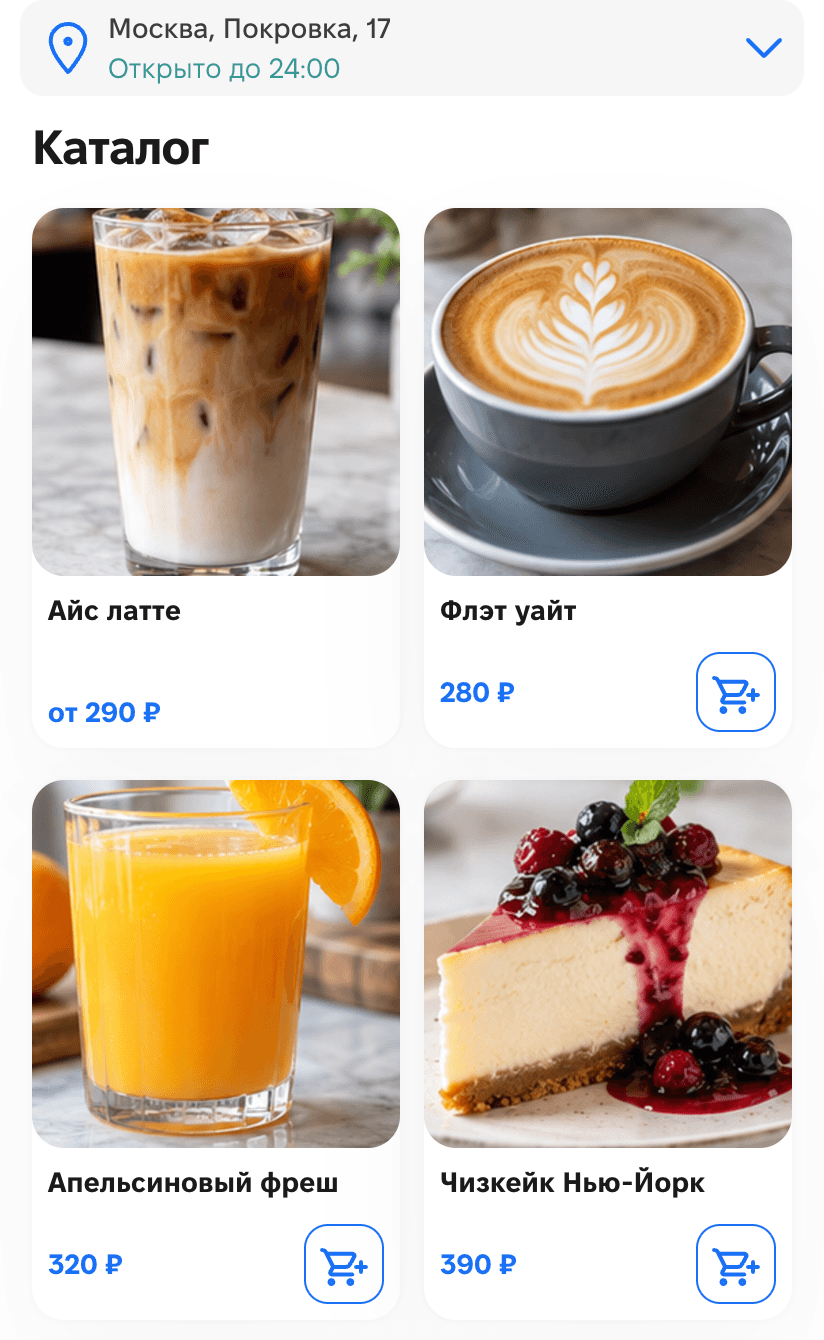
- If product variants have different prices, the product card in the catalog shows the minimum price, for example “from 290 ₽”. The customer selects the variant on the product page.
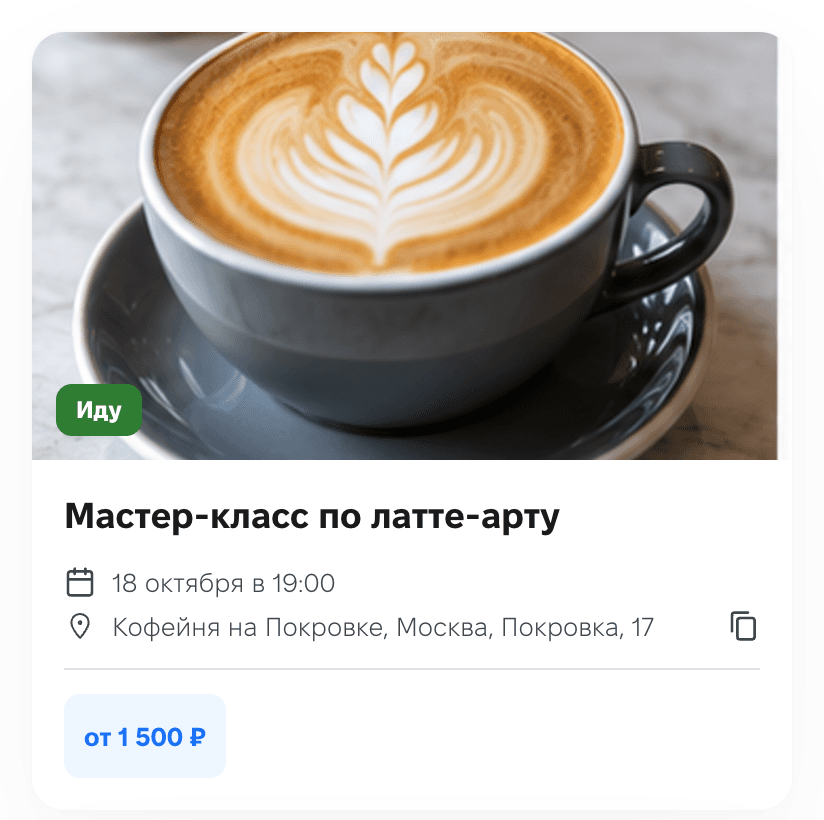
- In event apps, if the customer has already bought a ticket for an event, the cover shows the “Going” badge.
AI assistant: outlet setup
The AI assistant connected to the app via Claude or ChatGPT now configures outlets. It creates and updates outlets, their opening hours and payment methods, venue profile, delivery cost, tables, and table QR codes. The assistant also shows table reservations and changes their status.
Fixes and improvements
- Table reservation time is saved in the outlet’s time zone. Previously, the selected time could shift.
- If a list fits on one page, pagination buttons are not shown.
We also fixed some bugs in this release and improved service stability.