
Update 1.48.0: Step-by-Step Setup for Service Apps, New Menu, and Forms with Previews 🚀
In Mini Apps Builder 1.48.0, a new service app is launched in three steps: service, schedule, and payment. The dashboard guides you through the steps and immediately shows how the client will see the service. Also in this release: a new dashboard menu with search and forms for products, services, events, and promo offers with previews in the mini app.
Dashboard: Step-by-Step Setup for a Service App
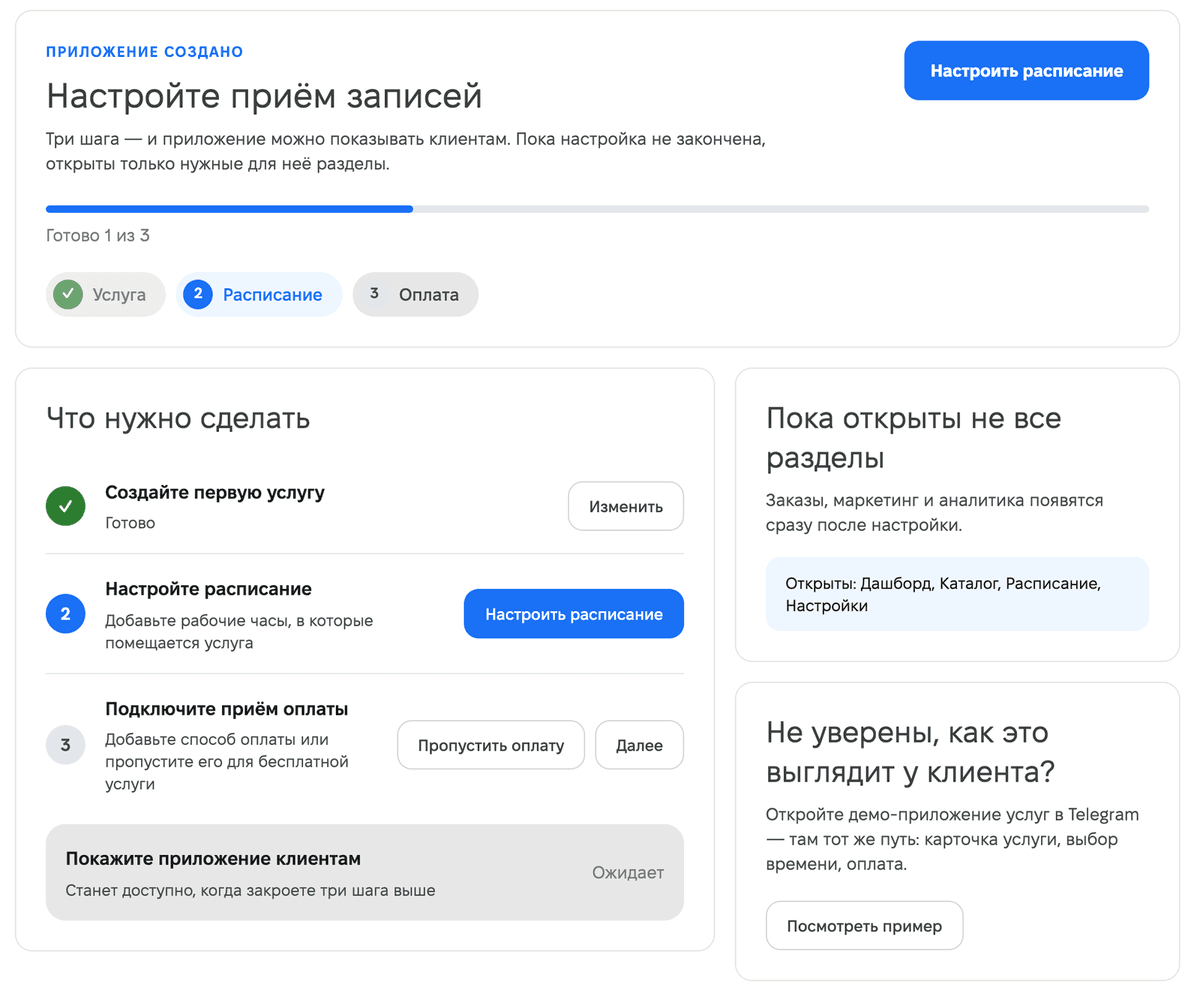
After creating a service app, the dashboard displays a block “Set up booking requests” with three steps and a counter reading “Completed 1 of 3”:
- Service — the name, description, and price of the first service. You can add a photo later: without it, a default image is shown in the mini app.
- Schedule — the working hours during which the service can be booked.
- Payment — the payment method. For a free service, this step can be skipped with the “Skip payment” button.
Until setup is complete, only the sections needed for it are available: dashboard, catalog, schedule, and settings. Orders, marketing, and analytics will appear immediately after setup. When all three steps are ready, click “Finish setup”, and the app can be shown to clients.
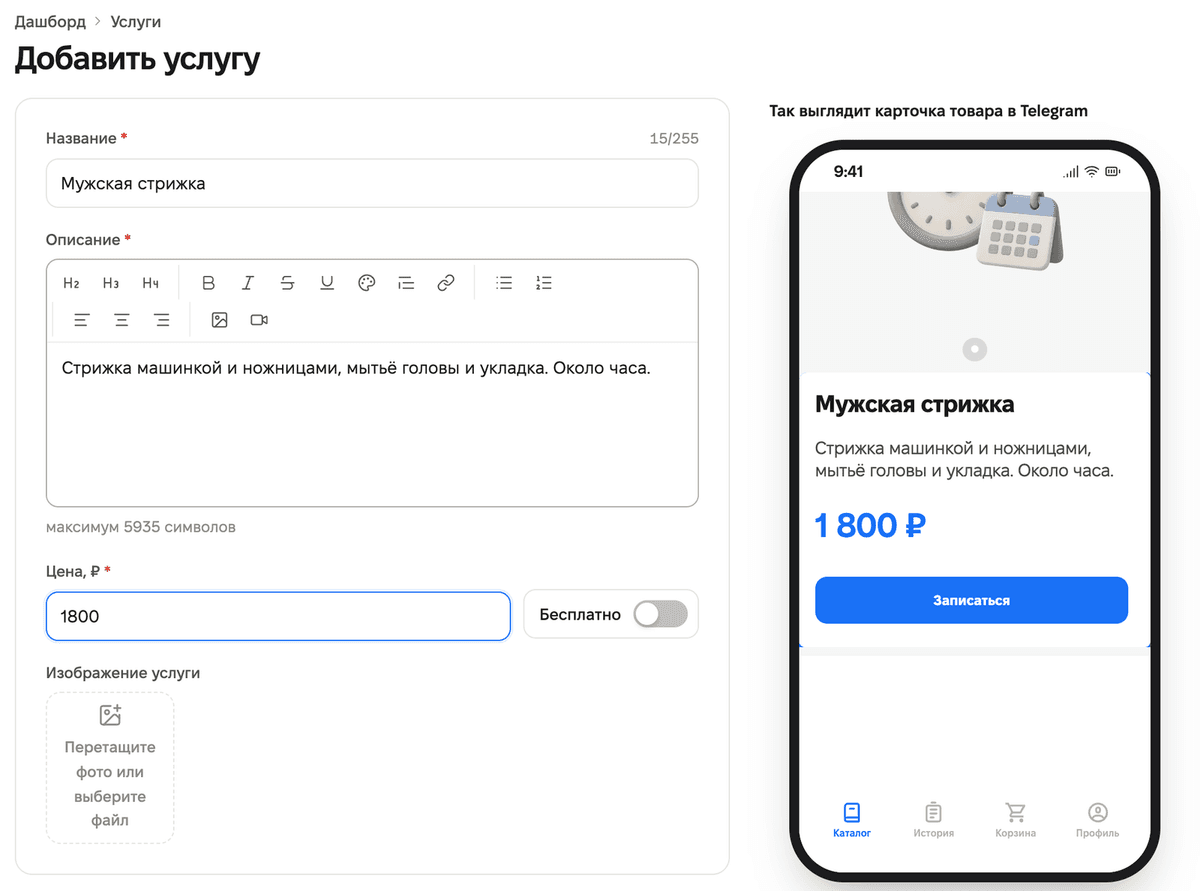
In the service form on the right, you can see how the card will look in Telegram: name, description, price, and the “Book now” button. An unfinished service can be saved with the “Save draft and exit” button.
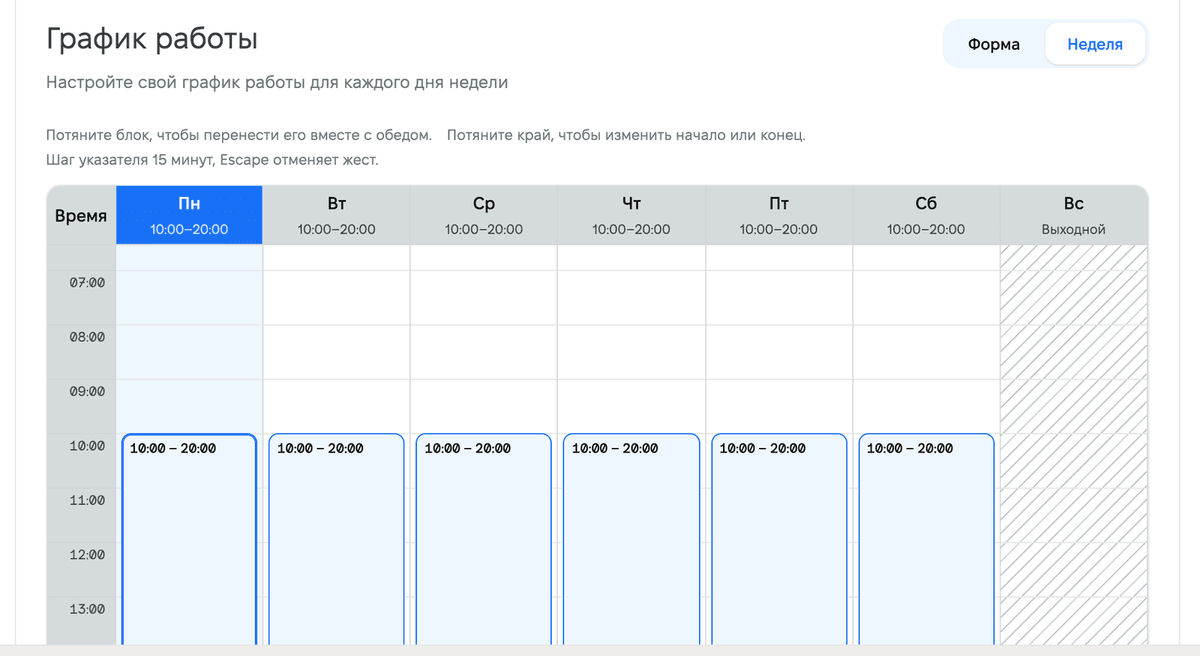
The schedule is filled in using a form or on a weekly grid, with the “Form” / “Week” switch. On the grid, the working interval is dragged with the mouse, and its edges change the start and end times in 15-minute increments. Within working hours, you can add a lunch break, and the hours of one day can be copied to the other days.
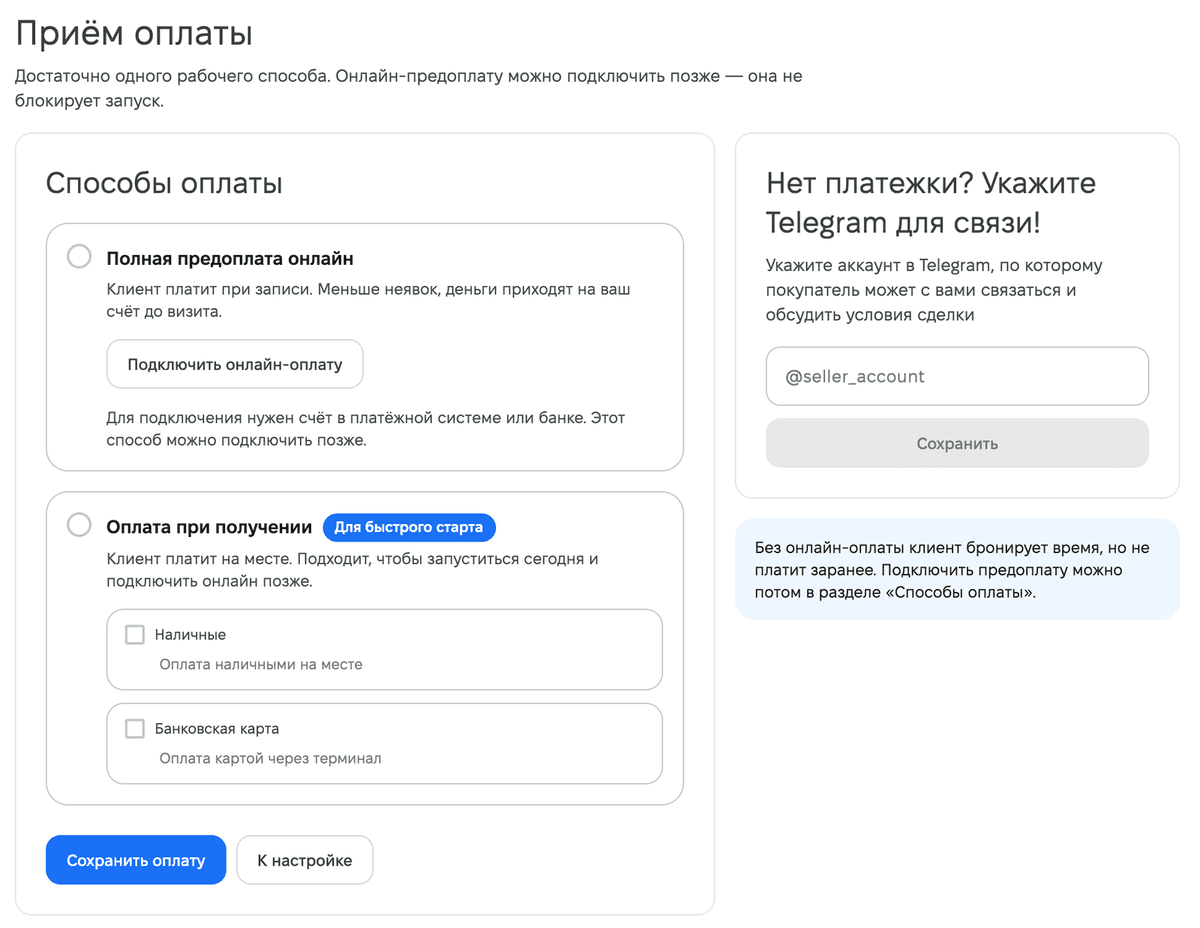
In the payment step, the dashboard offers full online prepayment or payment on receipt — cash or card via terminal. Payment on receipt is marked “For a quick start”: with it, you can launch immediately and connect online payment later in the “Payment methods” section.
Dashboard: New Menu and Forms with Previews
The dashboard now has a new side menu. At the top of the menu there is “Search” for sections and actions, and it also opens with the ⌘K keyboard shortcut.
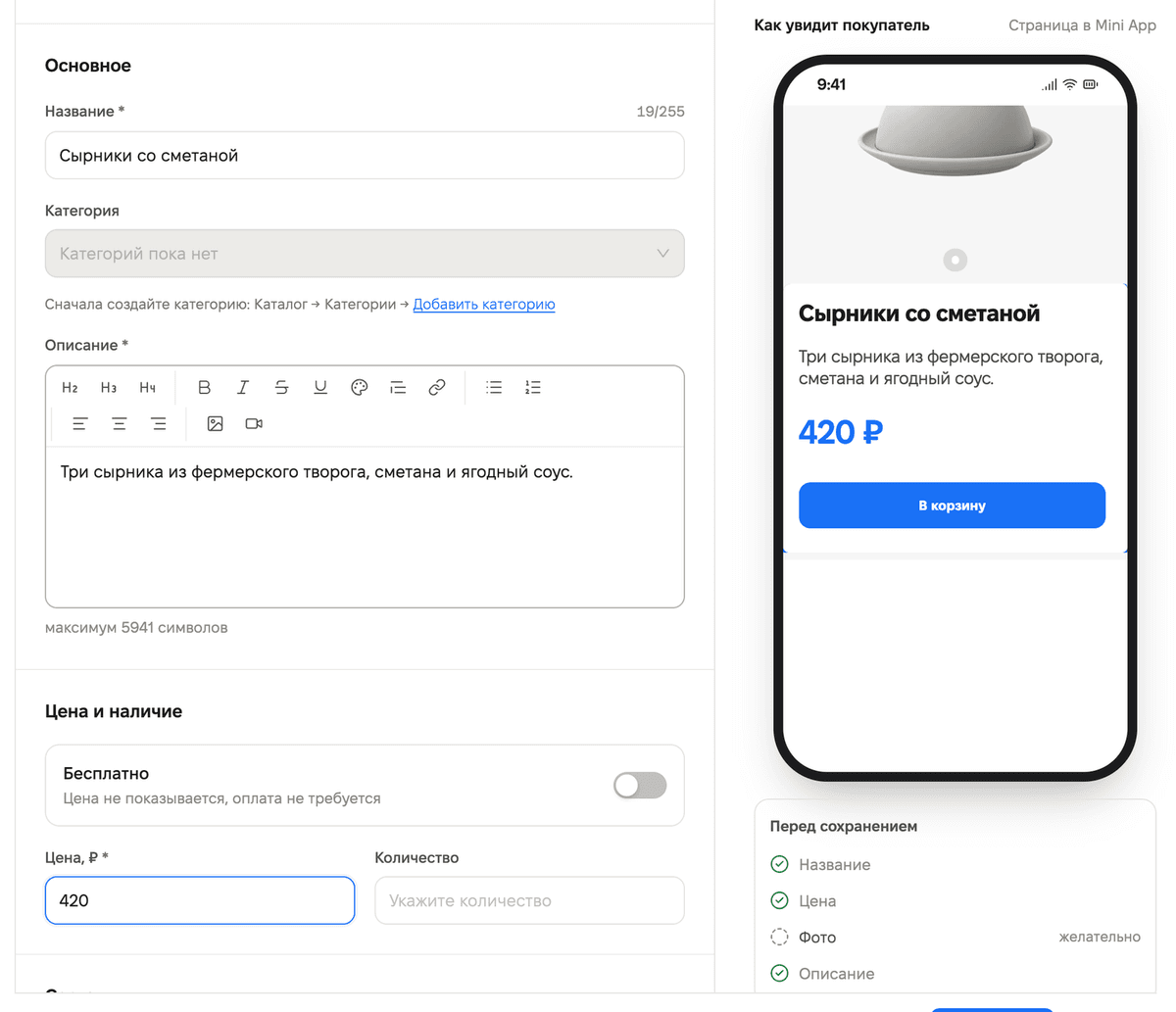
The forms for products, services, events, and promo offers are split into blocks, and on the right there is a preview labeled “How the buyer will see it”. The preview updates as you fill in the form. The “Before saving” list under the preview shows what has already been filled in: name, price, photo, description. Photos can be dragged to change their order; the first photo is the cover in the catalog.
In the calendar of the “Analytics” section, the periods “Yesterday”, “Last 7 days”, and “Current year” have been added.
Mini App
- A free service can be booked even if payment is not connected in the app.
- For a service without a photo, a default image is shown in the catalog.
Fixes
- The “Free” toggle is also available for products with variants. A paid product cannot be saved with a price of 0.
Also in this release, some bugs were fixed and the service stability was improved.