Update 1.59.0: new deal card in CRM, push notifications, and three new website pages
In Mini Apps Builder 1.59.0, the deal card in CRM has become a working screen. The stage, next step, chats with the client, tasks, and change history are now visible in one place. The release also includes push notifications for orders and tasks, and three new pages on the website.
CRM: new deal card
At the top of the card, you can see the amount, stage, closing date, and “Next step”: the nearest open task for the deal. The “Schedule” button creates the next task right from the header. Below is the stage line. Click a stage, and the deal will move to it.
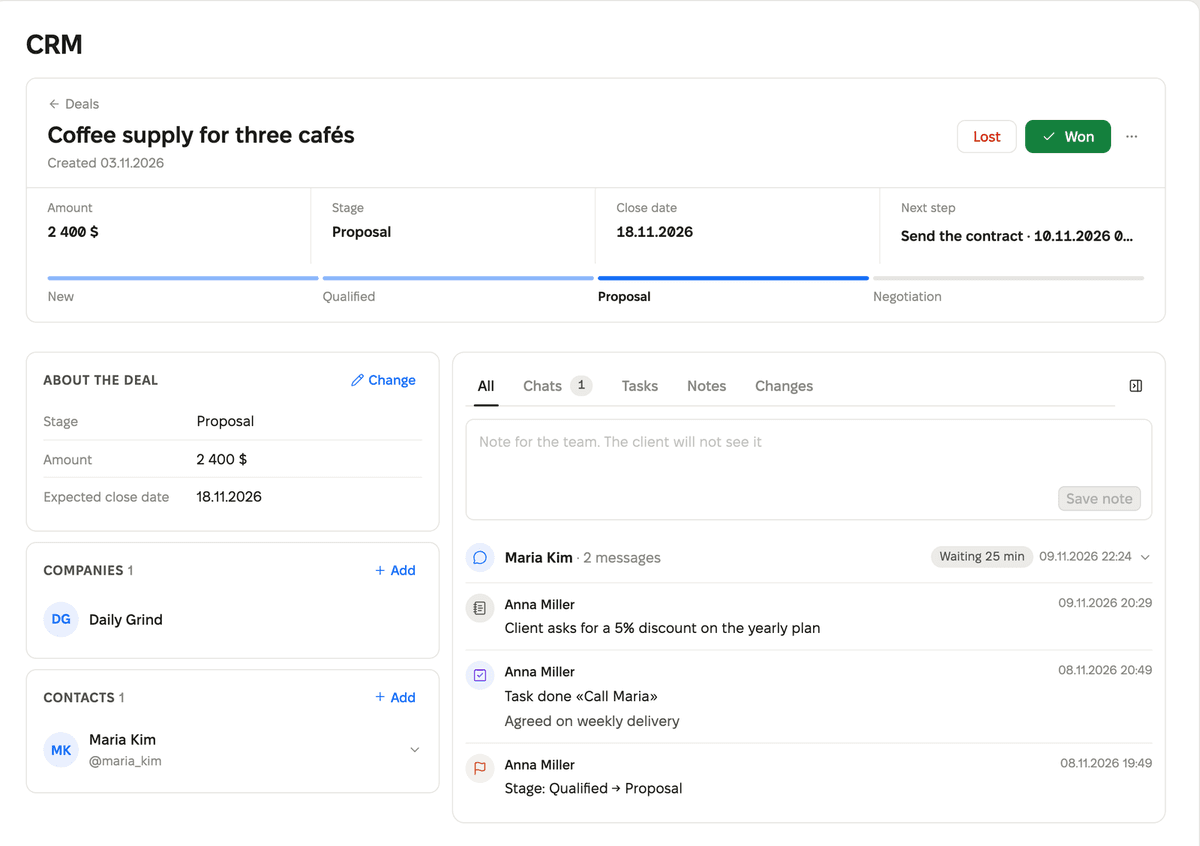
On the left are the deal, company, and contact details. The “Edit” button enables editing. At the bottom of the column, you can see how many fields have been changed, along with the “Cancel” and “Save” buttons.
On the right is the deal feed with the tabs “All,” “Chats,” “Tasks,” “Notes,” and “Changes.” The feed includes correspondence with the client, stage changes, field edits, tasks, and team notes. Only the team can see the note: “A note for the team. The client will not see it.”
CRM: how long the client has been waiting for a reply
The chat in the deal has a “Waiting …” timer. It shows how long the client has been waiting for a reply. The chat opens directly in the feed, and you can reply from the deal card. If no reply is needed, click “No reply needed.”
You set the reply time: deal settings, the “Reply time” block, from 5 minutes to 7 days. By default, it is 90 minutes. If the client waits longer, the chat turns red.
When an AI agent replies to the client, the chat shows the label “AI replied · check.” Read the reply and click “Checked.” A reply from an employee also removes the label.
The “Chats” item in the menu now shows the number of unread conversations. The counter updates without reloading the page.
CRM: tasks
- A task can be linked at once to a contact, a company, and a deal. It is visible in each of these cards.
- Tasks are added directly in the deal. The due date and assignee are changed in the task row.
- When closing a task, you can record the result. After that, CRM offers to create the next task.
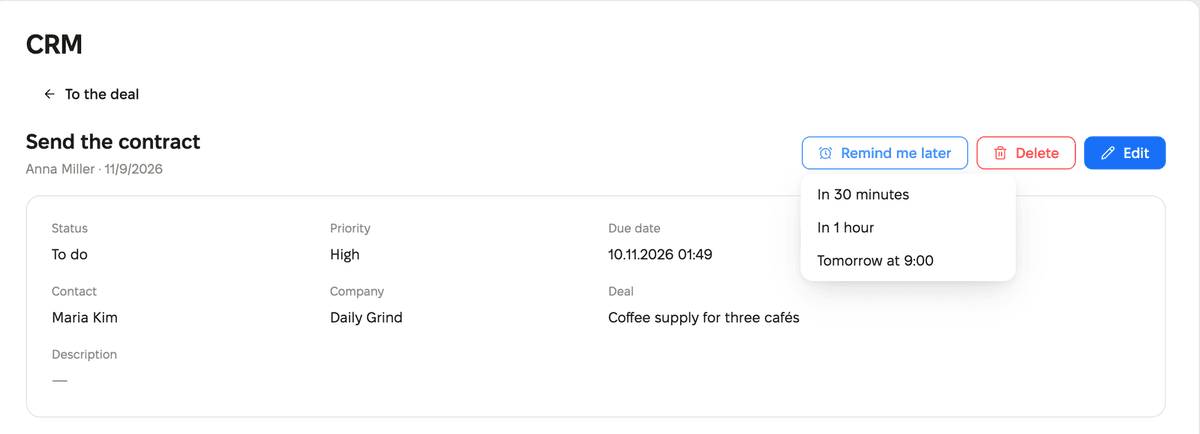
- A task opened from a deal returns to that deal with the “To deal” button.
Push notifications in the browser and on the phone
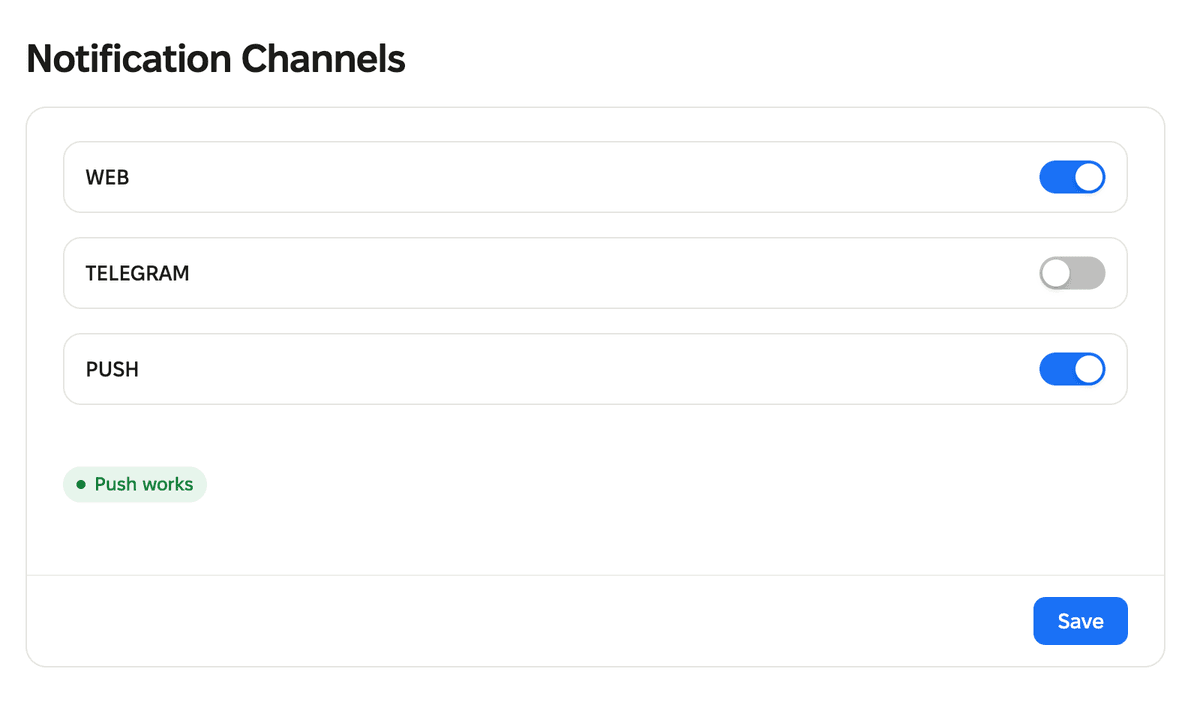
The PUSH channel has appeared in the “Notification channels” section. Turn it on, and new orders and bookings will arrive as notifications on this device even when the account is closed. Below the switch, you can see the status, for example “Push is working.” On iPhone, first add the account to the Home screen.
Push also reminds you about CRM tasks. If a deal task remains inactive for 30 minutes, the assignee receives a reminder. When push does not reach any device, the reminder comes in Telegram. The “Remind later” button in a task postpones the reminder: “In 30 minutes,” “In 1 hour,” or “Tomorrow at 9:00.”
Website: three new pages
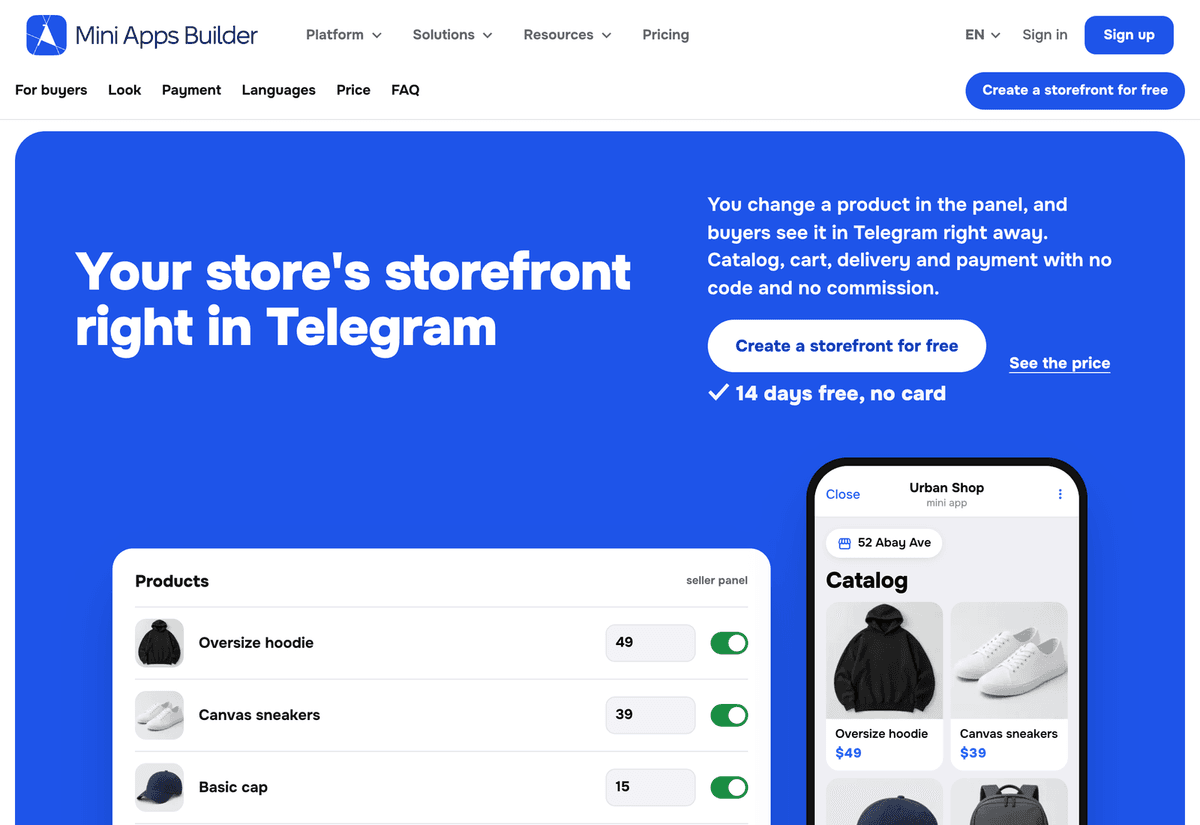
Store showcase in Telegram. The page shows what the buyer sees: the catalog, the cart, and the order status. Change the price in the panel on the page, and the phone beside it will show the new price.
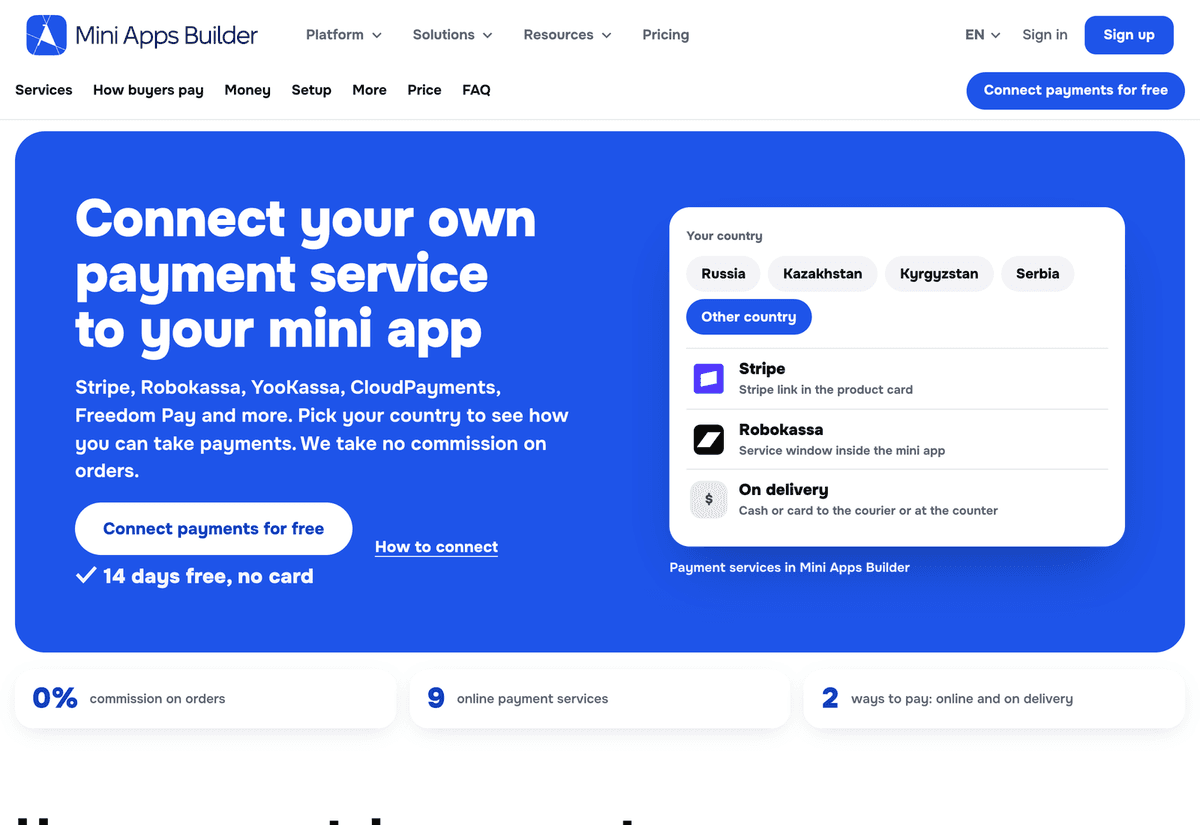
Payment acceptance. Choose a country and see which payment services you can connect. The page includes a table of services, payment steps from the buyer’s perspective, and a payout calculator. Mini Apps Builder does not charge a commission on orders.
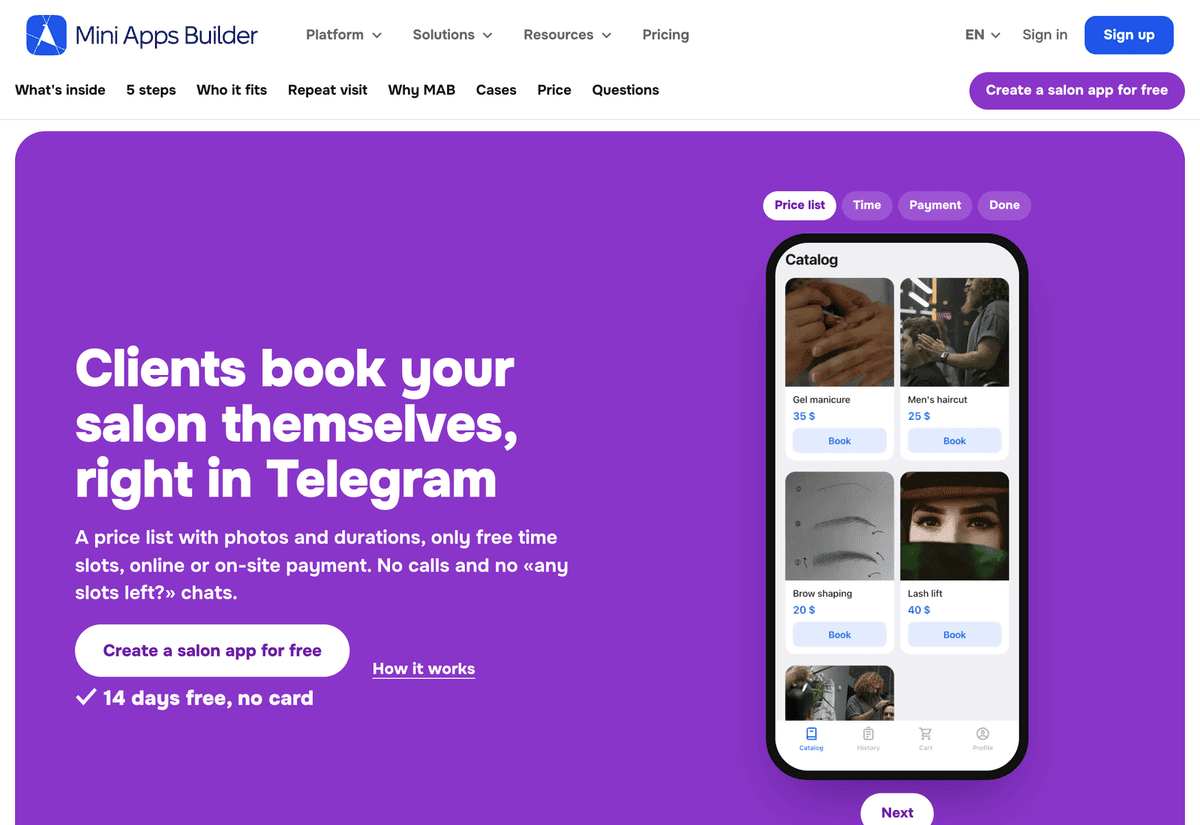
Beauty salons. A page for beauty salons, barbershops, and nail studios: online booking in Telegram, a price list with photos, and payment.
We also fixed minor bugs and improved service stability.