
Update 1.60.0: venue layout for events and timed orders
In Mini Apps Builder 1.60.0, events got a venue layout. The organizer arranges the hall in the admin panel, and the guest chooses a seat directly in the Mini App. Venues now accept pickup and delivery orders for a specific time.
Venue layout for events
In the event form there is a “Seating” field: “No seats” or “By seats.” After saving, an event with seat-based seating gets a “Venue layout” tab. The hall is assembled from the “Theater” or “Cinema hall” template, or from your own “rows × seats” blocks, up to 500 seats. Seats are outlined with a border or a row number. You can assign a rate to them or mark them as “Not for sale.” In the “Tickets” tab, the “Reconciliation” card shows, for each rate, how many seats there are in total, how many are occupied, and how many are available.
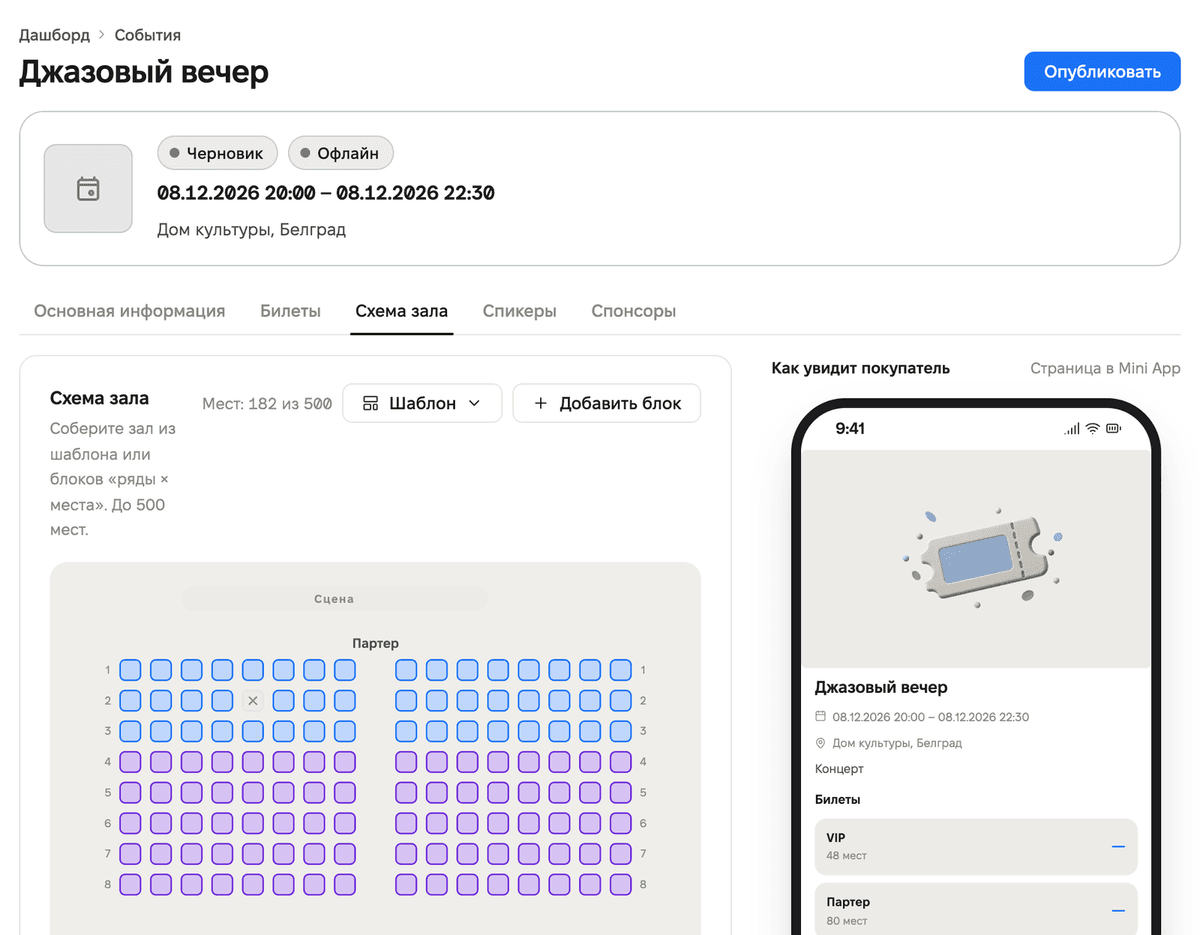
An already published event can also be switched to seat-based seating. Online events do not have seating.
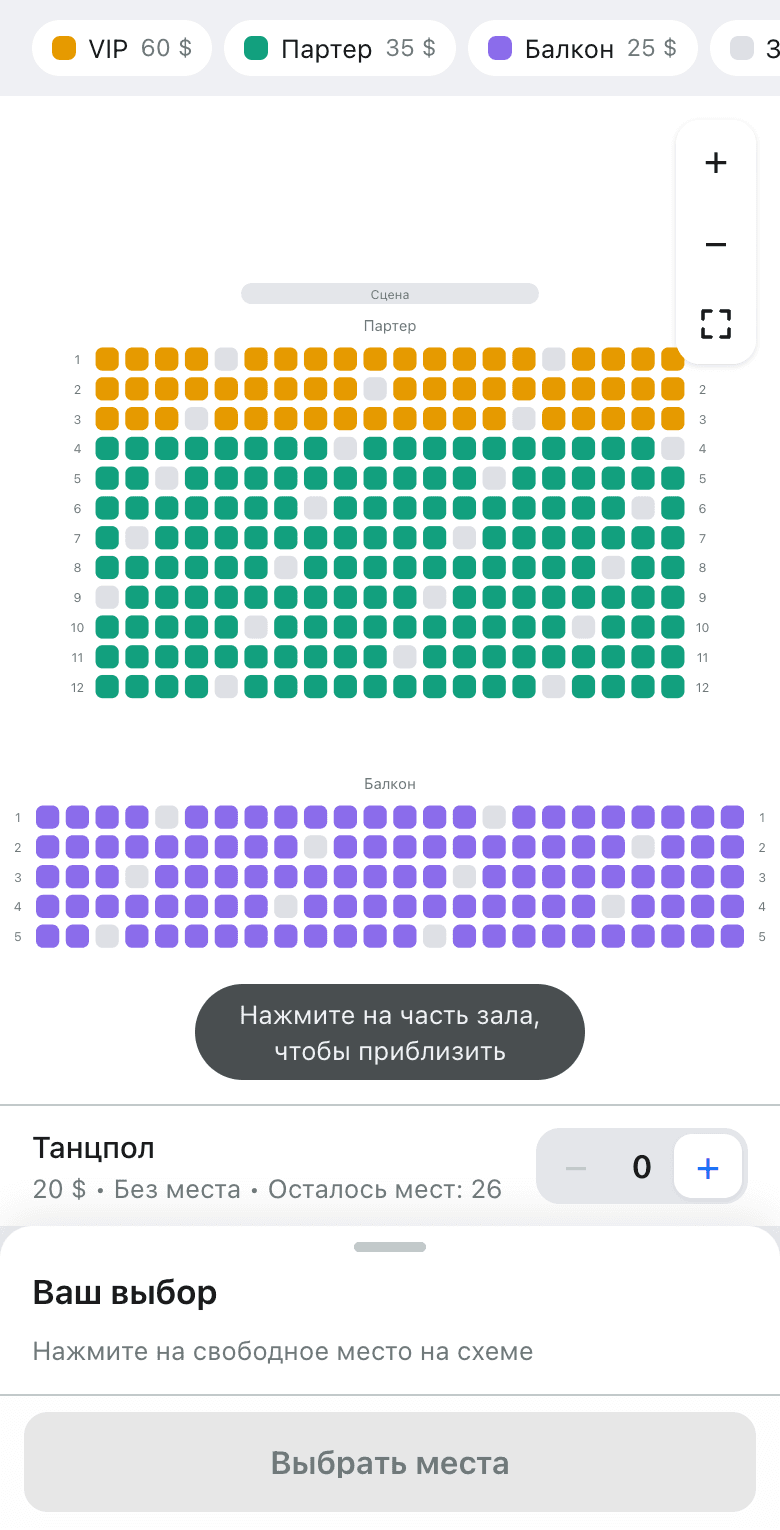
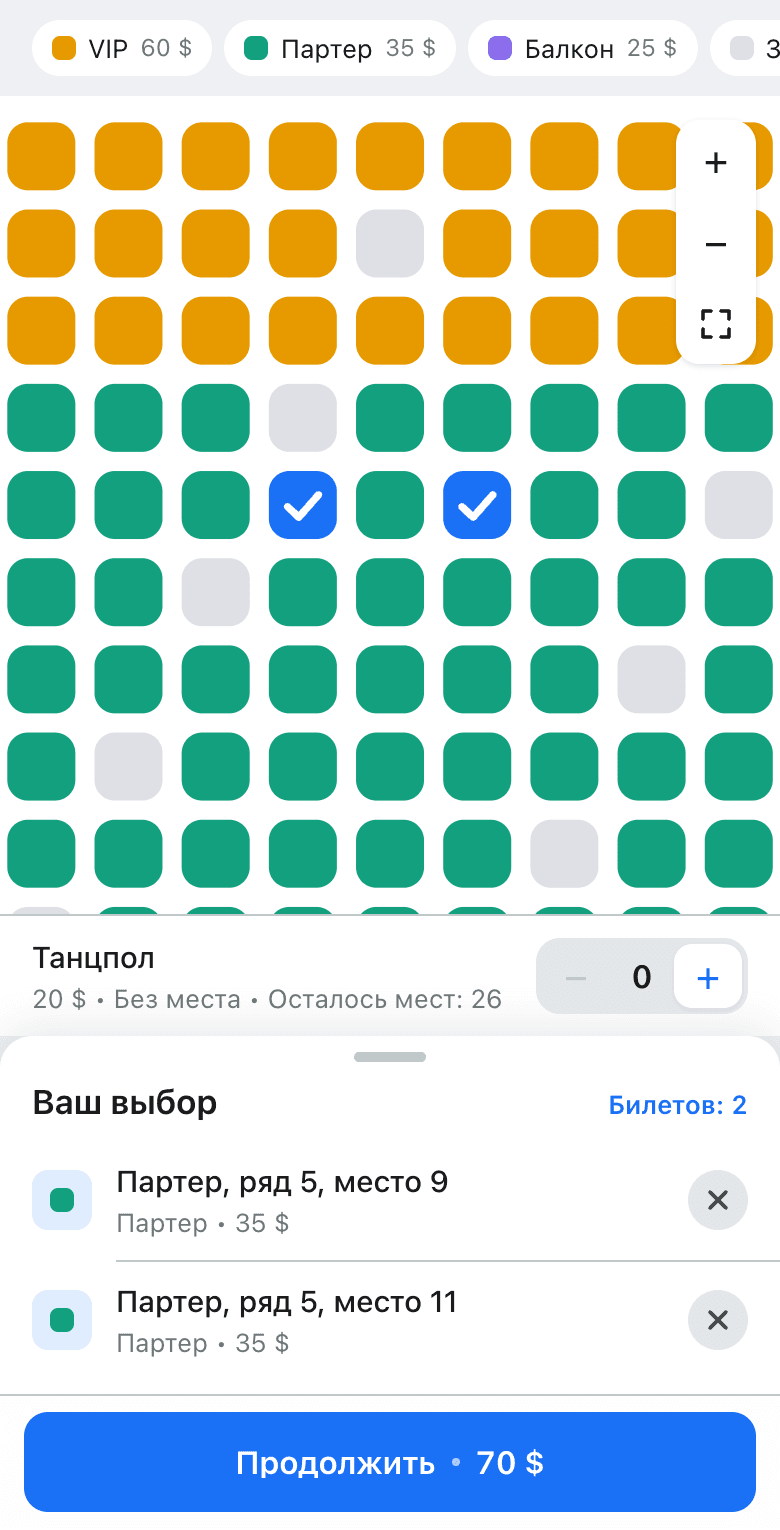
In the Mini App, the event page shows a miniature venue layout and a “Choose seats” button. On the layout, the guest taps a section of the hall to zoom in and selects available seats. The selected seats and the total price are shown at the bottom of the screen. Tickets without seats, such as for the dance floor, are added to the same order. If someone bought a seat earlier, the Mini App will let them know and offer to choose another one.
Timed order
In the outlet settings, in the pickup and delivery sections, there is a “Timed order” switch and a “How many days to accept orders” field, from 1 to 30 days.
When placing an order, the customer sees the “When” section: “As soon as possible” or “At a specific time.” They can choose a day and time. Time slots are offered in 30-minute increments, according to the outlet’s working hours and without a lunch break. If the outlet is currently closed, a pickup order for a specific time can still be placed.
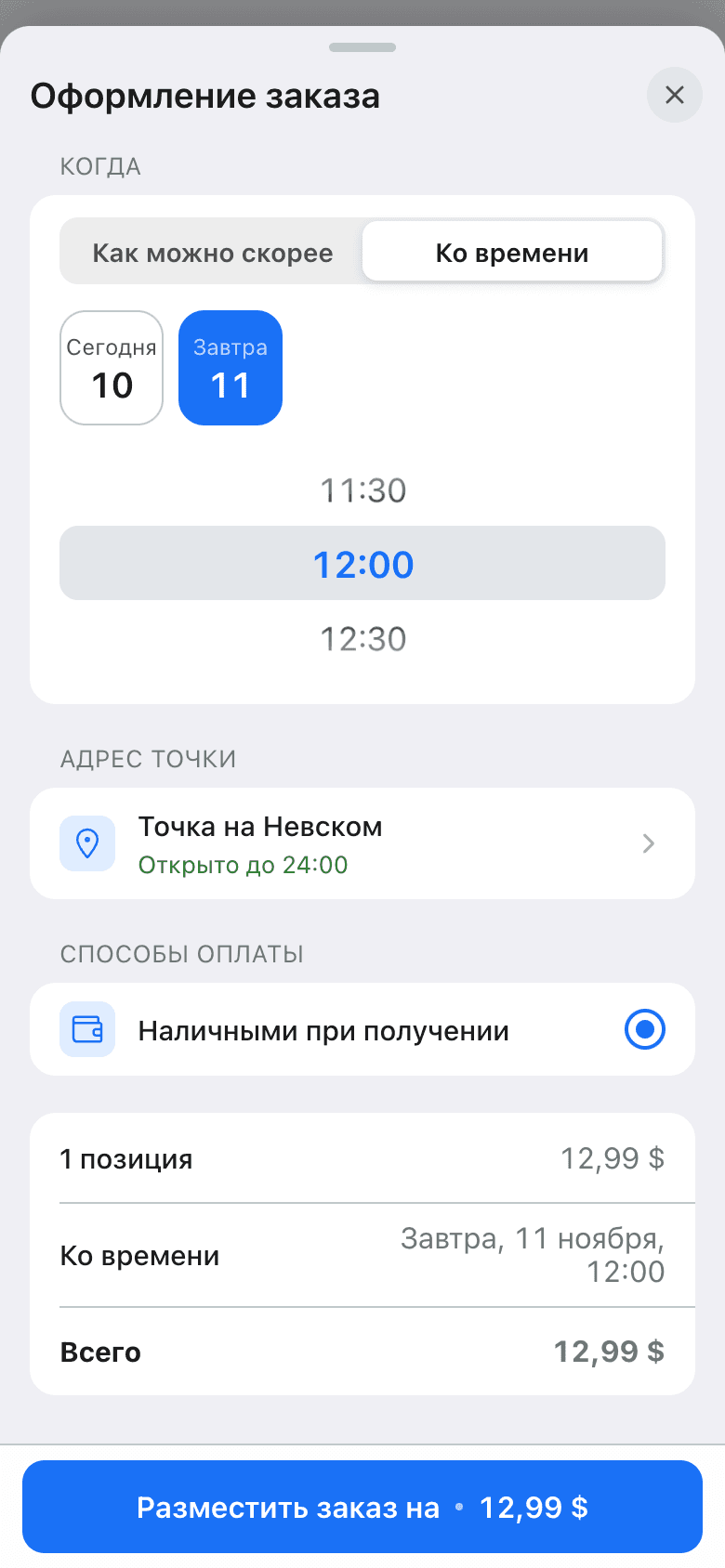
The chosen time is visible on the customer’s order page and in the order card in the admin panel, in the “At a specific time” row. The Telegram order notification includes a “Ready by” line.
Activity points
The “Activity points” plugin has appeared in the plugin catalog for “Events” apps. It awards community members points for events and shows the most active ones. The “Community members” plugin must be enabled first.
On the “Rules” tab, you can set how many points to give for an offline event (QR scan at the entrance) and for an online event (marking in the ticket list). On the “Members” tab, you can see the ranking for this year, last year, or all time. Points can be awarded manually, and the award can be revoked.
Restaurant and organizer page
- On the restaurant page in the Mini App, the cover photo and gallery photos are combined into a single carousel. Status and average check are shown as colored tags on one line. Long descriptions collapse after 10 lines. Next to the “Menu” heading there is a “View all” link.
- The organizer’s main event page now looks the same as the restaurant page. It has an “About us” block, social networks as icons, and one “Contact organizer” button.
- Social network links on the event page are now displayed as social media icons.
- The profile display toggle in the admin panel now also works for “Events” apps.
Registration
- On mobile, the email field opens a keyboard with @, and extra spaces are removed. The browser can suggest and save the password.
- The registration button is always active. If there is an error in the form, the field shows what is wrong.
- An email with a capital letter no longer creates a second account. You can log in in any case.
- After clicking the link from the confirmation email, the admin panel opens immediately, and you do not need to enter the password again.
Payments and CRM
- Rapyd is available to all stores.
- If you click “back” on the card payment page, the customer returns to the cart, the event, or the booking. Previously, a blank page would open.
- The CRM plugin has appeared in the plugin catalog.
Fixes
- When switching categories in the catalog, products stay on the screen while the new category is loading.
- When the store is opened for the first time, the page no longer slides in from the side.
- Viewing a venue photo closes the entire page.
- The product photo stays in the card during navigation. The text on empty screens no longer jumps while the image is loading.
We also fixed minor bugs and improved service stability.