Update 1.52.0: digital products in any store, schedules by location and date, cash on delivery
In Mini Apps Builder 1.52.0, a digital product can be sold in any type of store: the buyer receives files in Telegram immediately after payment. Also in this release: reception hours for each location and for specific dates, a service catalog for the selected location, cash on delivery, and aligned product cards.
Dashboard: digital products in any store
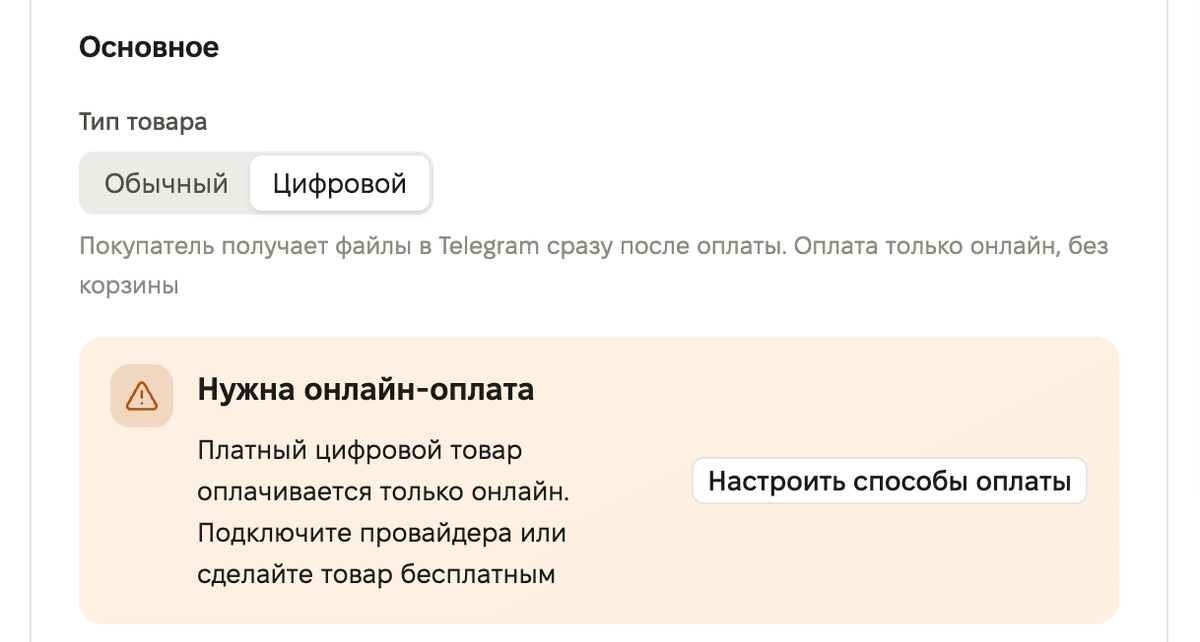
Previously, a digital product could only be sold in the “Digital Products” store. Now the product form has a “Product type” field with the options “Regular” and “Digital”. A digital product includes the hint: “The buyer receives files in Telegram immediately after payment. Online payment only, no cart.”
A paid digital product is paid for online only. If online payment is not connected, the form shows a “Online payment required” block with a “Set up payment methods” button and does not save the product. A digital product marked “Free” is saved without online payment.
Mini app: buying a digital product
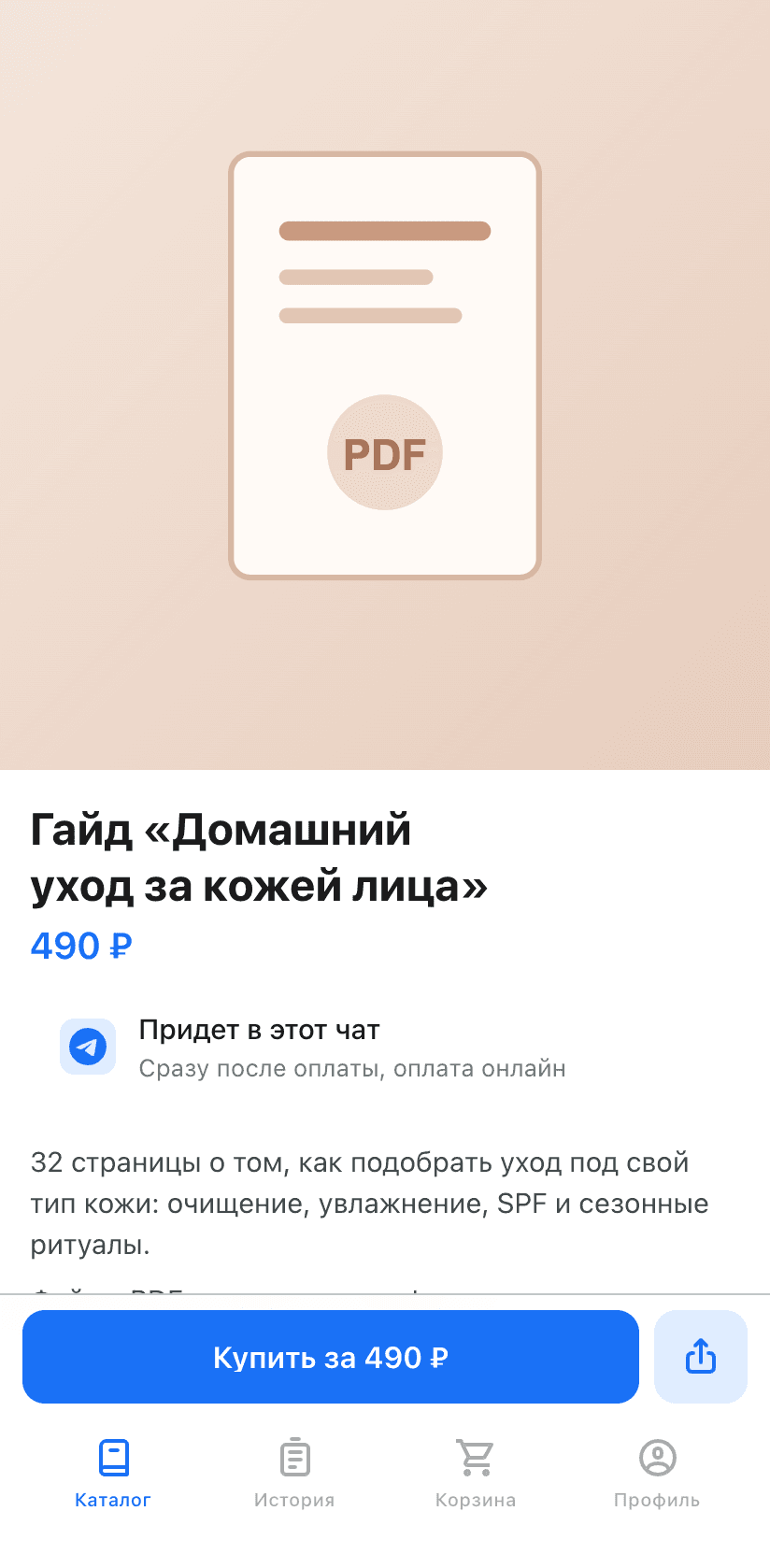
A digital product is purchased directly from the product page with the “Buy for …” button. The page says “It will arrive in this chat”: immediately after payment, and a free product arrives immediately after tapping. On the card in the catalog, a digital product has a “Buy” button that opens the product page.
Cash on delivery
The “Cash on delivery” method can now be added to any type of store except “Ads in channels”. Previously, the “Digital Products” store accepted only online payment.
If the store has no locations and cash on delivery is enabled, the buyer selects a payment method in the cart. Online methods are shown first.
Dashboard: schedules by location and specific dates
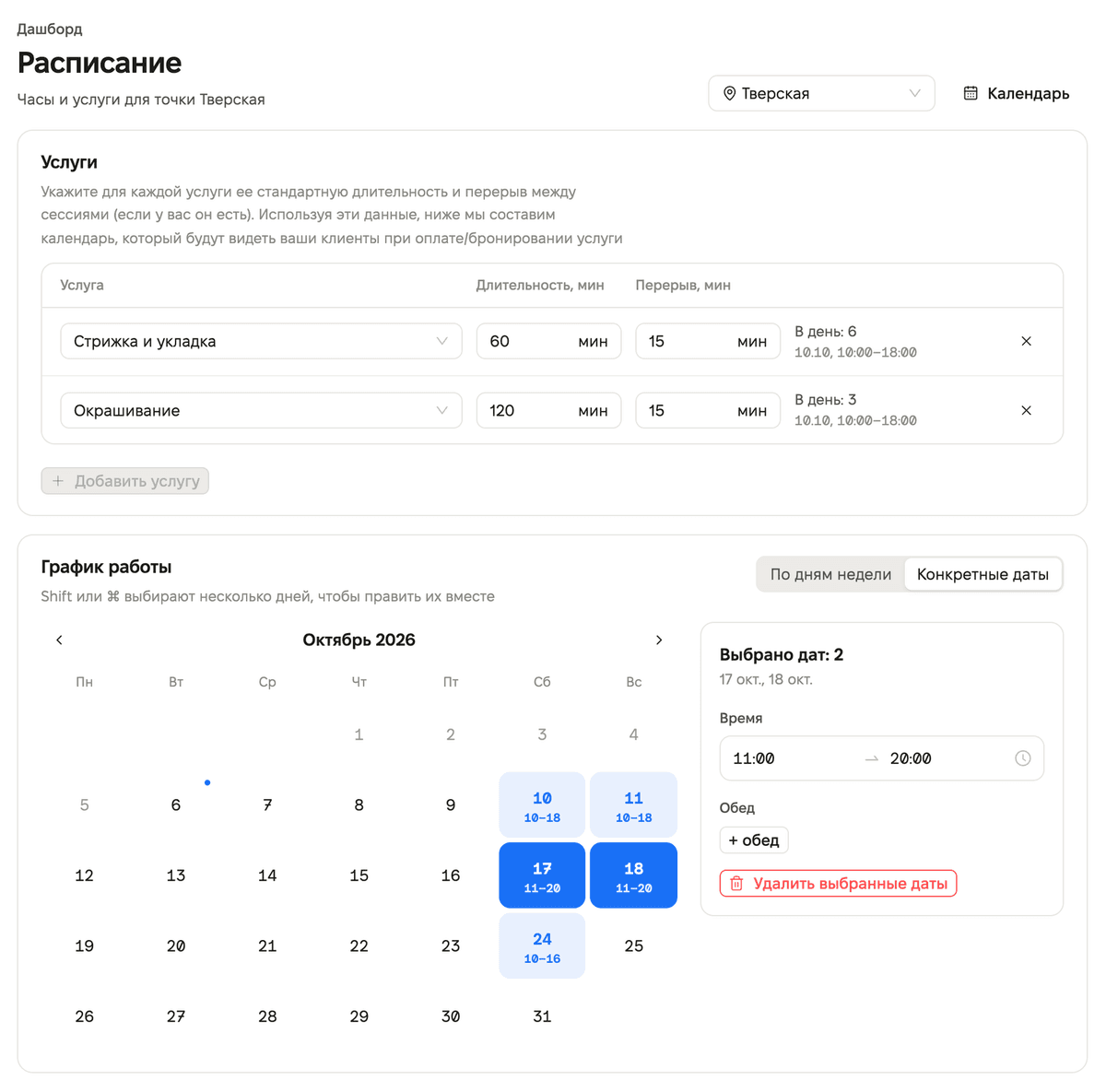
Reception hours are now set separately for each location. In the “Schedule” section, choose a location and an option: “By weekdays” or “Specific dates”. For dates, you can select several days with Shift or ⌘ and set hours for them at once. The “Copy to Mon–Fri” and “Copy to Sat–Sun” buttons transfer hours to weekdays or weekends. If the store has no locations, the schedule is shared across the whole store, as before.
You cannot close a day that already has an active booking. The save panel appears only when there are unsaved changes.
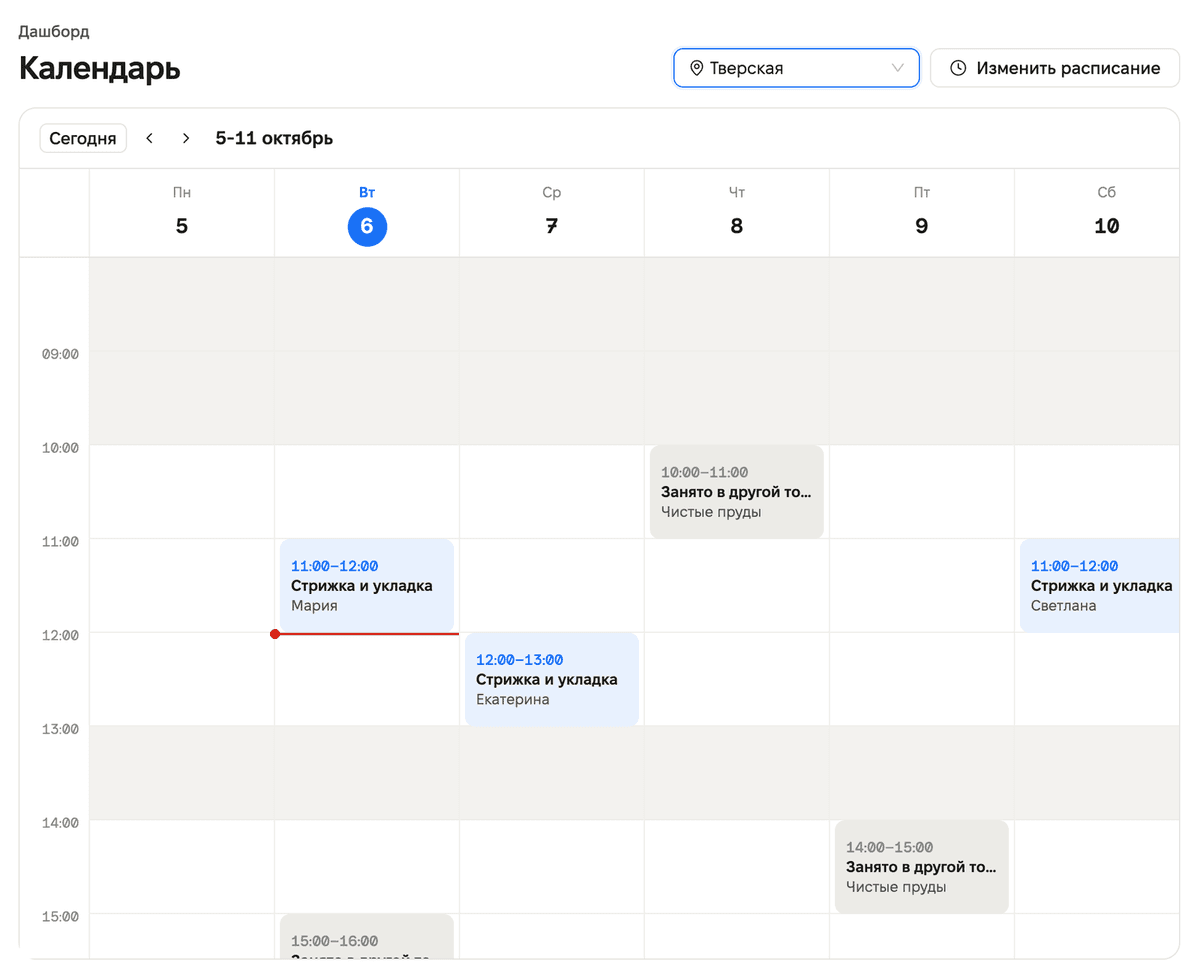
The “Calendar” now has location selection: “All locations” or one location. Bookings in other locations are marked “Busy at another location”. The “Edit schedule” button takes you to the schedule. A booking opens in the side panel. On mobile, the calendar shows one day and a day strip.
Mini app: services and booking by selected location
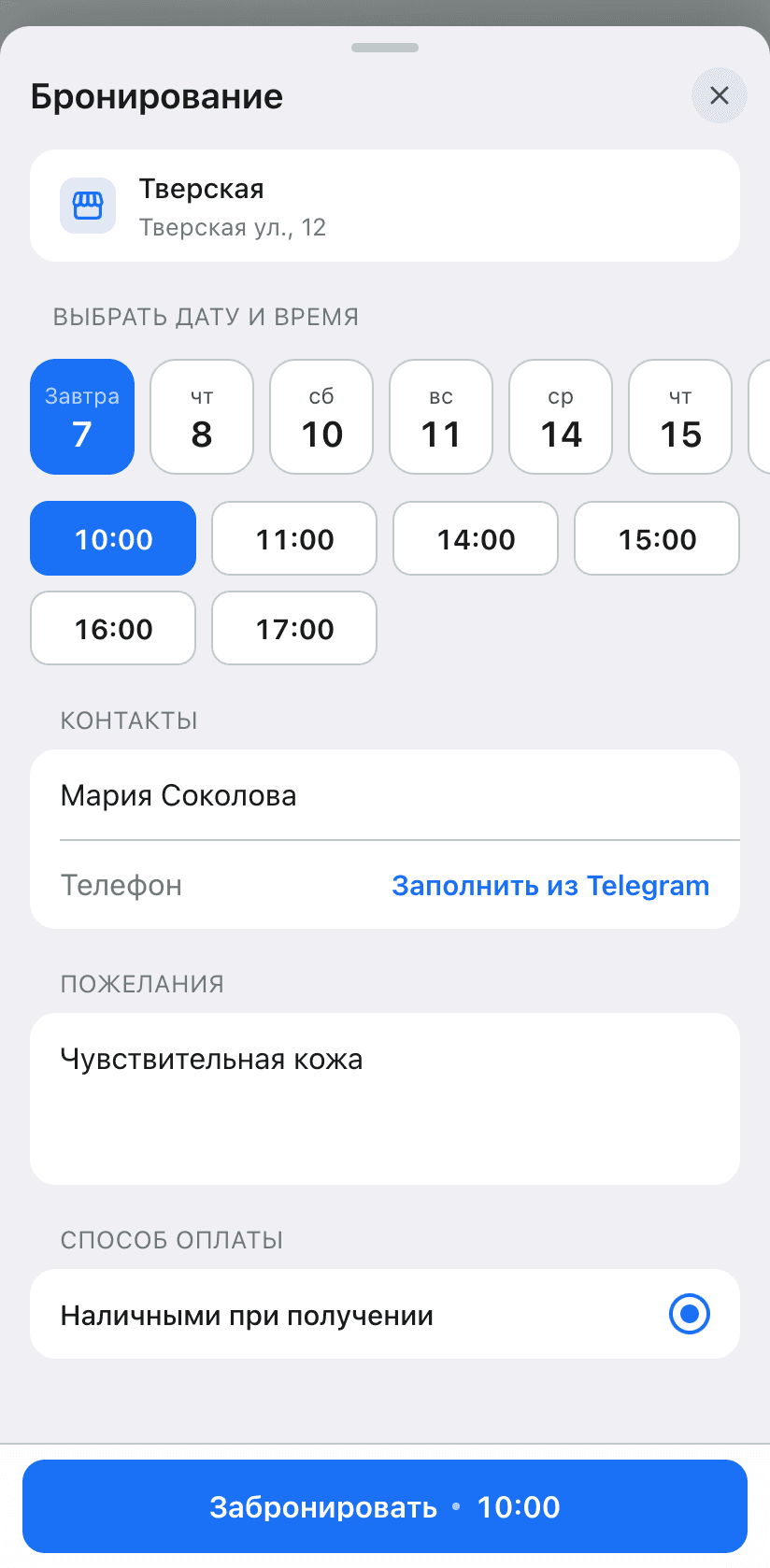
The service catalog shows the services and prices of the selected location. When booking, the location is taken from this selection, and only days when the location is available are offered for booking. If there are no free dates, the buyer sees “No available dates yet”.
Mini app: product cards
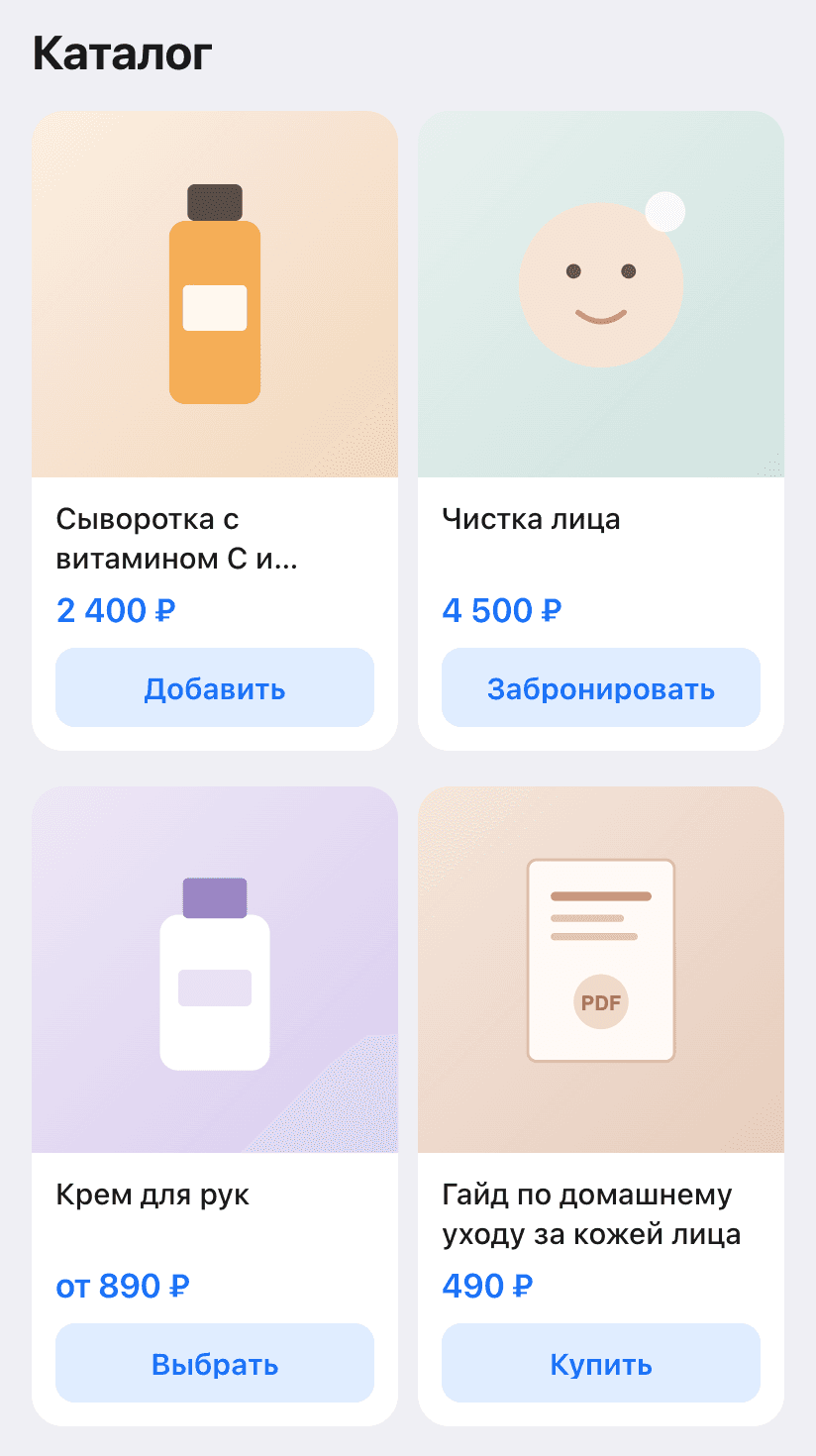
In rows of cards, prices and buttons are aligned to the bottom edge: in the catalog, in the venue menu, and in cart recommendations. In recommendations, there is once again an “Add” button instead of the product name.
Fixes
- Store notifications in Telegram are once again sent to all enabled recipients. If delivery to one employee fails, the others still receive the notification.
- A Telegram username already assigned to another employee cannot be added: the dashboard shows “This Telegram username is already used by another store employee”.
- In the “Digital Products” store, a service can be saved without files or links.
- The verified profile window is readable in dark mode.
- If the dashboard updates while the page is open, the page reloads automatically and does not crash with an error.
- The “Tables” tab in location settings is visible only in HoReCa businesses.
This release also fixes some bugs and improves service stability.