
Update 1.56.0: Deals in CRM and Chat Translation
In Mini Apps Builder 1.56.0, deals have been added to the CRM: sales can now be managed by stages, from the first contact to payment. Also in this release: translation of conversations in CRM chats and a single header across all website pages.
CRM: deals
A “Deals” section has appeared in the CRM. Deals are placed on a board by stages, and the total amount for each column is shown above it. A deal can be dragged to another stage. A new store has four stages right away: “New,” “Qualification,” “Proposal,” and “Negotiations.”
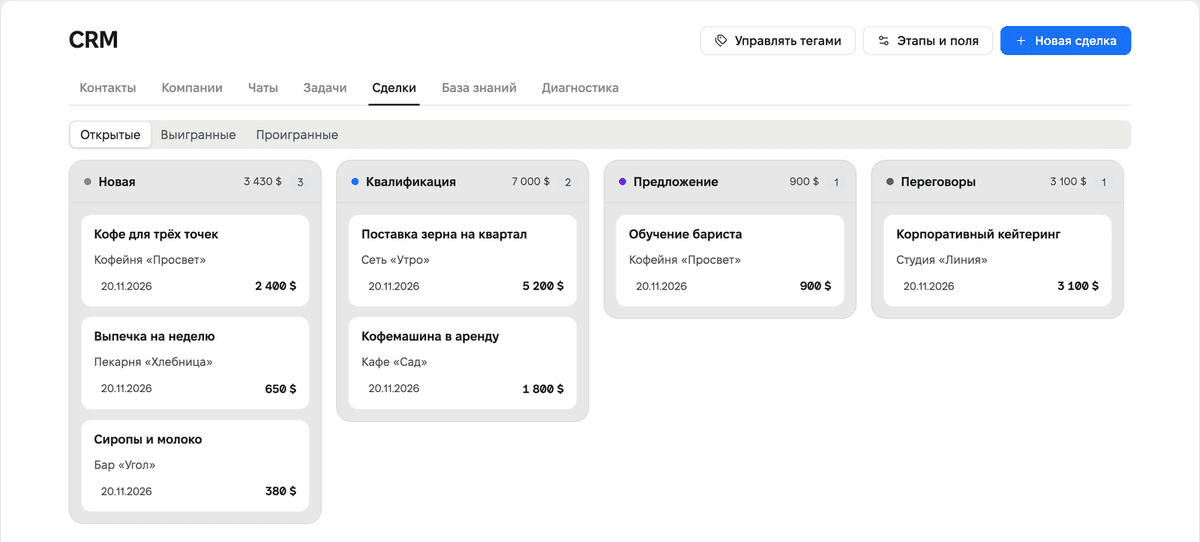
The “New Deal” button opens a form for the title, amount, expected close date, stage, companies, and contacts. CRM tasks can be linked to a deal.
Deals are closed with the “Won” and “Lost” buttons. For a lost deal, the account asks why it was lost. The “Reopen” button returns the deal to its stage. The “Open,” “Won,” and “Lost” tabs divide deals by status.
In the “Stages and Fields” window, stages can be configured: name, order, deletion. Deals from a deleted stage are moved to another stage. Custom deal fields can also be added there: “Date,” “Money,” “Text,” “List,” and “One of the options.”
CRM: chat translation
A translation button has appeared in the CRM chat header. It translates the client’s messages into your language, and the translated message is marked “translation from EN.” Write your reply in your own language: the client will receive it in theirs.
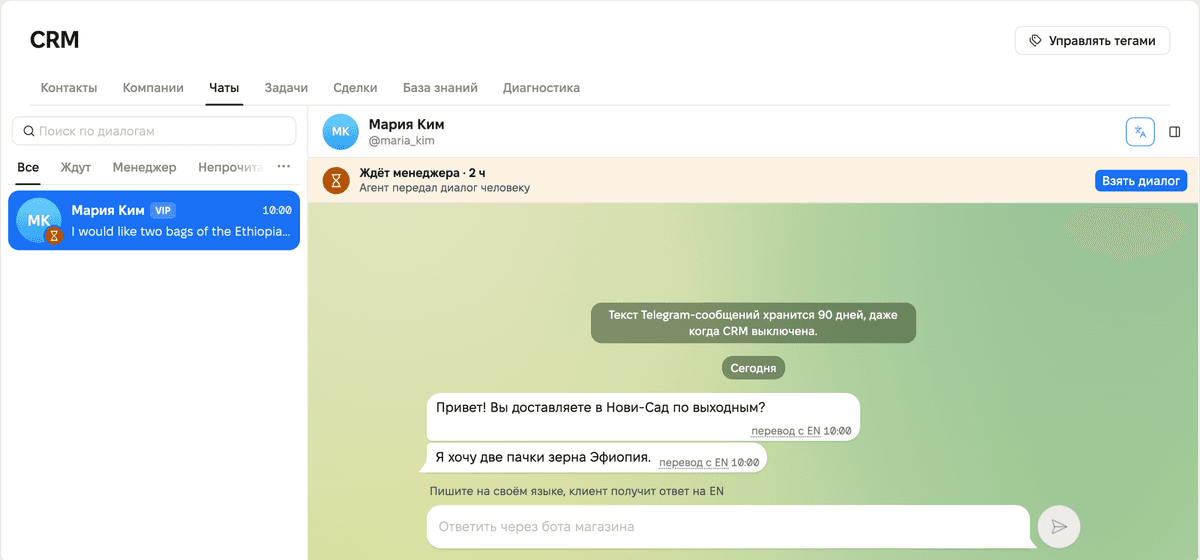
Translation works when the “Content Translations” plugin is enabled in the store. Up to 30 messages can be translated per day. When the limit is reached, the account says, “The daily translation limit has been reached; replies are sent as written.”
Website
- All website pages now share a single header. Above videos, it is transparent.
- Restaurant and café landing page: menu on mobile, payment method logos, account sign-in in the header. The floating button no longer covers the support button.
- On the English version of the site, feature screenshots are now in English.
We also fixed minor bugs and improved service stability.











