
Mini App में उत्पाद कैसे जोड़ें: चरण-दर-चरण निर्देश
Anton Ingachev
16 अगस्त 2026
किसी भी प्रकार के ऐप्लिकेशन के लिए उत्पाद जोड़ने के लिए आपको "उत्पाद" सेक्शन खोलना होगा और स्क्रीन के दाएँ हिस्से के पास स्थित "उत्पाद जोड़ें" बटन पर क्लिक करना होगा।
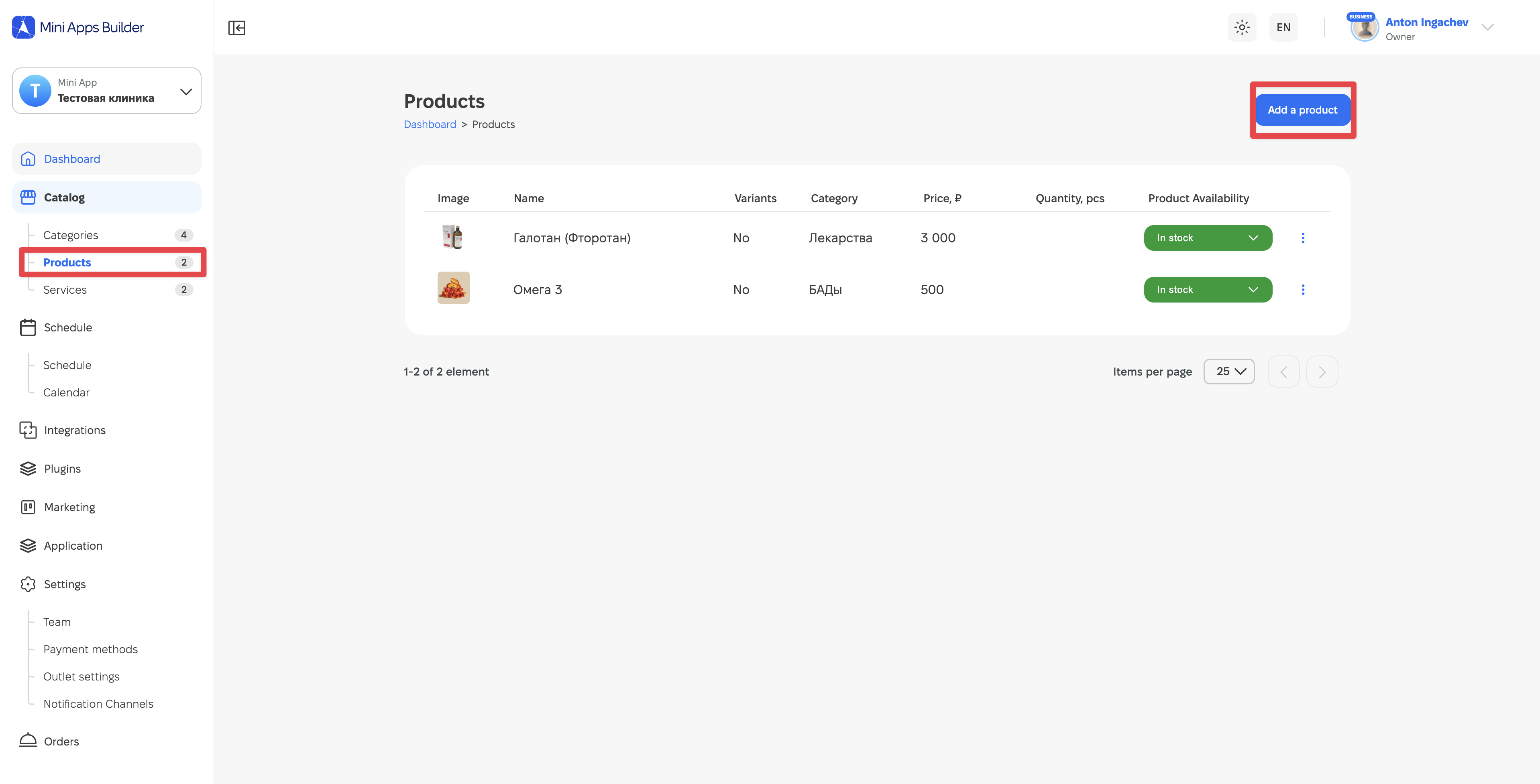
इसके बाद उत्पाद से संबंधित डेटा दर्ज करने के लिए स्क्रीन खुलेगी।
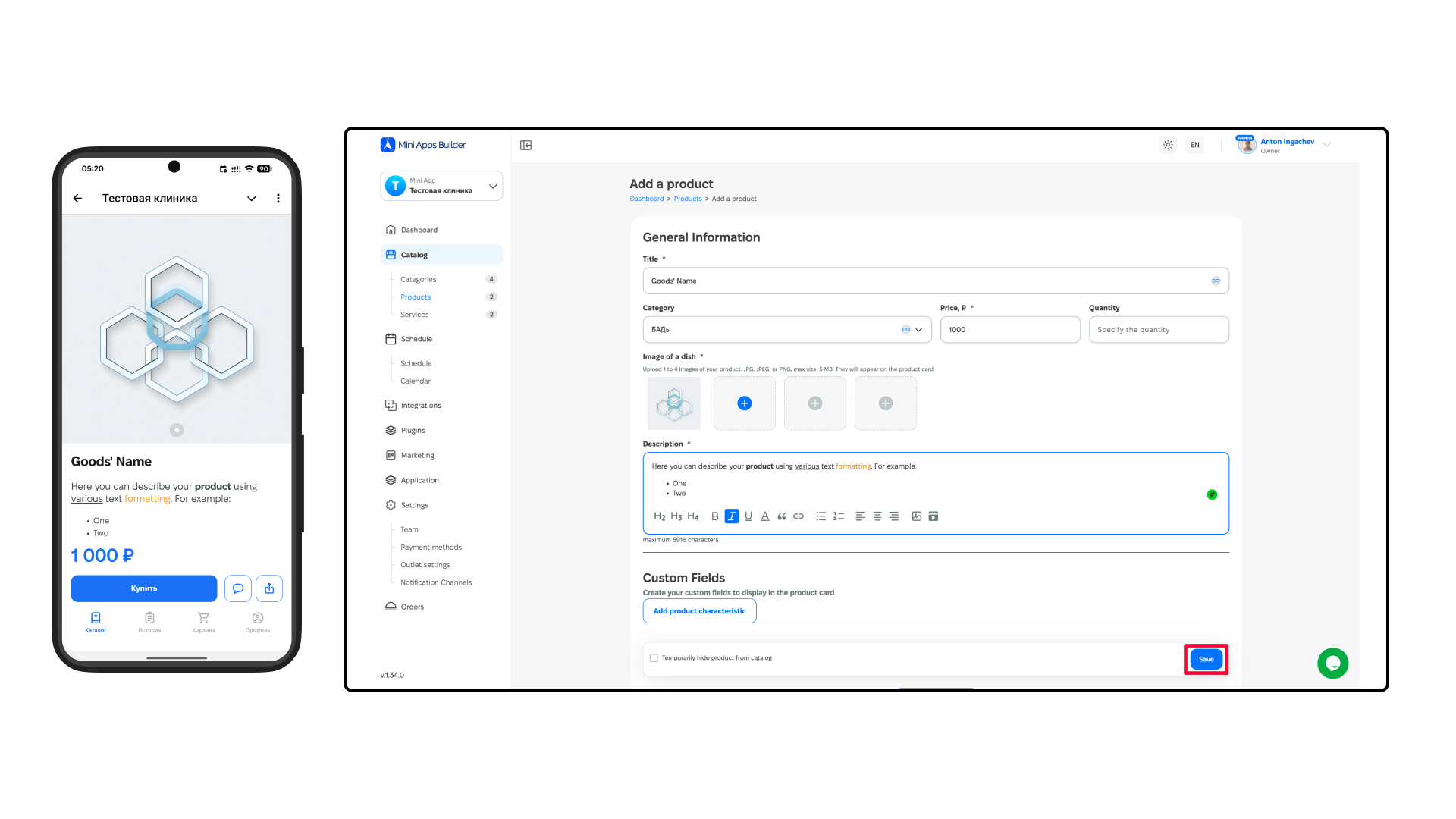
तारांकन चिह्न वाले फ़ील्ड (फ़ील्ड नाम के पास) भरना अनिवार्य है:
- उत्पाद का नाम (अनिवार्य).
- उत्पाद की श्रेणी (वैकल्पिक).
- कीमत (अनिवार्य).
- मात्रा (वैकल्पिक).
- कम से कम एक चित्र जोड़ें (अनिवार्य).
- उत्पाद का विवरण जोड़ें (अनिवार्य).
- स्क्रीन के नीचे दाएँ कोने में "सहेजें" बटन पर क्लिक करें.
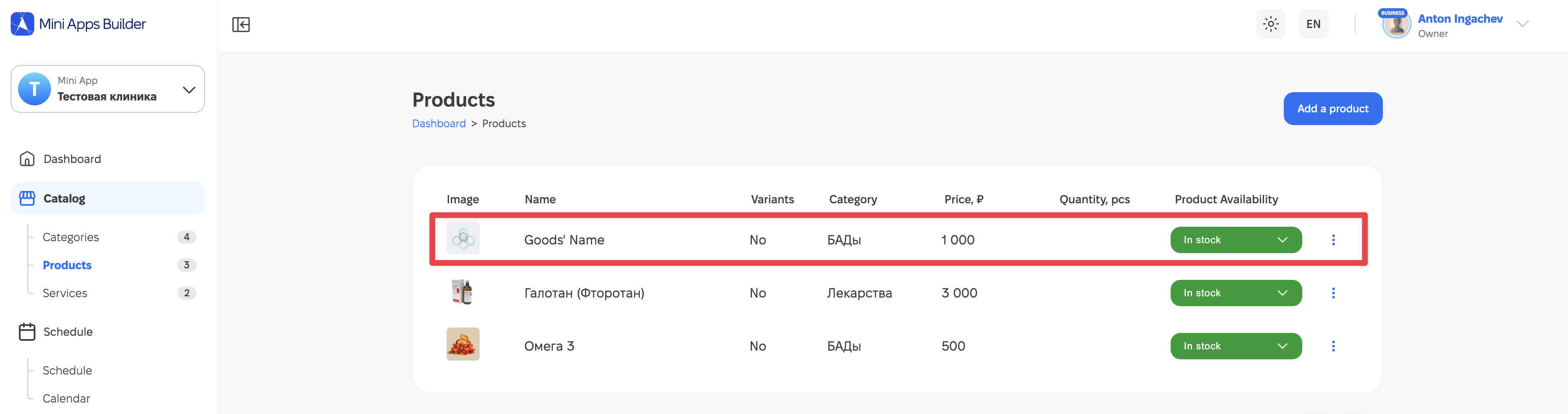
इसके बाद उत्पाद उत्पादों की सूची में दिखाई देगा। किसी भी समय इसे उपलब्धता स्थिति के बाद मौजूद "तीन ऊर्ध्वाधर बिंदुओं" के माध्यम से हटाया, छिपाया या संपादित किया जा सकता है।











