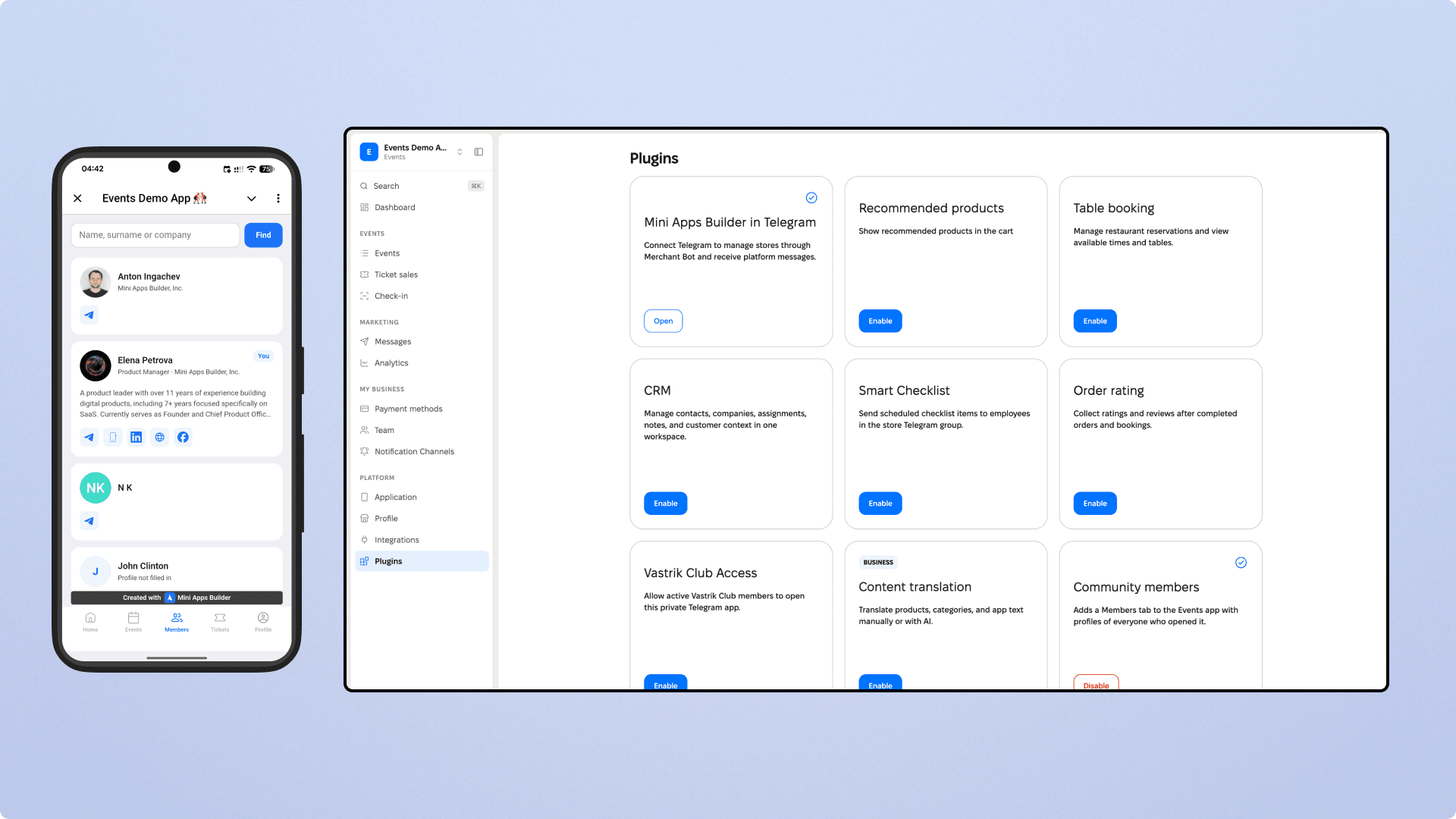
Community Members plugin
The Community Members plugin adds a Members tab to the Events app. It contains the profiles of everyone who has opened your app. Members can see who else is in the community, find people by areas and projects, and contact them directly using the details in their profile.
The plugin works only in apps of the Events type.
How to enable the plugin
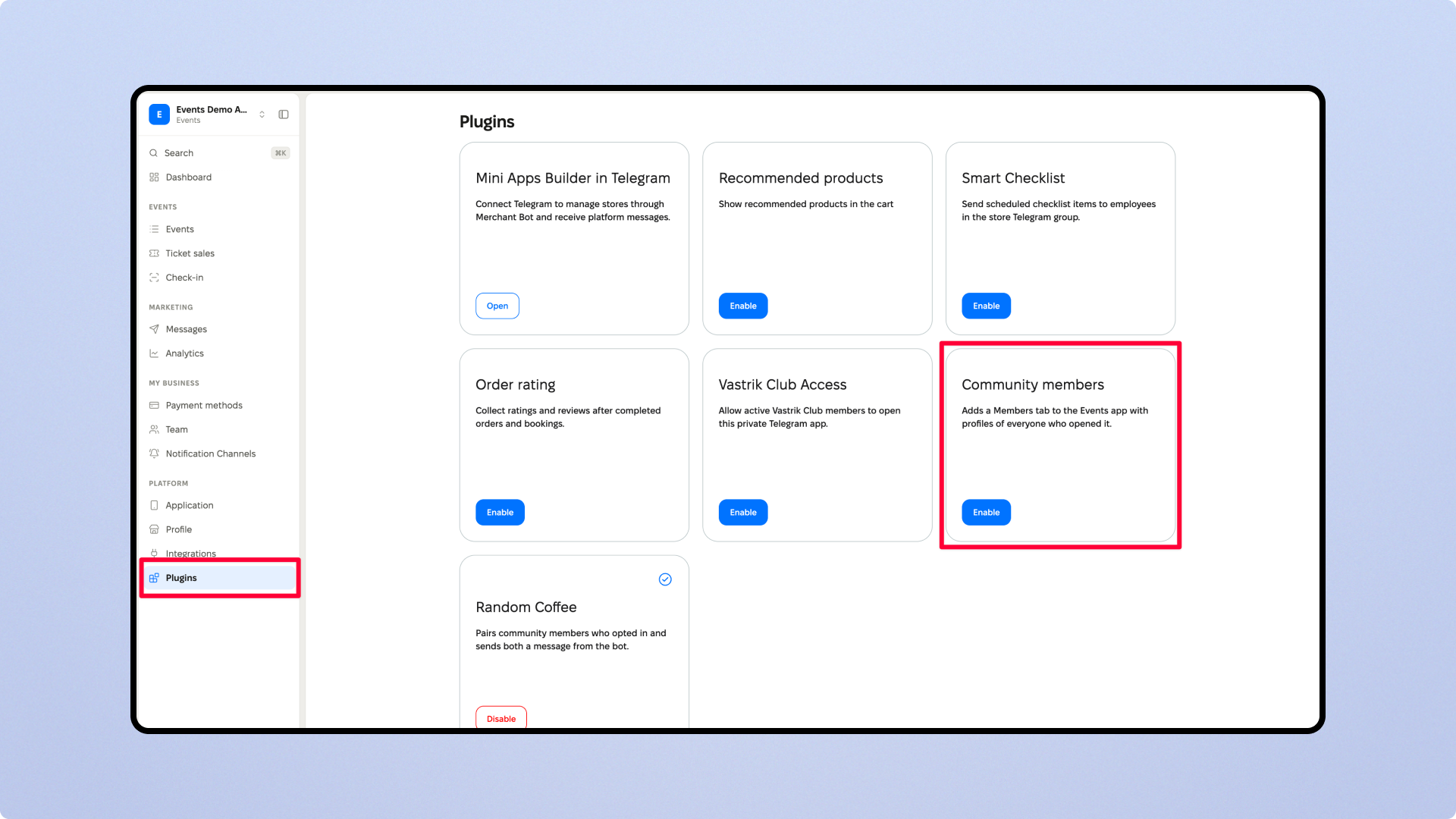
Open the dashboard and select the Events app.
Go to Platform → Plugins.
On the Community Members card, click Enable.
After that, the Members tab will appear in the mini app. To remove it, click Disable on the same card.
Who is included in the list
The list includes everyone who has opened the app. You don’t need a ticket to the event for this. Until a person fills out their profile, the list shows their Telegram name and the note “Profile not completed”.
When a member opens the tab for the first time, they see the “You’re already visible to members” prompt. There, they can click “Later” to stay in the list or click “Hide me” to immediately remove their profile from all lists.
What a member enters in their profile
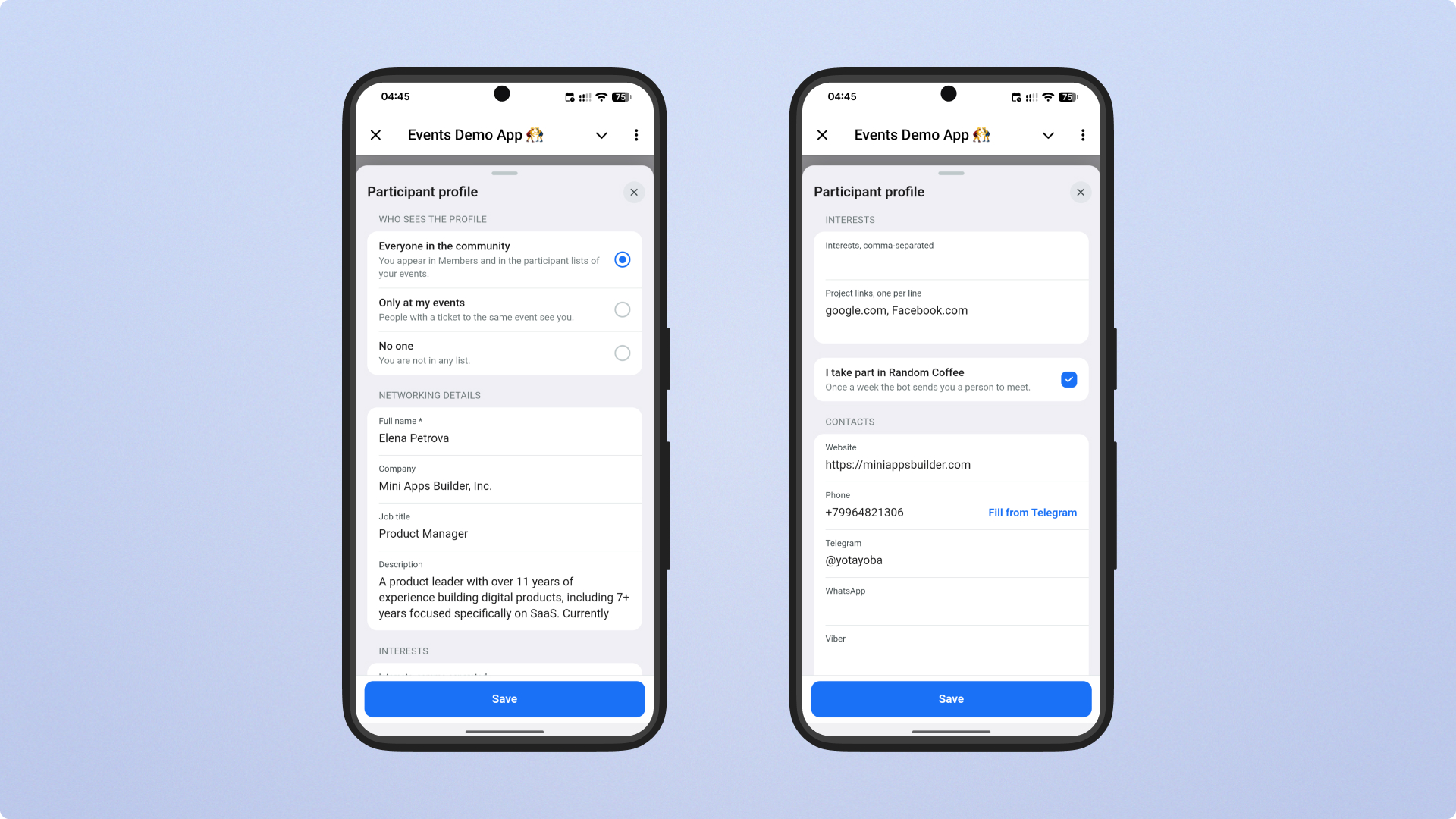
Each member fills out their own profile. It includes the following fields:
Profile photo. You can replace the photo from Telegram with your own in JPEG, PNG, or WebP format.
First name, last name, company, and job title.
Description: a few words about yourself.
Contacts: website, phone number, email, Telegram, WhatsApp, Viber, Facebook, LinkedIn, and VK.
Areas separated by commas. Members use these to find each other.
Links to projects, one per line. These are stored separately from contacts.
To publish a profile, you need to provide a name and at least one contact.
Who can see the profile
The profile includes a “Who can see the profile” block with three options:
“Everyone in the community”. The profile is visible in the Members tab and in event attendee lists.
“Only at my events”. Only people with a ticket to the same event can see the profile.
“No one”. The profile does not appear in any list.
A member can change visibility at any time. The organizer cannot change this setting for a member.
Random Coffee
The Random Coffee plugin works only together with Community Members. While Community Members are turned off, the Random Coffee card in the Plugins section is disabled.
Once a week, Random Coffee matches a pair based on shared areas and sends both members a message from the app bot with each other’s name and contact details. Only those who have filled out their profile and selected the “Everyone in the community” visibility option can participate.
If you turn off Community Members while Random Coffee is enabled, the dashboard will ask you to confirm the action. Random Coffee will remain enabled, but pairs will no longer be matched, and members will not be able to sign up.
Frequently asked questions
Will the plugin appear in an app for products or services?
No. The plugin is available only in Events apps.
How can a member remove themselves from the list?
Open their profile and, in the “Who can see the profile” block, select “No one” or “Only at my events”.
Are people who didn’t buy a ticket visible in the list?
Yes. The Members tab shows everyone who has opened the app and not hidden their profile. People with “Only at my events” visibility appear only in the attendee lists for events they have a ticket to.











