Community Members plugin
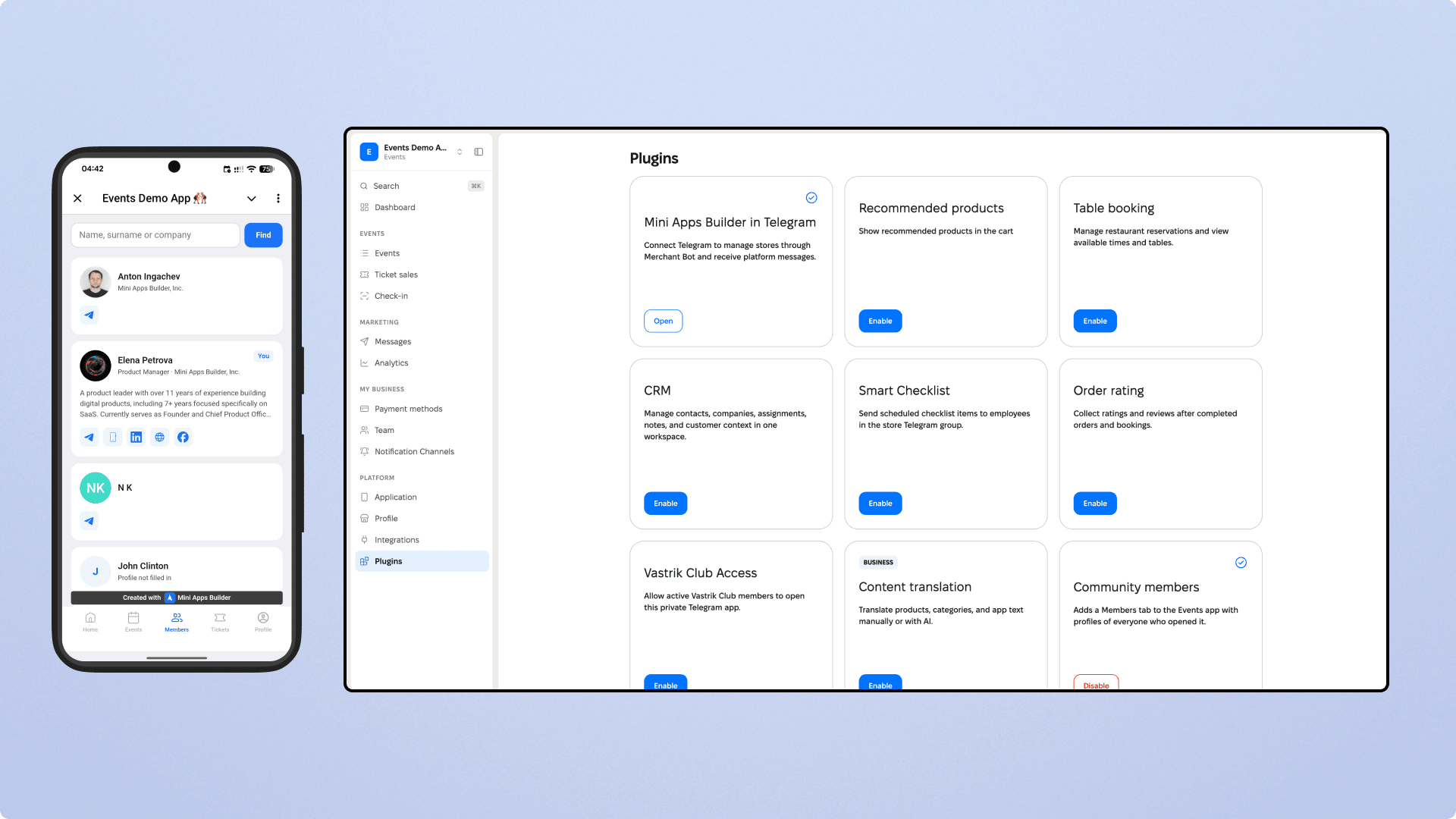
The Community Members plugin adds a Members tab to the Events app. It collects the profiles of everyone who opened your app. Members can see who else is in the community, find people by fields and projects, and contact them directly through the details in their profile.
The plugin works only in apps of the Events type.
How to enable the plugin
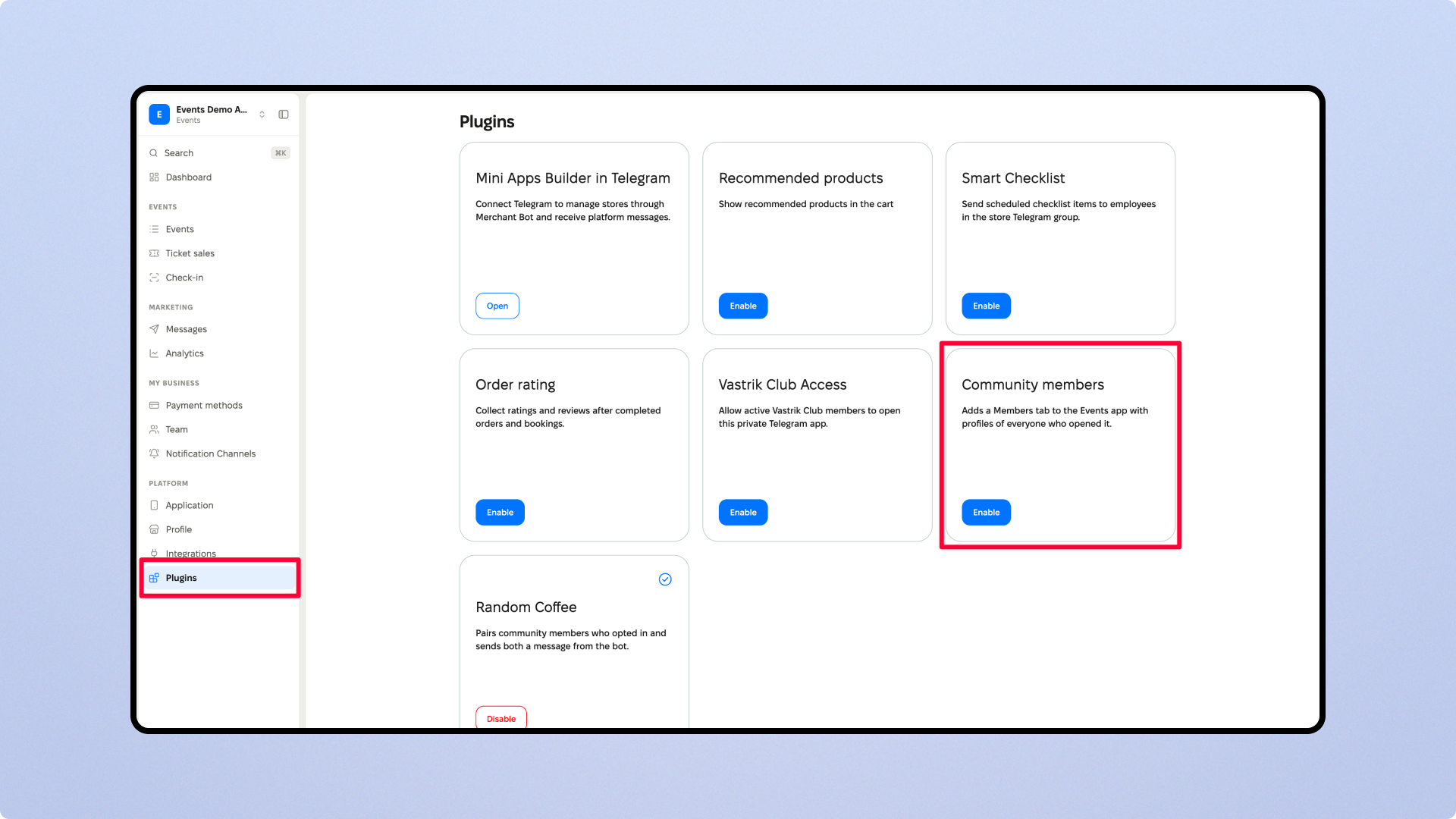
Open the dashboard and select the Events app.
Go to Platform → Plugins.
On the Community Members card, click Enable.
After that, the Members tab will appear in the mini app. To remove it, click Disable on the same card.
Who is included in the list
The list includes everyone who opened the app. No event ticket is required for this. Until a person fills out their profile, the list shows their Telegram name and the note “Profile not filled out”.
When visiting the tab for the first time, the member sees a dialog saying “You are now visible to members”. They can click “Later” to stay in the list or click “Hide me” to remove their profile from all lists immediately.
What a member specifies in their profile
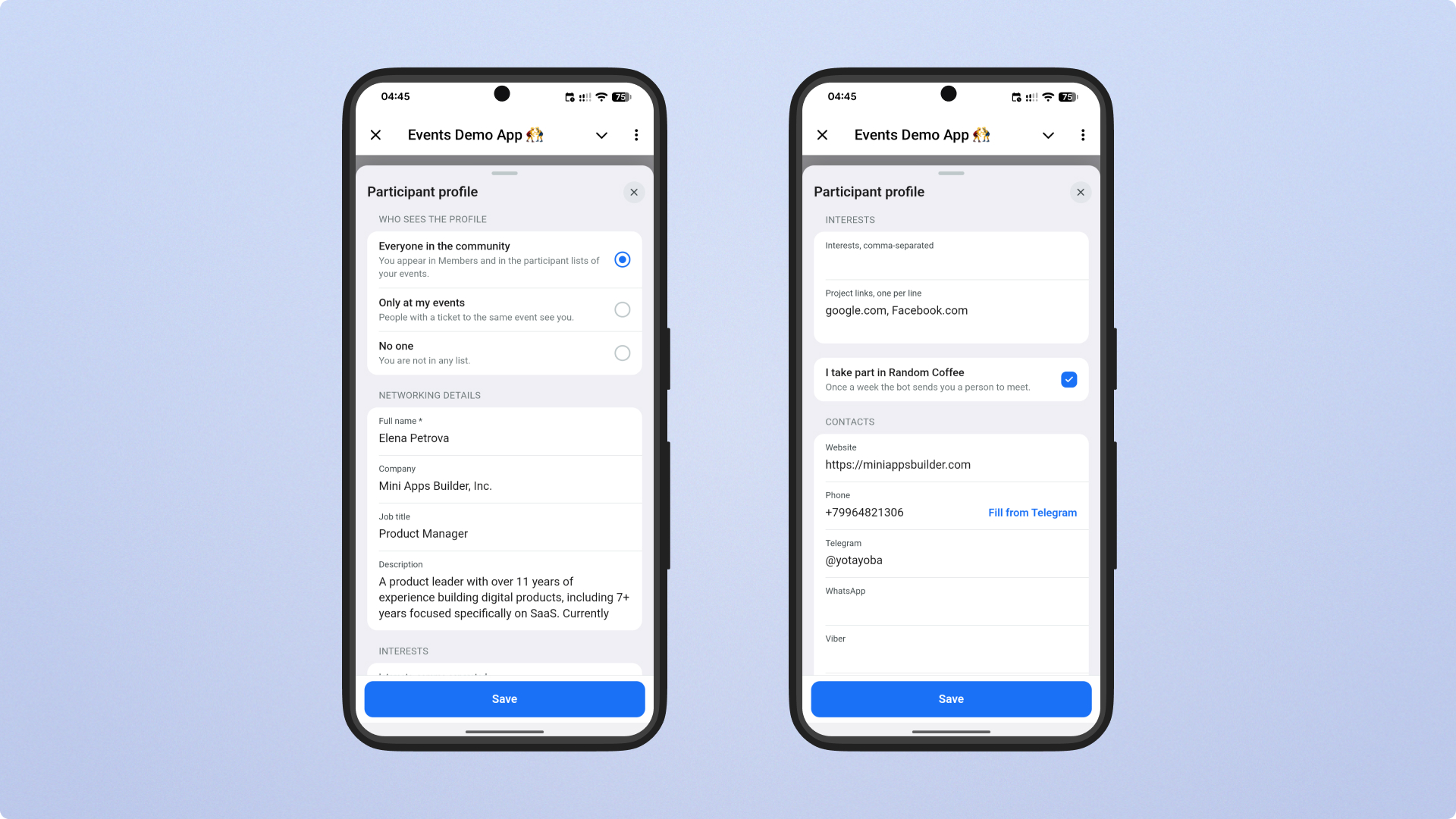
Each member fills out their own profile. It includes the following fields:
Profile photo. You can replace the photo from Telegram with your own in JPEG, PNG, or WebP format.
First name, last name, company, and position.
Description: a few words about yourself.
Contacts: website, phone, email, Telegram, WhatsApp, Viber, Facebook, LinkedIn, and VK.
Fields, separated by commas. Members use them to find each other.
Links to projects, one per line. They are stored separately from contacts.
To publish a profile, you need to provide a name and at least one contact.
Who can see the profile
The profile includes a “Who can see the profile” section with three options:
“Everyone in the community”. The profile is visible in the Members tab and in event participant lists.
“Only at my events”. The profile is visible only to people with a ticket for the same event.
“Nobody”. The profile does not appear in any list.
A member can change visibility at any time. Organizers cannot change this setting for a member.
Random Coffee
The Random Coffee plugin works only together with Community Members. While Community Members is turned off, the Random Coffee card in the Plugins section is disabled.
Once a week, Random Coffee matches a pair based on shared fields and sends both members a message from the app bot with each other’s name and contact information. Only those who have filled out their profile and selected the visibility “Everyone in the community” can participate.
If you turn off Community Members while Random Coffee is enabled, the dashboard will ask you to confirm the action. Random Coffee will remain enabled, but pairs will stop being matched, and members will not be able to sign up.
Frequently asked questions
Will the plugin appear in an app with products or services?
No. The plugin is available only in Events apps.
How can a member remove themselves from the list?
Open their profile and, in the “Who can see the profile” section, choose “Nobody” or “Only at my events”.
Are people who did not buy a ticket visible in the list?
Yes. The Members tab shows everyone who opened the app and did not hide their profile. People with the visibility “Only at my events” are shown only in the participant lists of the events for which they have a ticket.