Di mana menemukan token Telegram bot?
Token adalah kunci rahasia yang memungkinkan Mini Apps Builder menghubungkan bot Anda ke proyek. Ini bukan kata sandi Telegram dan bukan tautan ke bot. Untuk mendapatkannya, Anda tidak perlu melakukan pemrograman.
Cara mendapatkan token jika bot belum ada
Buka BotFather resmi. Ini adalah alat Telegram untuk membuat bot dan mengelolanya. Periksa nama pengguna dengan cermat — harus @BotFather, tanpa tambahan huruf atau angka. Antarmukanya sama di semua platform: Android, iOS, macOS, Windows, Linux, Web.
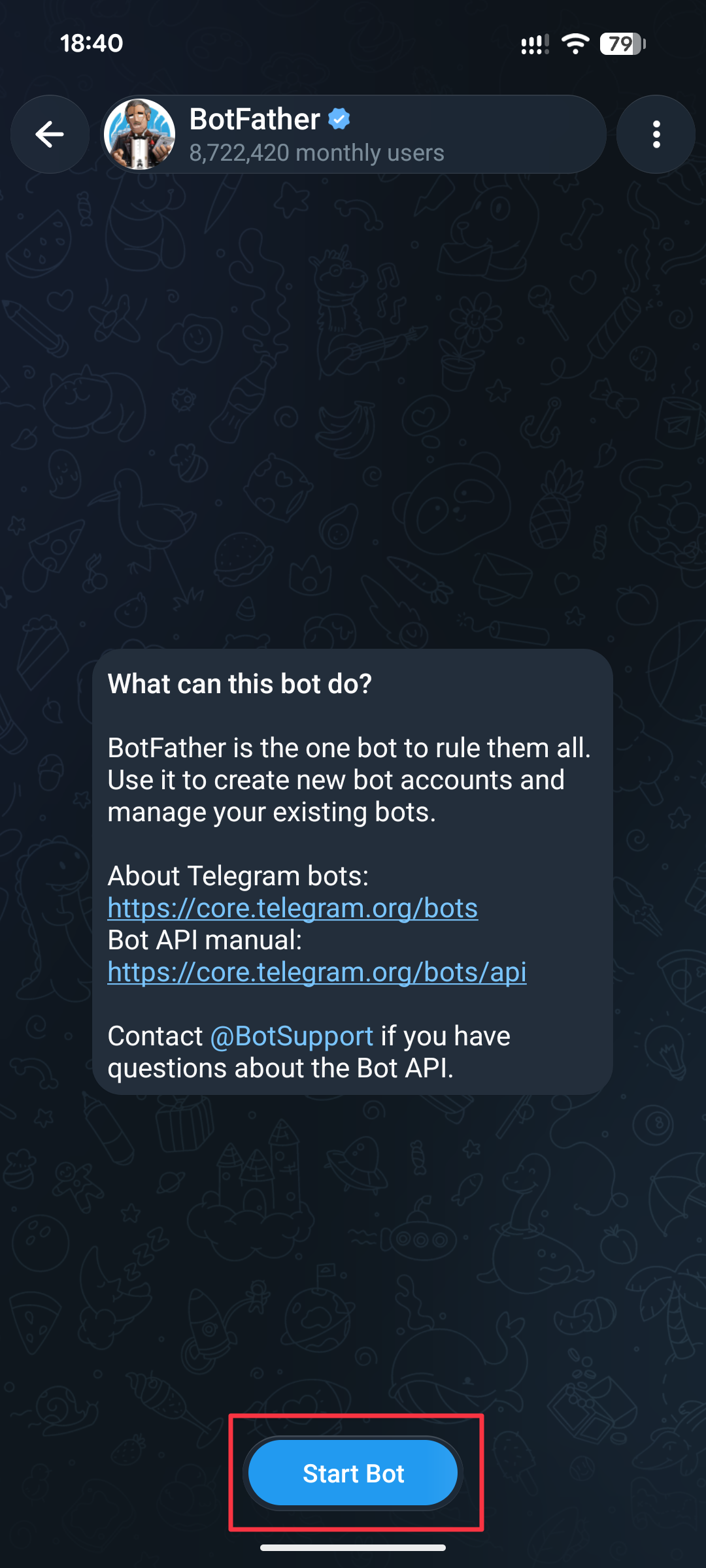
Langkah-langkah berikut dilakukan di chat BotFather: Klik Start Bot,
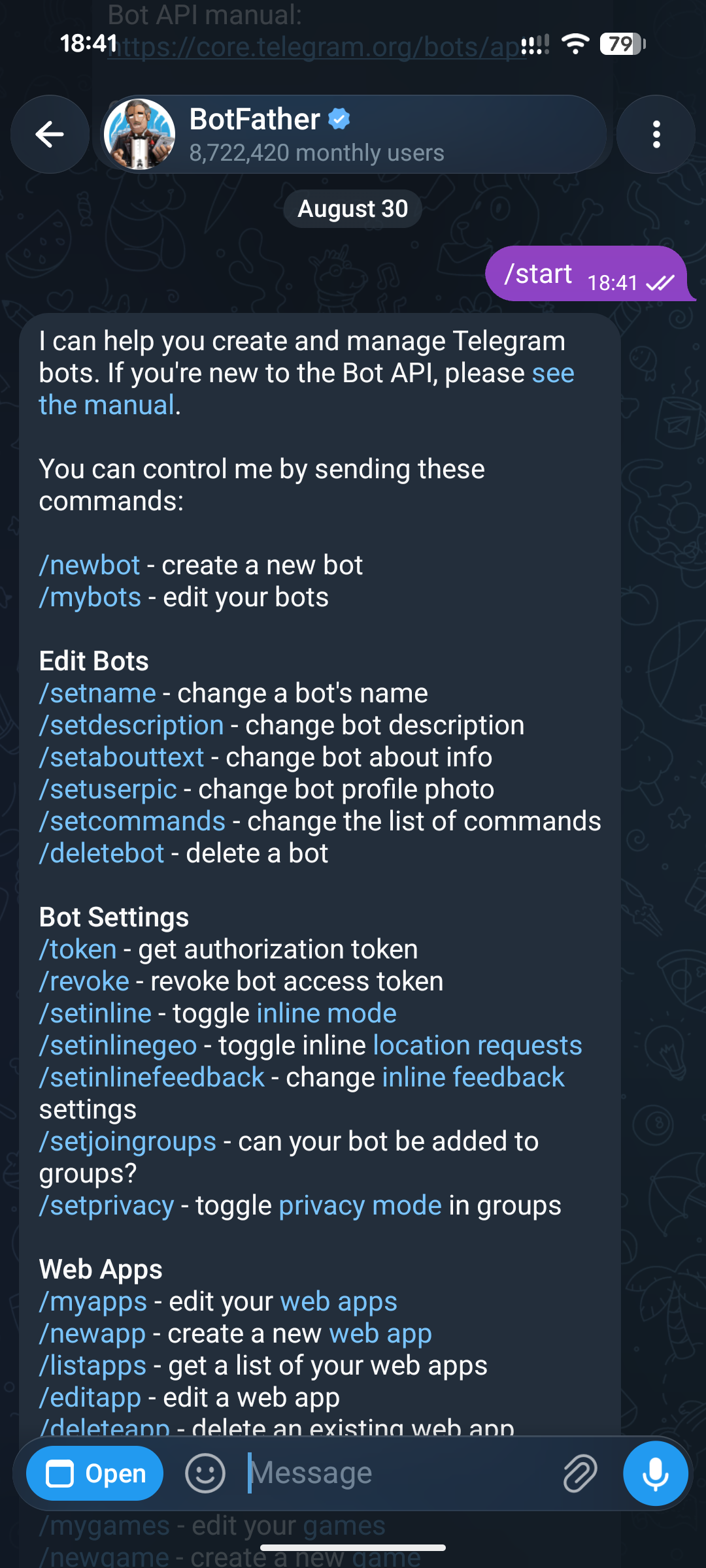
Anda akan melihat pesan seperti ini. Selanjutnya, Anda dapat membuat bot dengan dua cara: melalui chat dan Mini App.
Membuat bot baru melalui chat
Anda perlu memilih /newbot dari pesan yang dikirim BotFather. Cukup klik teks ini di pesan, dan proses pembuatan bot akan langsung dimulai.
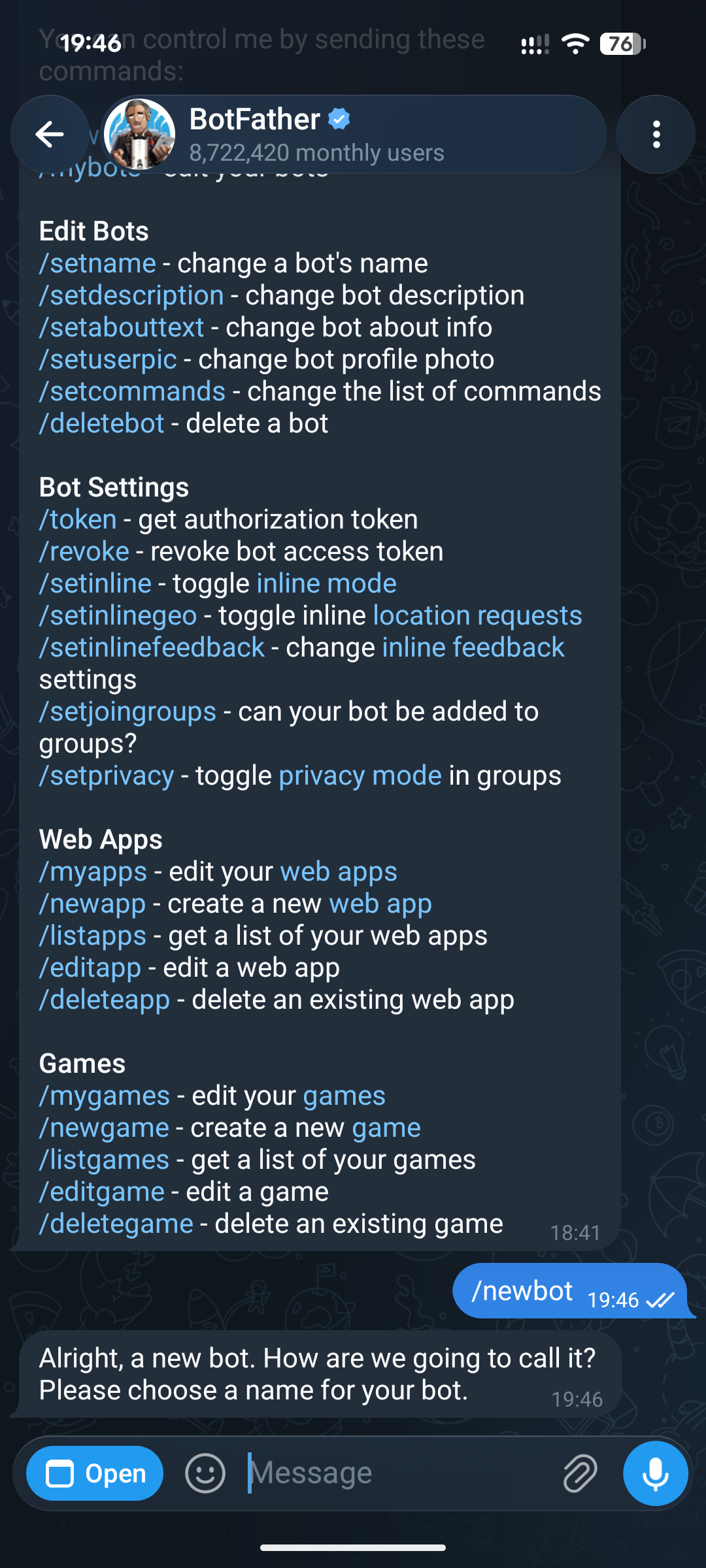
BotFather akan menanyakan nama aplikasi. Ini adalah "nama" bot/aplikasi Anda yang akan dilihat oleh setiap pengguna di Telegram. Namun, Anda juga dapat mengubahnya nanti kapan saja.
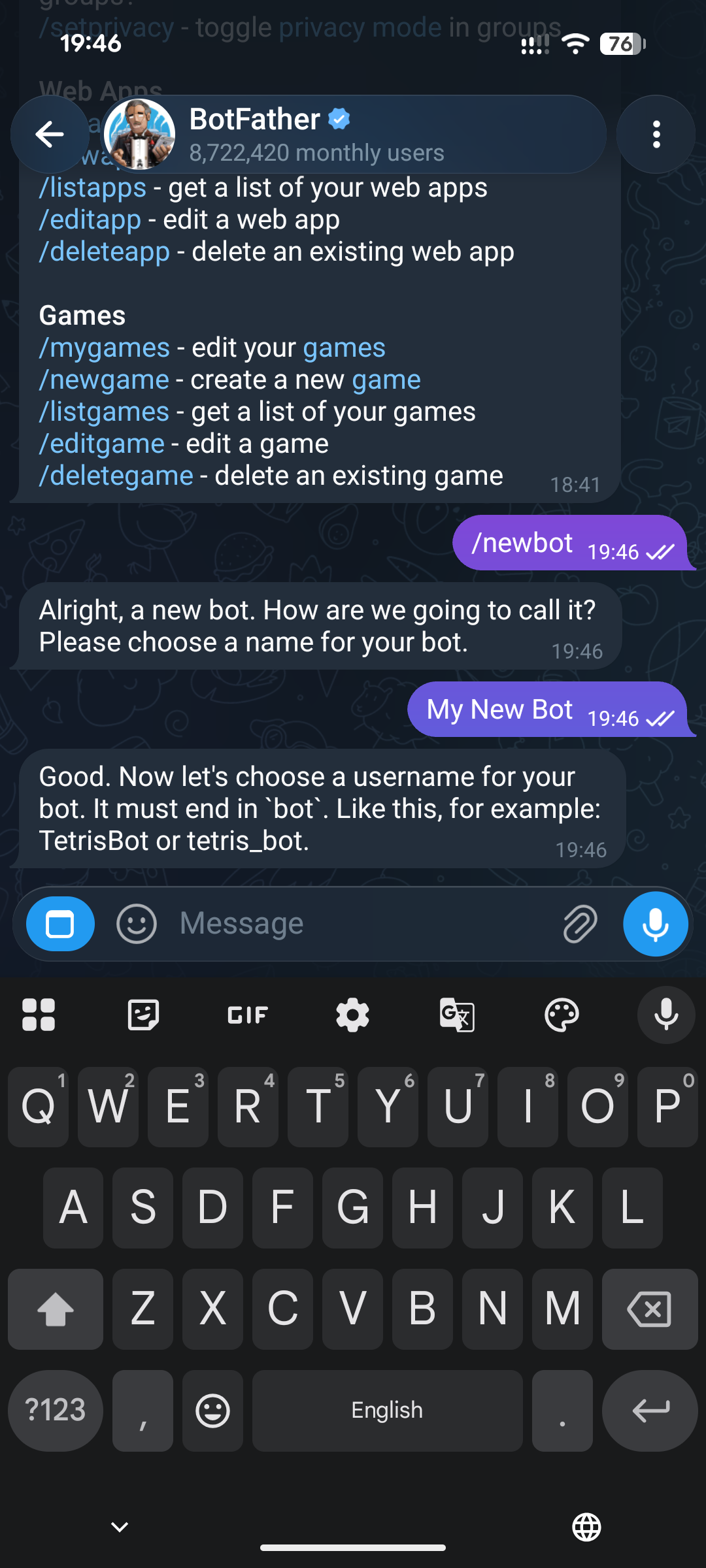
Setelah memasukkan "nama", BotFather akan meminta Anda membuat username_bot - ini adalah ID unik, dan tidak dapat diubah setelah pembuatan. Selain itu, Telegram akan memberi tahu Anda jika versi yang dimasukkan sudah digunakan.
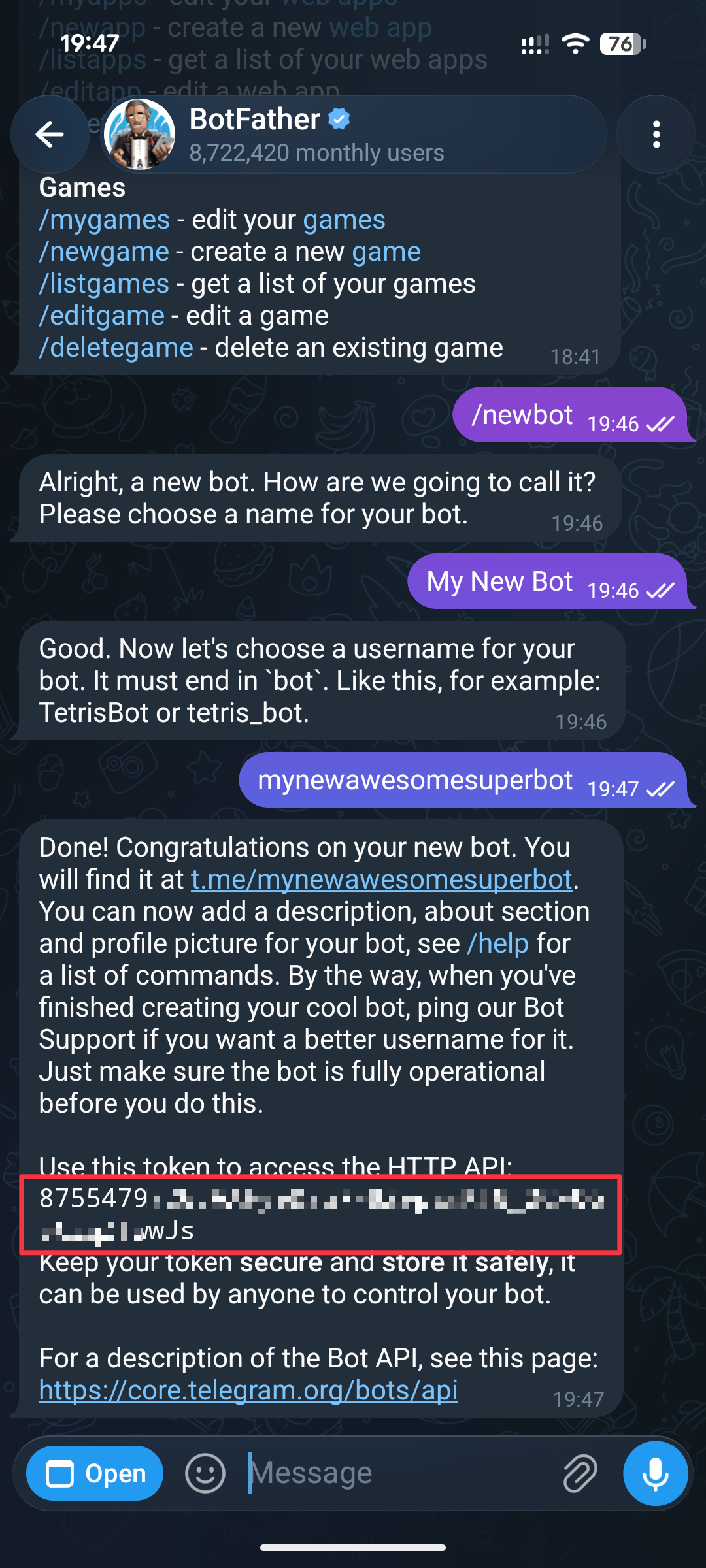
Setelah memasukkan username_bot, Anda akan melihat pesan seperti ini, yang berarti bot telah dibuat. Di dalam pesan tersebut ada bot token. Cukup klik token itu, dan token akan disalin, sehingga bisa Anda tempelkan di situs kami.
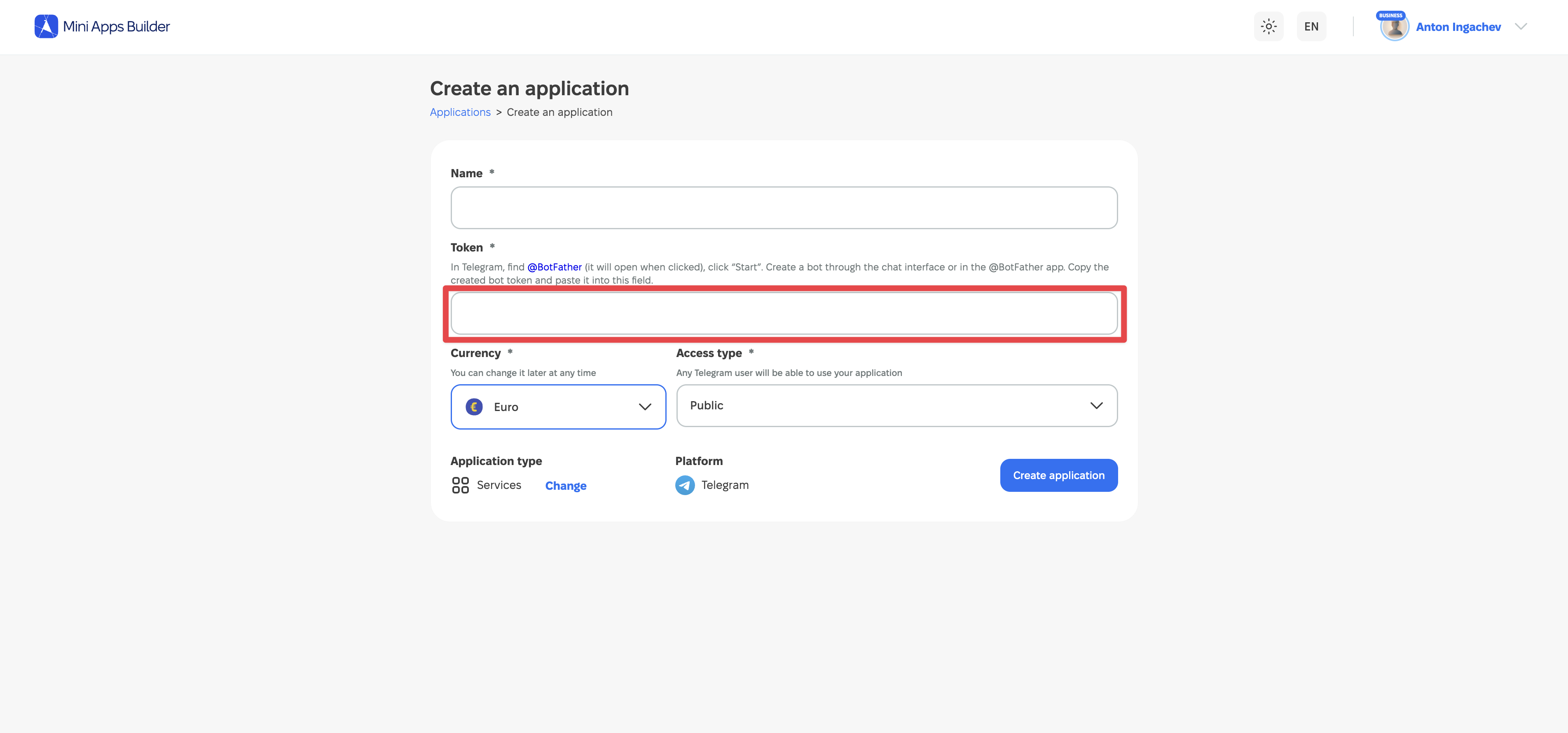
Token yang disalin harus ditempelkan ke kolom "Token" saat membuat proyek di Mini Apps Builder. Setelah itu, proyek akan dibuat.
Membuat bot baru melalui Mini App
Ini adalah cara kedua untuk membuat bot baru dan mendapatkan bot token. Jika Anda sudah menggunakan cara di atas, bagian ini tidak perlu dibaca.
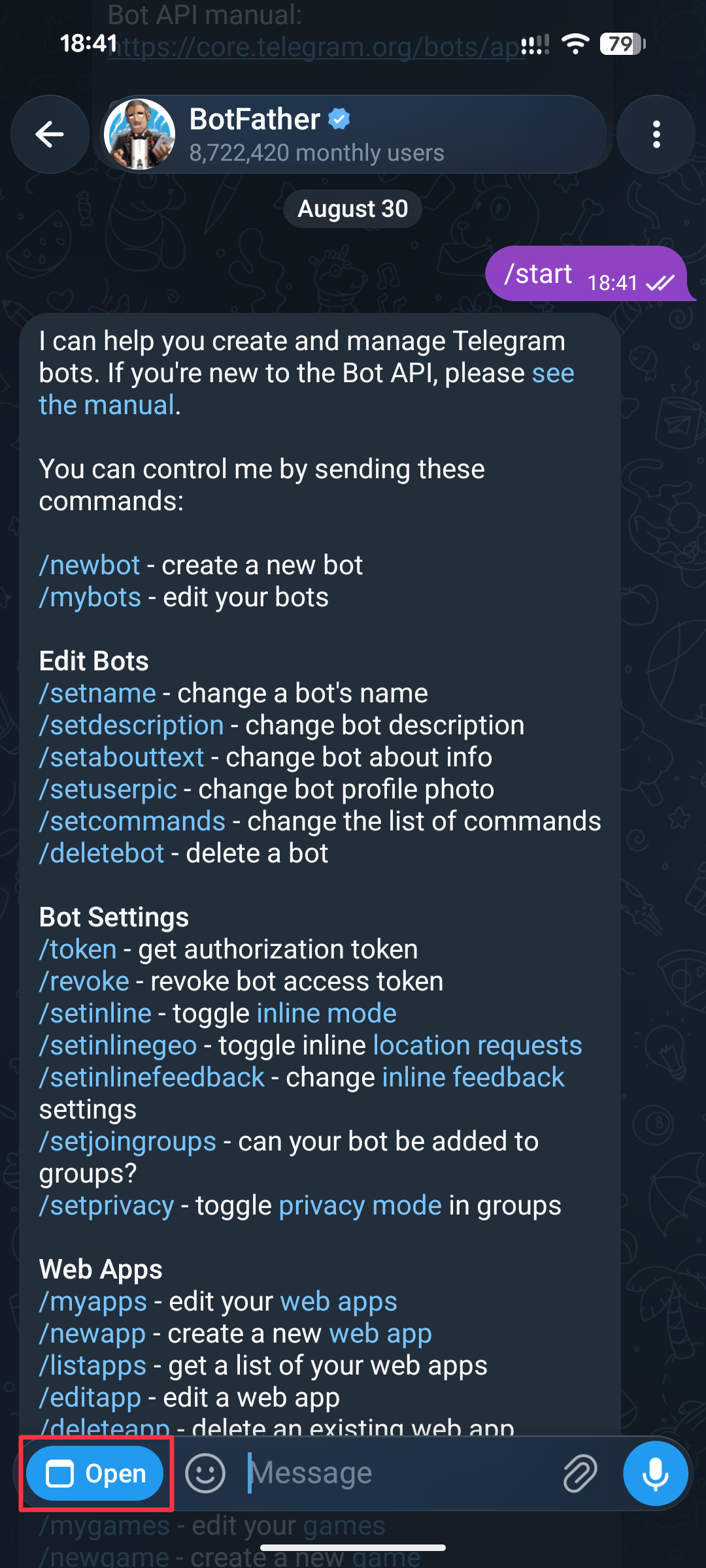
Tekan tombol "Open" di kiri bawah, di samping kolom input teks di chat.
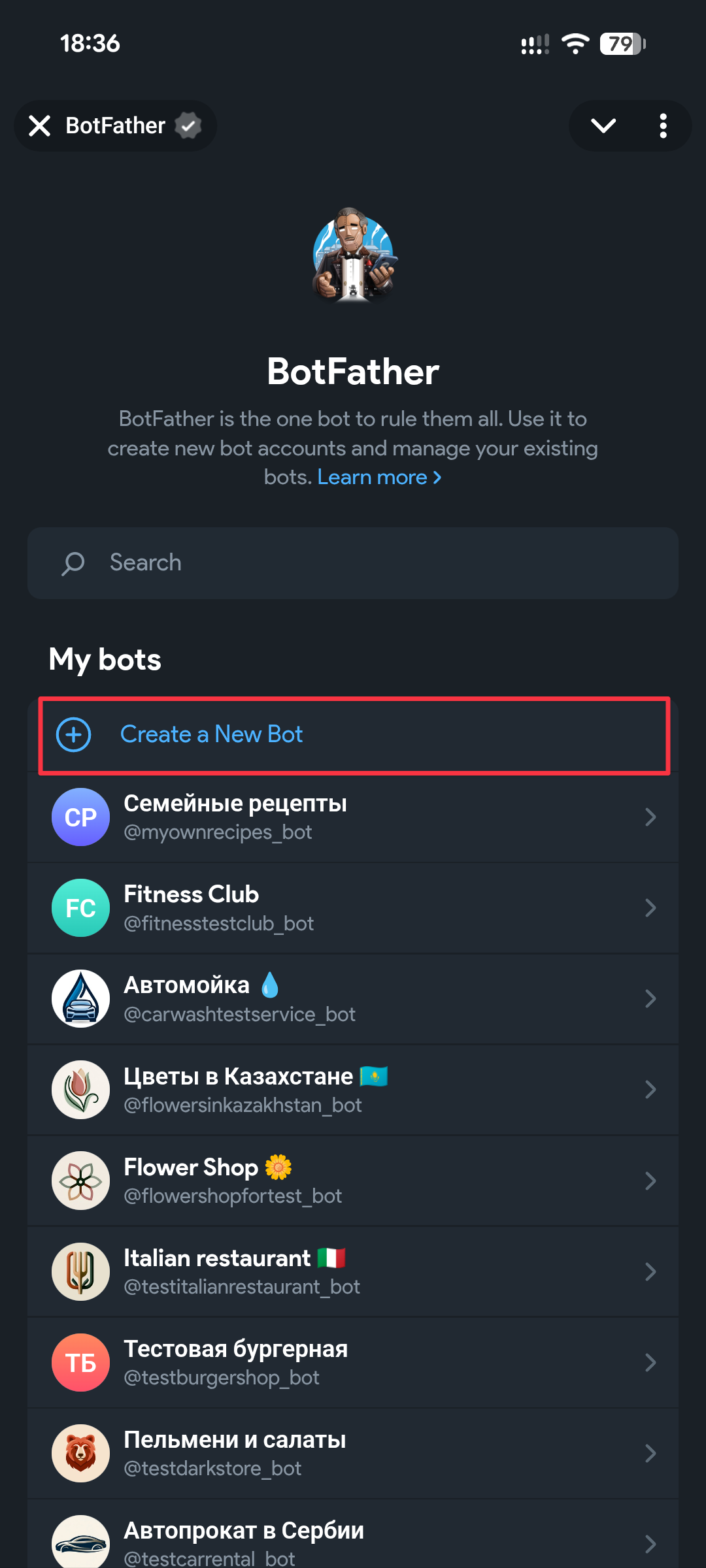
Anda akan membuka layar seperti ini. Jika Anda belum pernah membuat bot, maka akan "kosong" di bawah teks "My bots". Bagaimanapun, sekarang kita sedang membahas skenario pembuatan bot baru, jadi tekan tombol "Create a New Bot".
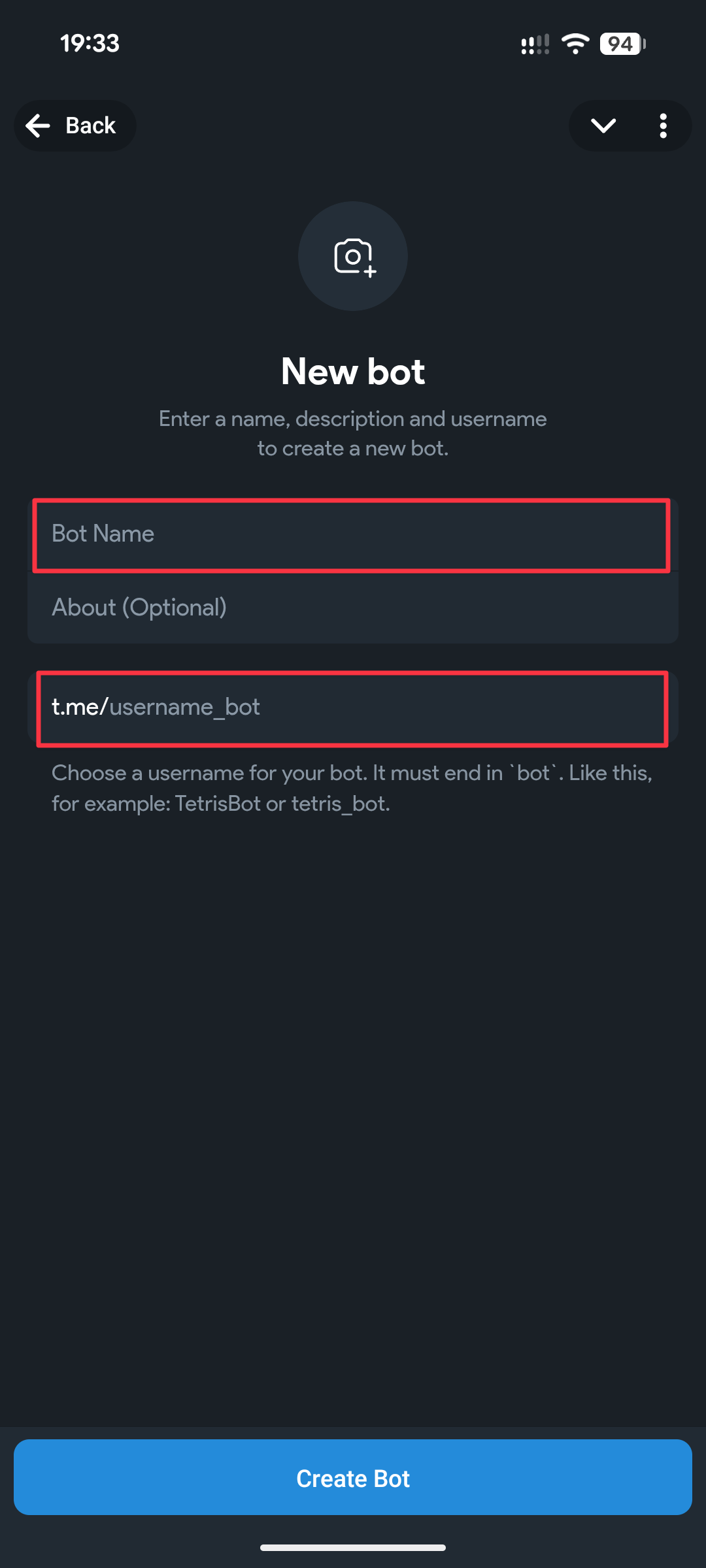
Kolom yang disorot wajib diisi. Logo dan "About" dapat ditambahkan nanti kapan saja.
Bot Name - nama bot/aplikasi Anda yang akan dilihat oleh setiap pengguna di Telegram. Namun, Anda juga dapat mengubahnya nanti kapan saja.
username_bot - ini adalah ID unik, dan tidak dapat diubah setelah pembuatan. Selain itu, Telegram akan memberi tahu Anda jika versi yang dimasukkan sudah digunakan.
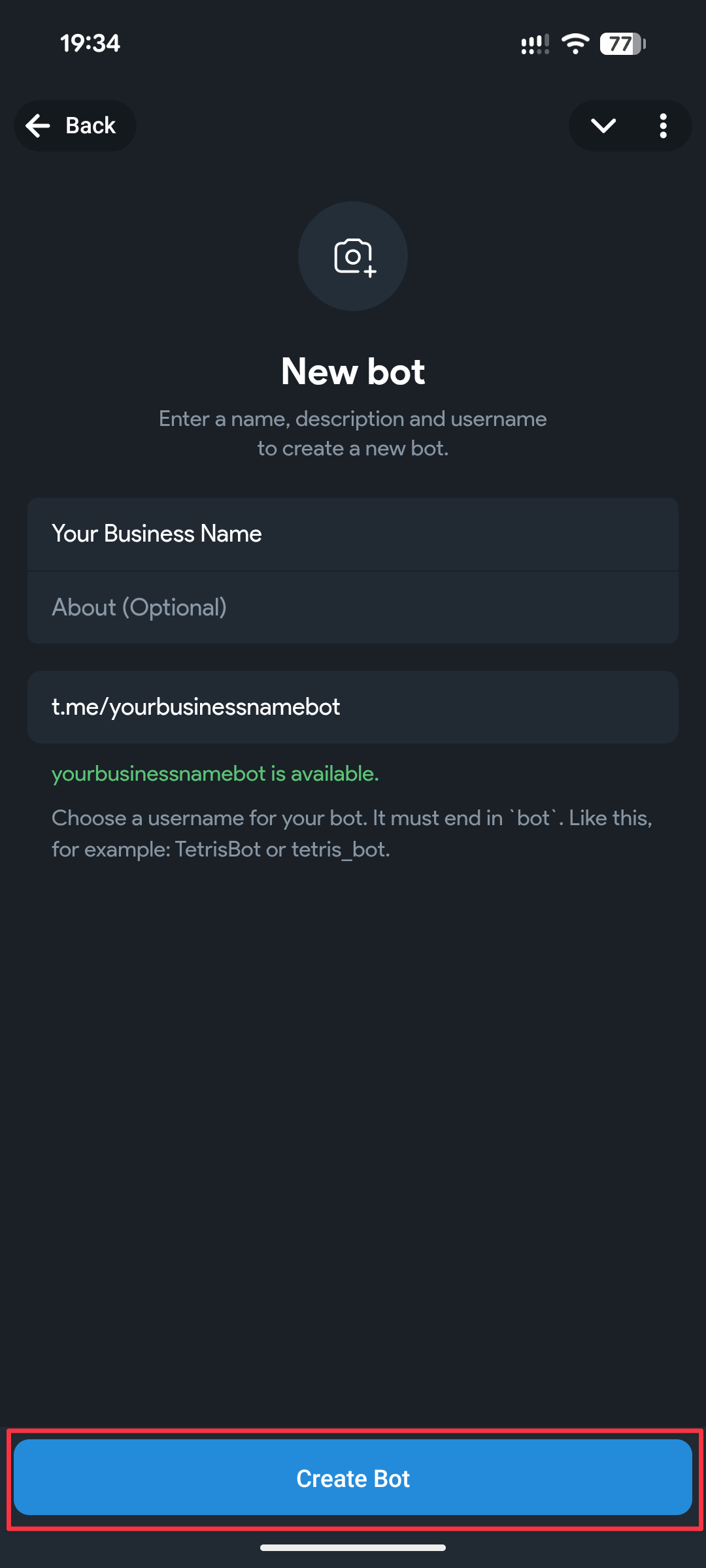
Setelah memasukkan Bot Name dan username_bot, tekan tombol "Create Bot" di bagian bawah layar.
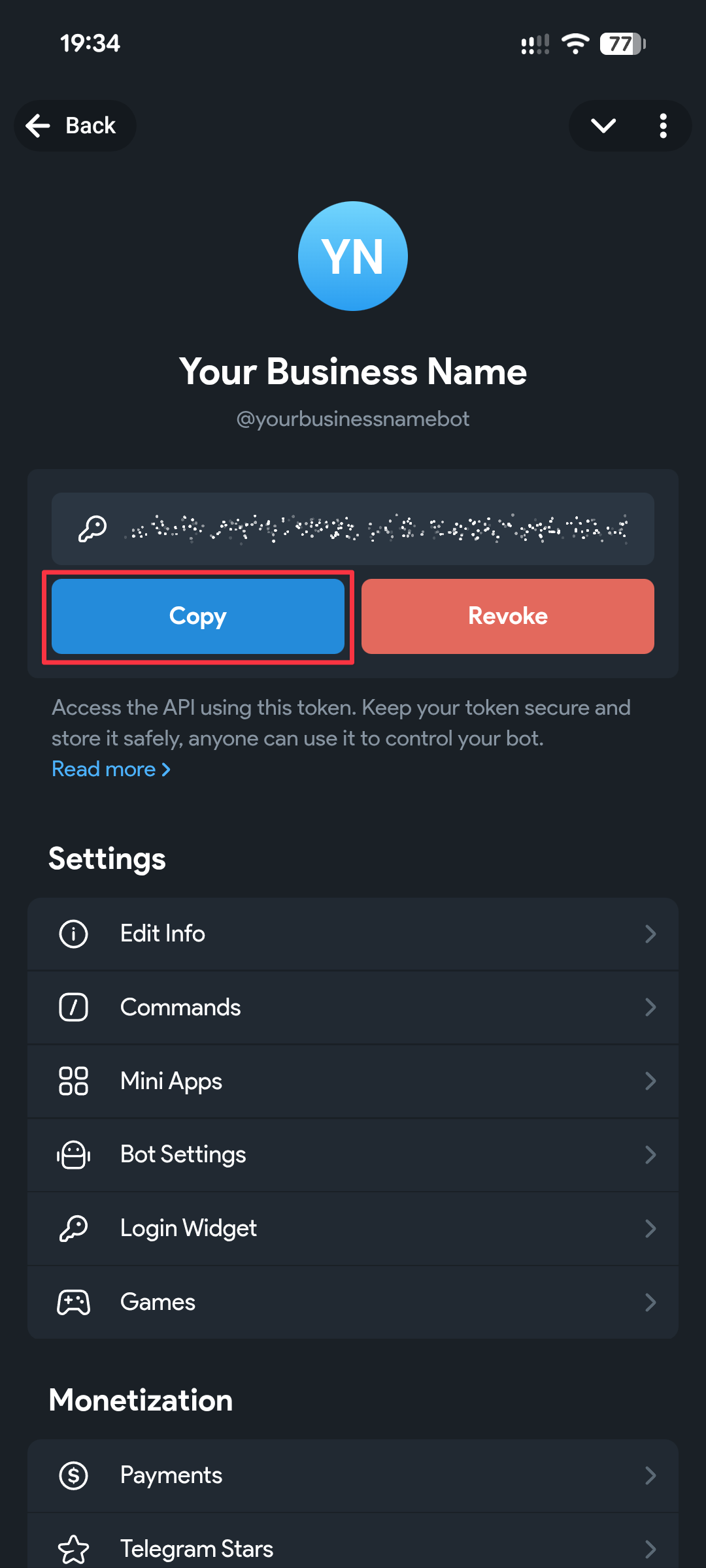
Anda akan melihat layar seperti ini, tekan tombol "Copy", ini akan menyalin Bot Token untuk bot tersebut.
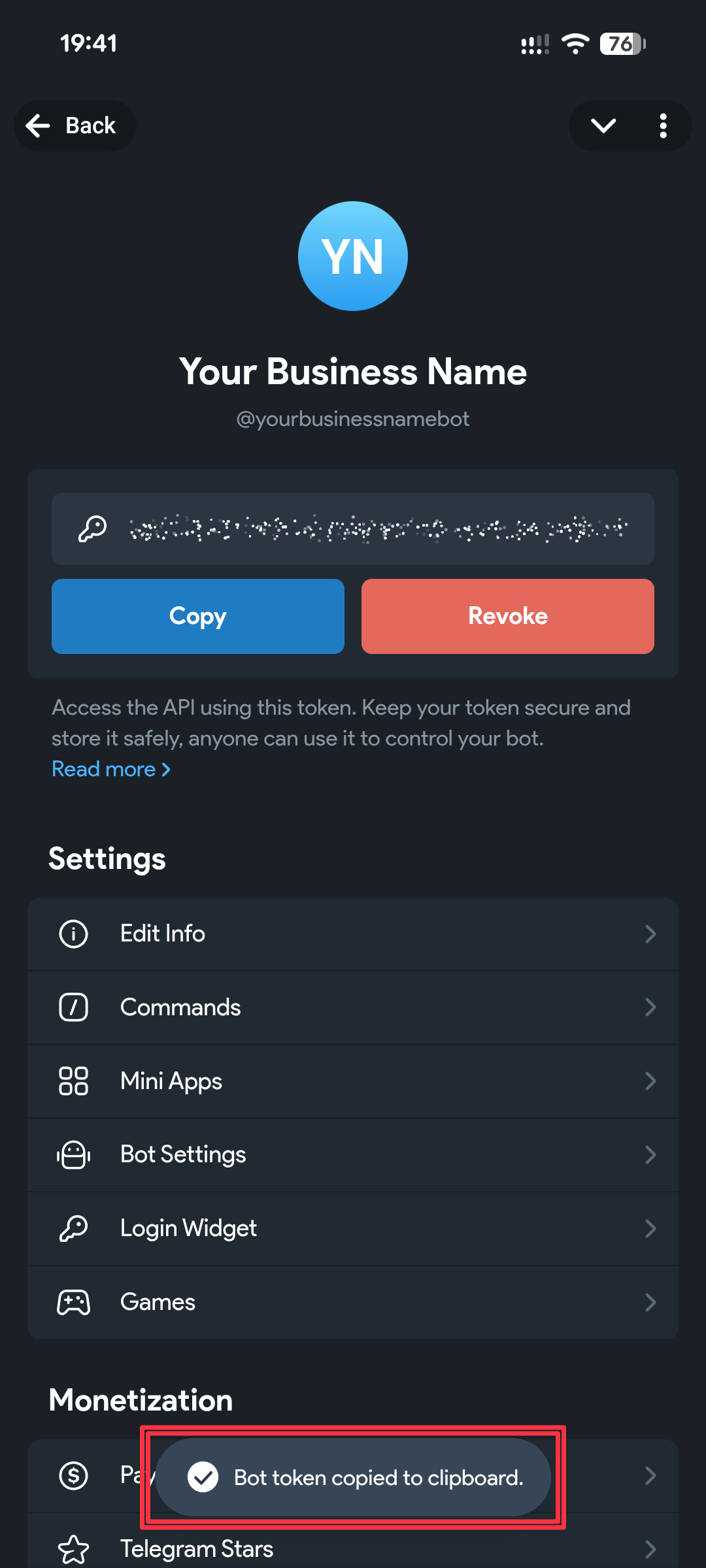
Setelah menekan tombol "Copy", Anda akan melihat pemberitahuan seperti ini sebentar. Itu berarti token sudah disalin, dan bisa ditempelkan di situs kami.
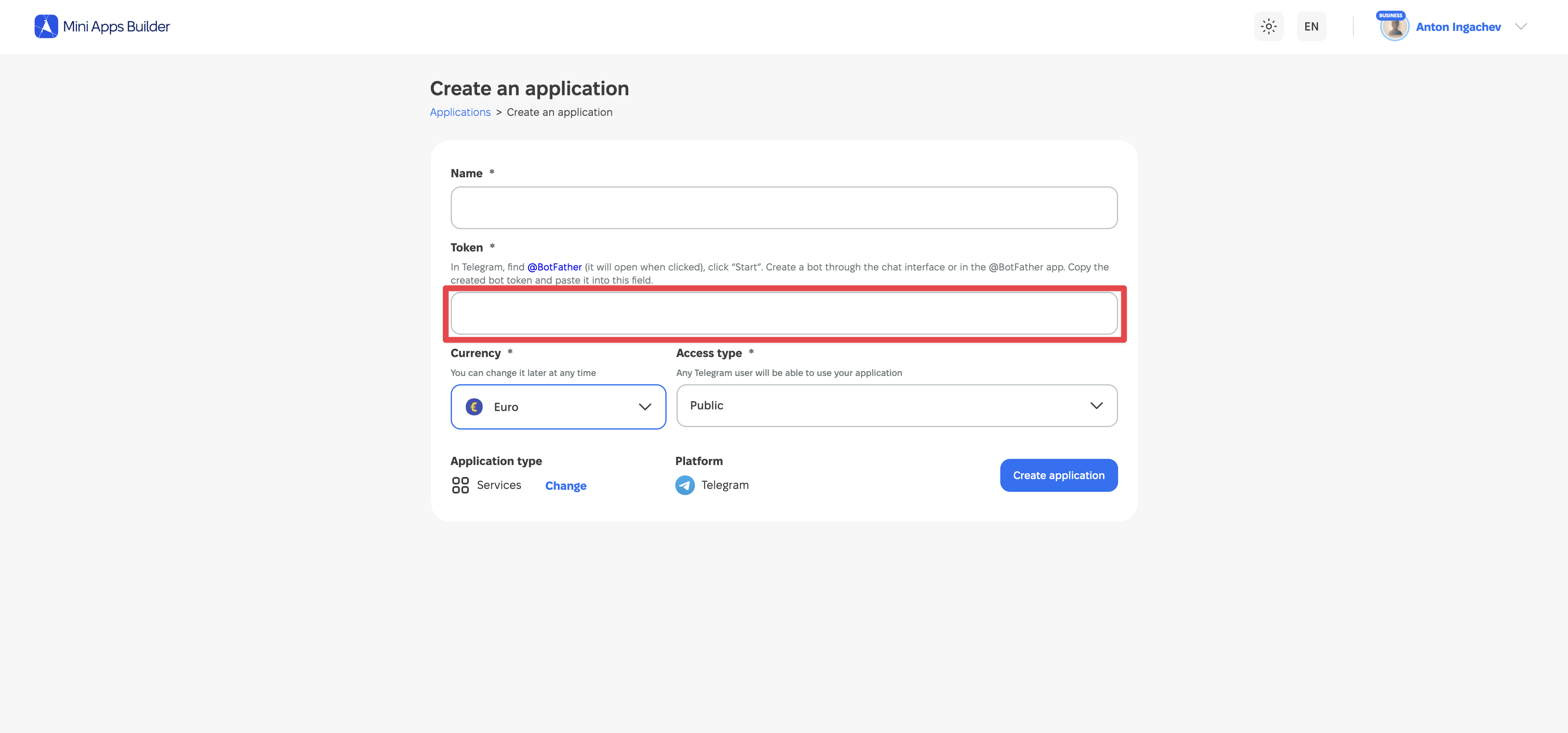
Token yang disalin harus ditempelkan ke kolom "Token" saat membuat proyek di Mini Apps Builder. Setelah itu, proyek akan dibuat.
Apa yang harus dilakukan jika tidak berhasil
| Masalah | Apa yang harus dilakukan |
|---|---|
| Bot yang diperlukan tidak ada dalam daftar | Periksa apakah akun Telegram yang memiliki bot tersebut sedang dibuka. Jika bot dibuat oleh orang lain, tanyakan kepadanya siapa pemiliknya. |
| BotFather tidak menerima username | Gunakan huruf Latin, angka, dan garis bawah, lalu tambahkan akhiran bot. Jika nama sudah dipakai — buat yang lain. |
| Tidak bisa mengirim perintah | Buka chat @BotFather yang benar dan kirim /mybots atau /newbot di baris pesan. |
| Mini Apps Builder tidak menerima token | Salin ulang tokennya. Periksa apakah Anda menempelkan seluruh string tanpa teks tambahan dan spasi. |
Jika kesalahan tetap ada, kirimkan teksnya ke dukungan Mini Apps Builder dan jelaskan langkah terakhir yang sudah dilakukan. Jangan lampirkan tokennya. Pada tangkapan layar, sembunyikan sepenuhnya.
Cara menjaga token tetap aman
Token memberi akses untuk mengelola bot, jadi perlakukan seperti kata sandi. Jangan mempublikasikannya dan jangan mengirimkannya kepada orang asing. Masukkan kunci hanya ke kolom khusus pada layanan yang Anda percayai untuk menghubungkan bot.











