Update 1.61.0: restaurant dashboard, access for channel subscribers, and tables on the floor plan
In Mini Apps Builder 1.61.0, the restaurant home page in the dashboard has become a working dashboard. New orders, the kitchen, and daily revenue are visible on one screen. Also in the release: access to a private app for subscribers of a Telegram channel, tables on the floor plan, and the store time zone.
Dashboard for restaurants and cafes
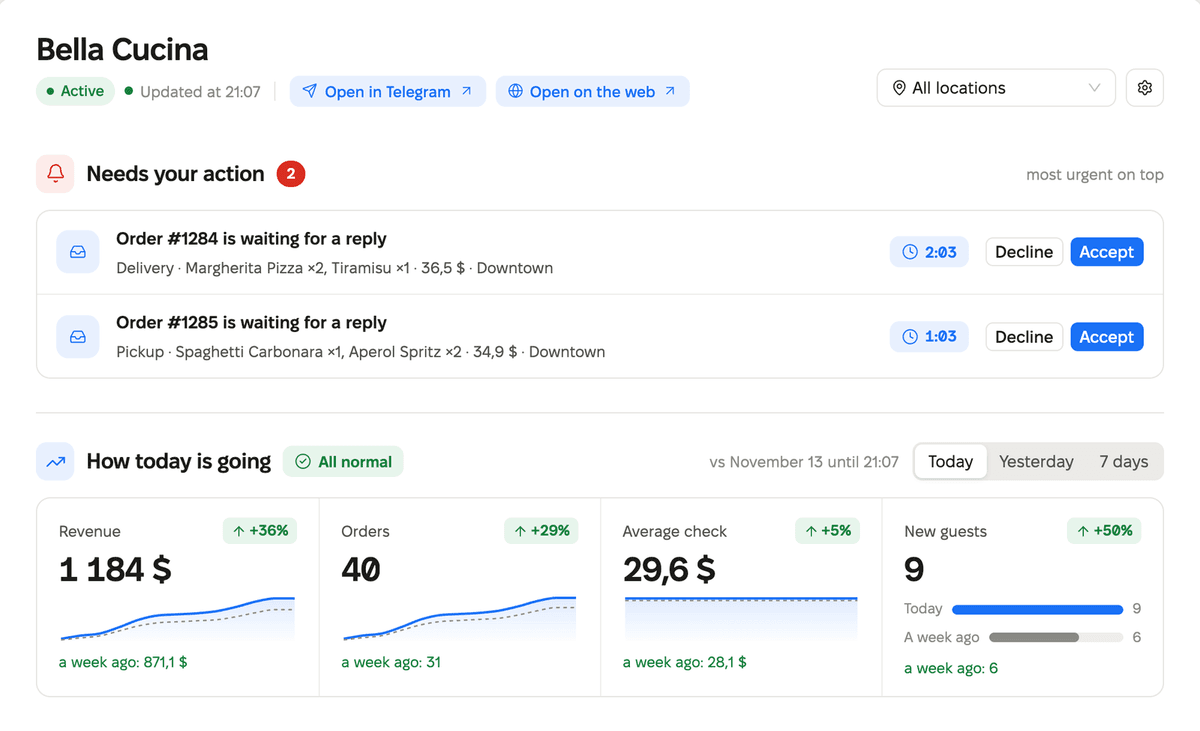
For venues, the store home page is now organized around what matters during the day.
- “You need to take action”: each new order with a timer and the “Accept” and “Decline” buttons. This section also includes QR payments to review, failed payments, timed orders, bookings, and tariff limit.
- “How the day is going”: revenue, orders, average check, and new guests compared with the same hours a week ago. If a metric drops by 10% or more, the dashboard says so. You can switch the period: today, yesterday, 7 days.
- “What is in the kitchen right now”: orders by status, a timer for each order, and one button for the next step.
- Statistics are shown below.
The dashboard header has links “Open in Telegram” and “Open on the web” so you can check your app right away. The web link is visible if the store is published in the browser. App settings have moved under the gear icon in the header.
For a store with no orders, the dashboard shows a list of first steps and a card for sharing the app instead. The home page of other app types has not changed.
Access for channel subscribers
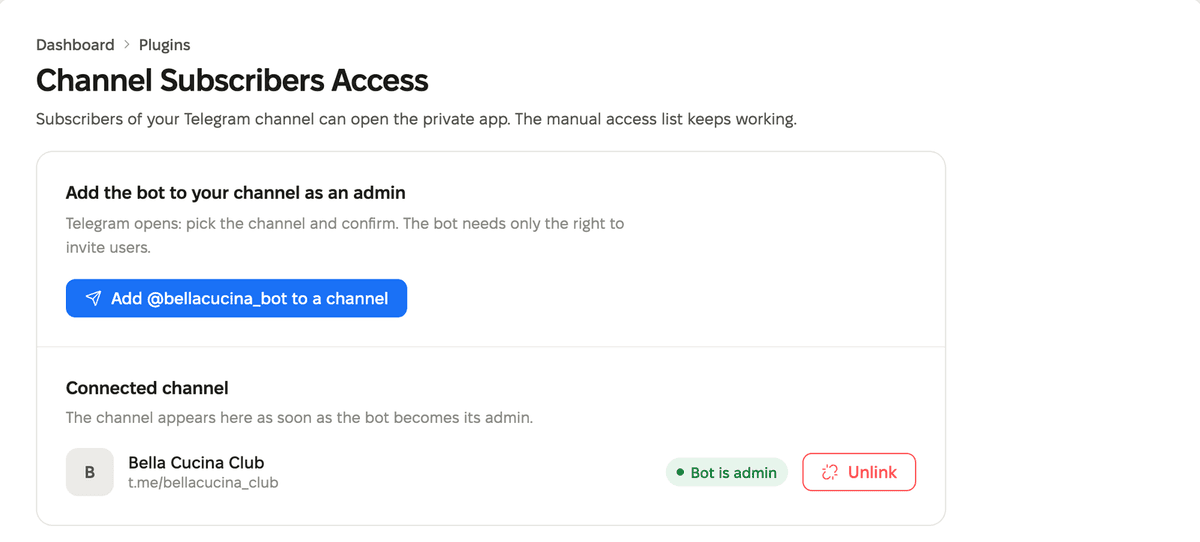
The plugin catalog now includes the “Access for channel subscribers” plugin. It lets subscribers of your Telegram channel into a private app. The plugin is available for apps with restricted access.
You can connect a channel in two steps. First, choose a channel in Telegram and make the store bot an administrator. Then check on the plugin page that the bot has administrator rights. If the bot loses its rights, the page will warn you about it.
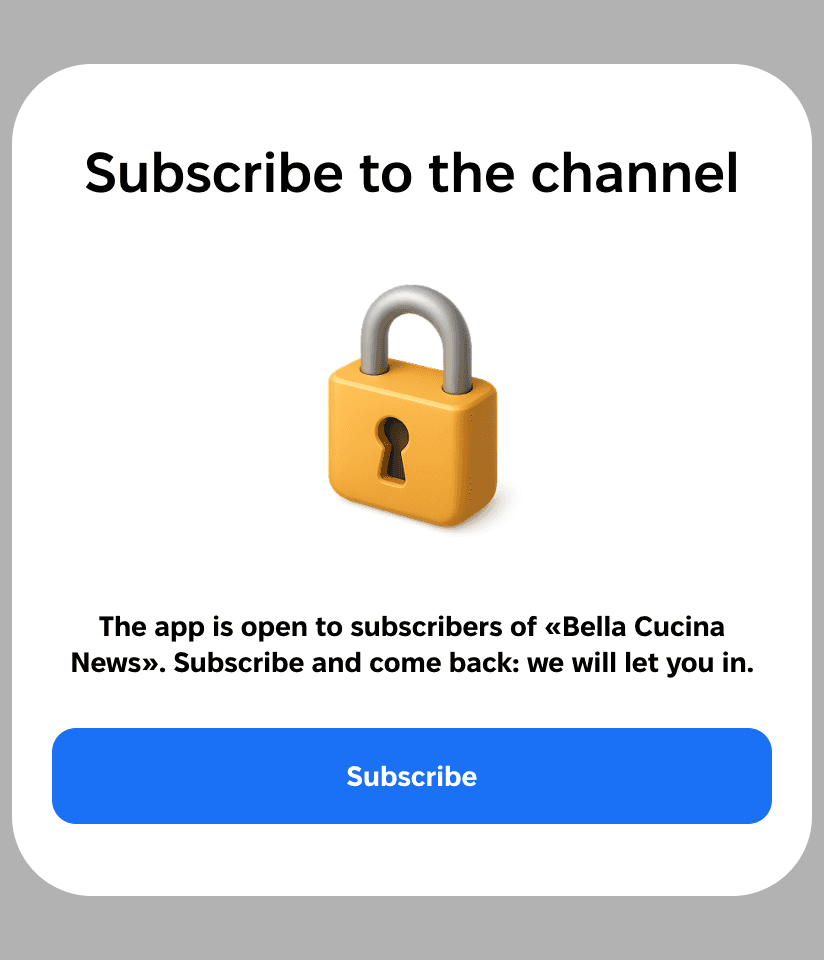
If a person is not subscribed to the channel, the Mini App shows the “Subscribe to the channel” screen with a button that opens the channel. When the person subscribes and comes back, the app checks access again and opens automatically.
The “App access” item is back in the “My business” menu for private apps. The page itself has a new design: a field for the Telegram account above the user table.
Events: tables on the floor plan
You can now add tables to the floor plan. In the “Add” menu, there is an item “Add tables”: name, number of tables, seats per table, and the number of the first table. Seats are placed on two sides of the table. Tariffs, blocking, and sales work per seat as before. Two templates have appeared: “Banquet” for 8 tables with 6 seats each and “Custom tables”.
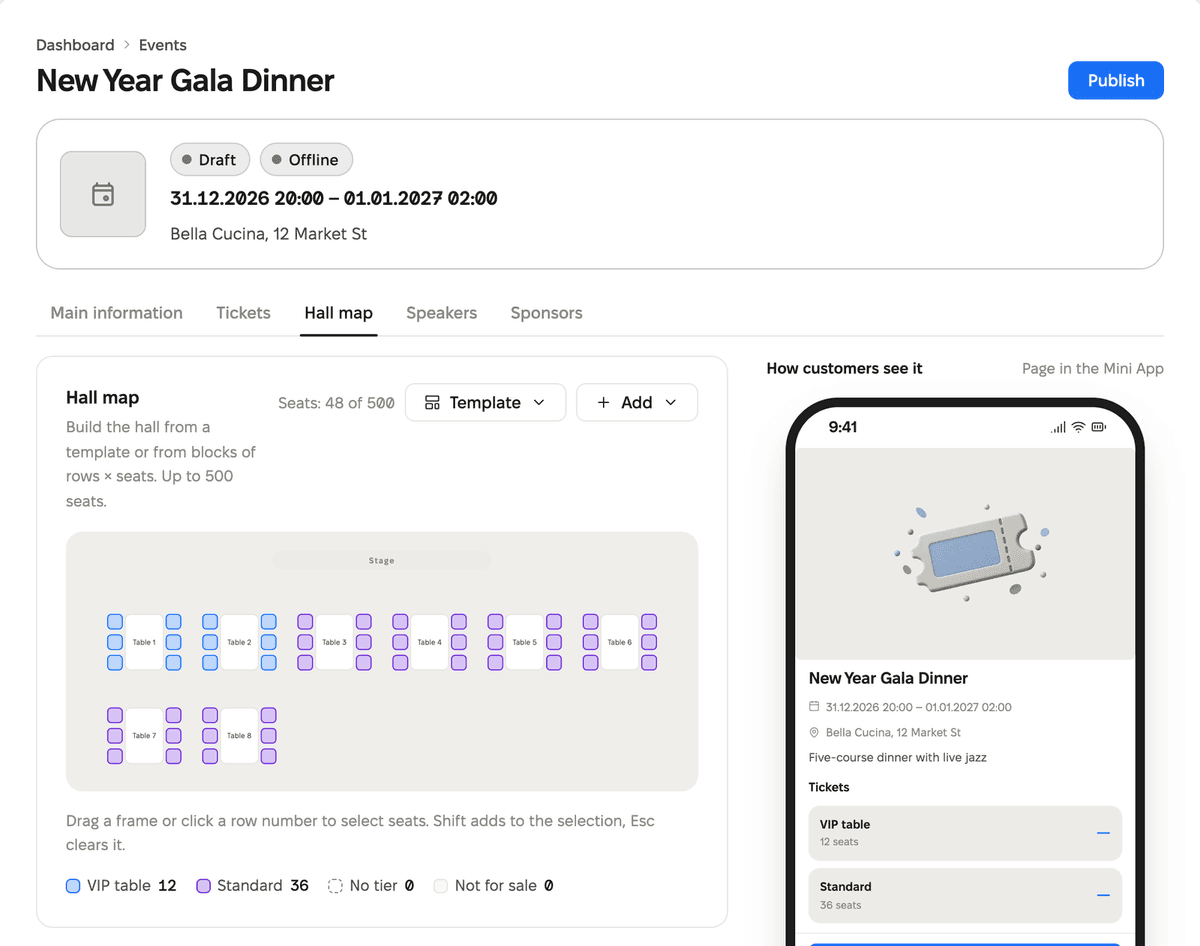
The list of events in the dashboard can be sorted by any column. It shows how many tickets have been sold out of the total and whether the event is happening now, has already passed, or is still ahead. The “About us” field in the organizer profile has become a text editor: bold, italics, links, and lists.
Event and location translations
The “Content translations” plugin now translates events and locations too. For an event, the title, description, venue, and address are translated. For a location, the name and address are translated, and for the location profile, the description. Translations open with the button next to the title, just like for products and categories.
The Mini App no longer shows a translation if the plugin is turned off or the language is removed from the store language list.
Store time zone
A “Time zone” field has appeared in the store settings. You can find a time zone by city or by offset from UTC. The current time is shown next to each time zone. If the browser time zone differs from the store time zone, the dashboard will suggest choosing it with one click.
If you change the time zone, the dashboard will warn you: recurring campaigns will keep the time according to the clock in the new time zone, one-time campaigns will go out at the same moment.
Dashboard
- The headers of the Products, Categories, App, and Random Coffee pages now include a “How it works” link to a help article.
- An empty products and categories list shows three short steps, a create button, and the same link.
- If Telegram does not allow the bot to send widgets, a campaign with a widget now says so right away. Previously, the dashboard asked you to check the form fields.
CRM
The CRM chats now include a “Blocked” folder. It contains chats where the client has blocked the bot. A reply will not reach such a chat, so these chats no longer appear in other folders. If the client unblocks the bot, the chat leaves the folder.
Mini App
- On iPhone in Telegram, you can go back by swiping from the left edge of the screen. The previous page opens without reloading and stays at the same position. The same swipe closes the product card.
- The “Created with Mini Apps Builder” icon leads to the website page for your app type.
Website
- New page for event organizers: miniappsbuilder.com/solutions/events.
- New page about the seller dashboard: miniappsbuilder.com/build/dashboard. It shows a working dashboard: orders come in every few seconds and are immediately visible on the phone next to it.
Fixes
- The team invitation link no longer accepts an invitation twice or shows two success messages.
We also fixed minor bugs and improved service stability.