Update 1.50.0: community and Random Coffee for events, new table reservation window, clear error messages
In Mini Apps Builder 1.50.0, two plugins появились in the “Events” app. “Community Members” adds a tab with people’s profiles, and Random Coffee introduces them to each other via the bot once a week. Also in this release: a new table reservation window in the restaurant app, sorting the product list across the entire list, clearer error messages, and a more understandable team list.
Dashboard: plugins for events
Plugins are enabled in the “Platform” → “Plugins” section. Both are available only in apps with events.
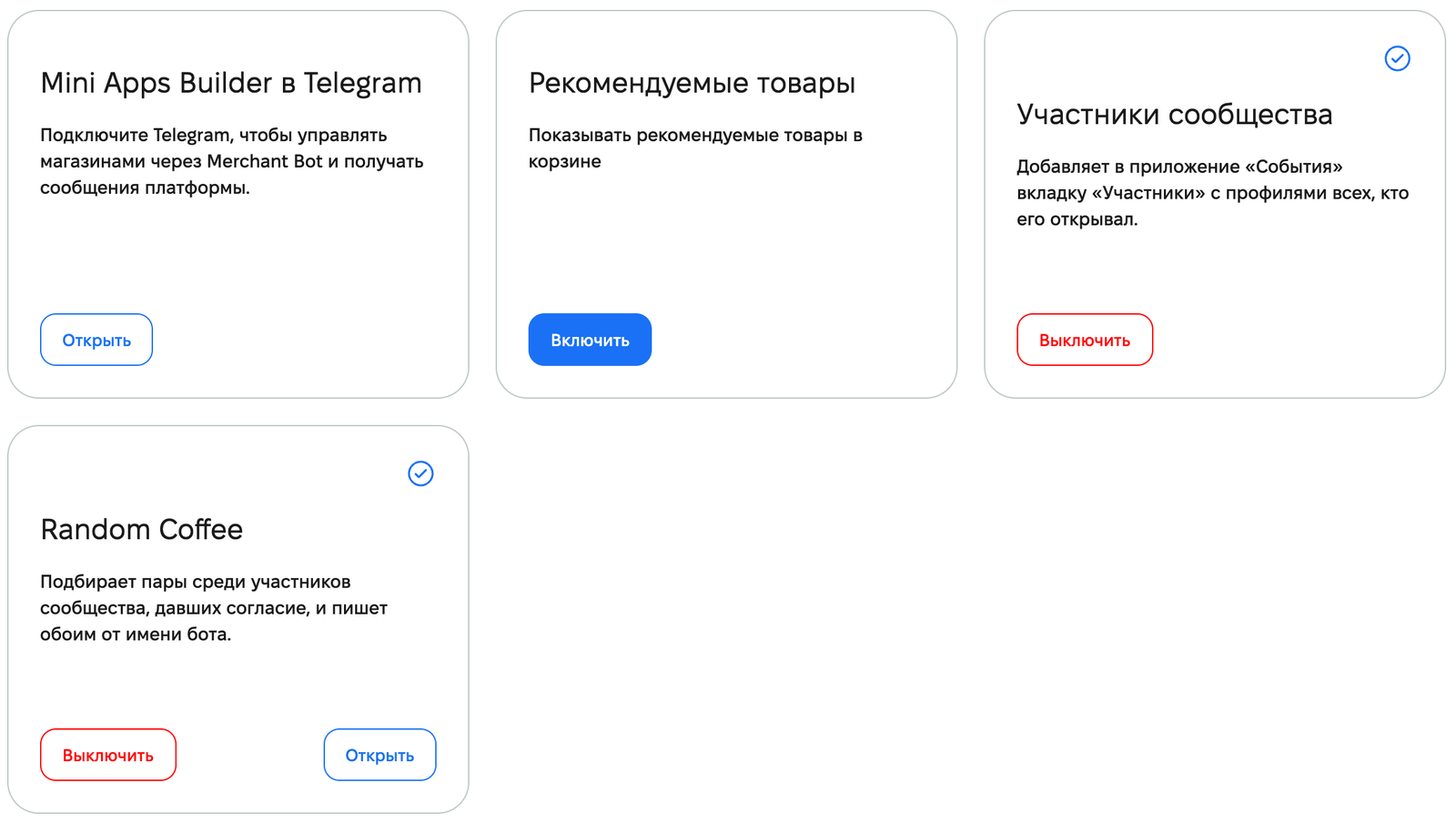
“Community Members”. Adds a “Members” tab to the “Events” app with profiles of everyone who opened it. Members find each other by areas and projects.
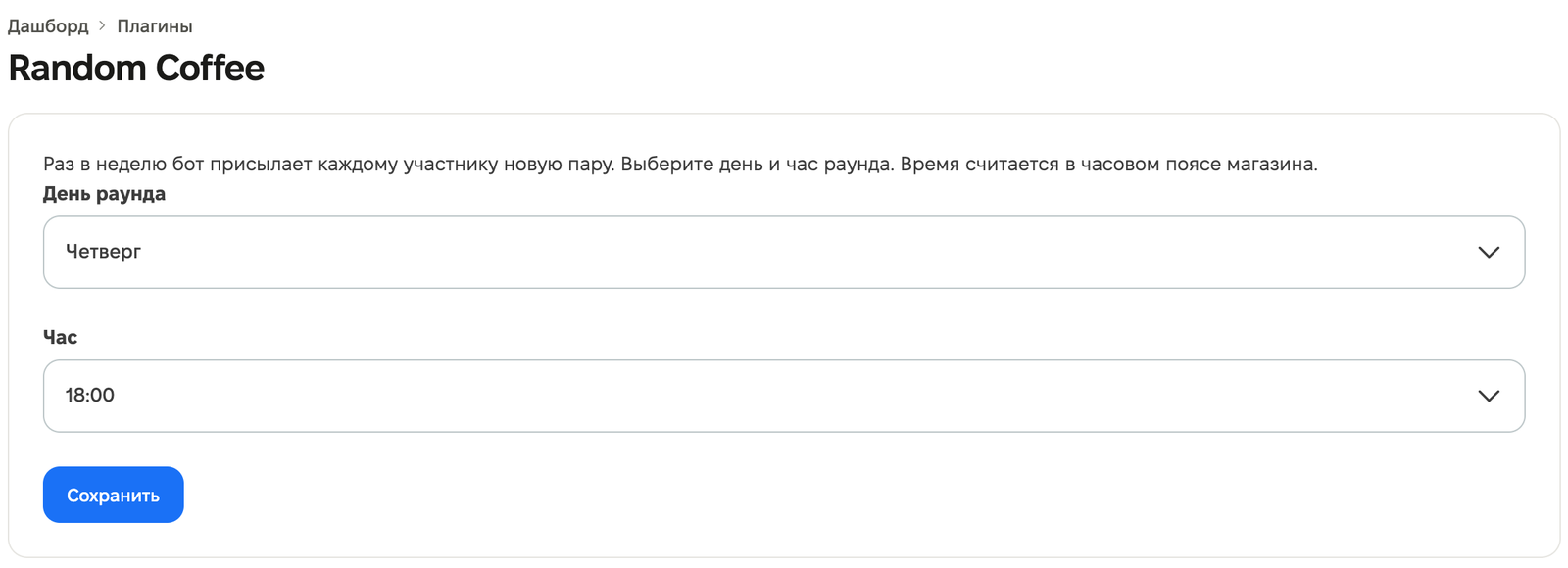
Random Coffee. Works only together with “Community Members”. Once a week, the bot sends each consenting member a new person to meet. Pairs are matched by shared areas and do not repeat. Both receive a message from the store bot with each other’s name and contact. In the plugin settings, choose the “Round day” and “Hour”. Time is calculated in the store’s time zone.
If you disable “Community Members” while Random Coffee is enabled, the dashboard will ask you to confirm: “Disable ‘Community Members’?” Random Coffee will remain enabled, but pairs will no longer be matched, and members will not be able to sign up.
Events mini app: members and Random Coffee
The “Members” tab shows community profiles. A member fills in their own profile: name, at least one contact, “Areas” and “Projects”. Previously, the profile had a “show in list” toggle; now members have three visibility levels in the “Who can see the profile” block:
- “Everyone in the community” — the profile is visible in the “Members” tab and in event attendee lists.
- “Only at my events” — the profile is visible to people with a ticket to the same event.
- “Nobody” — the profile appears in no lists.
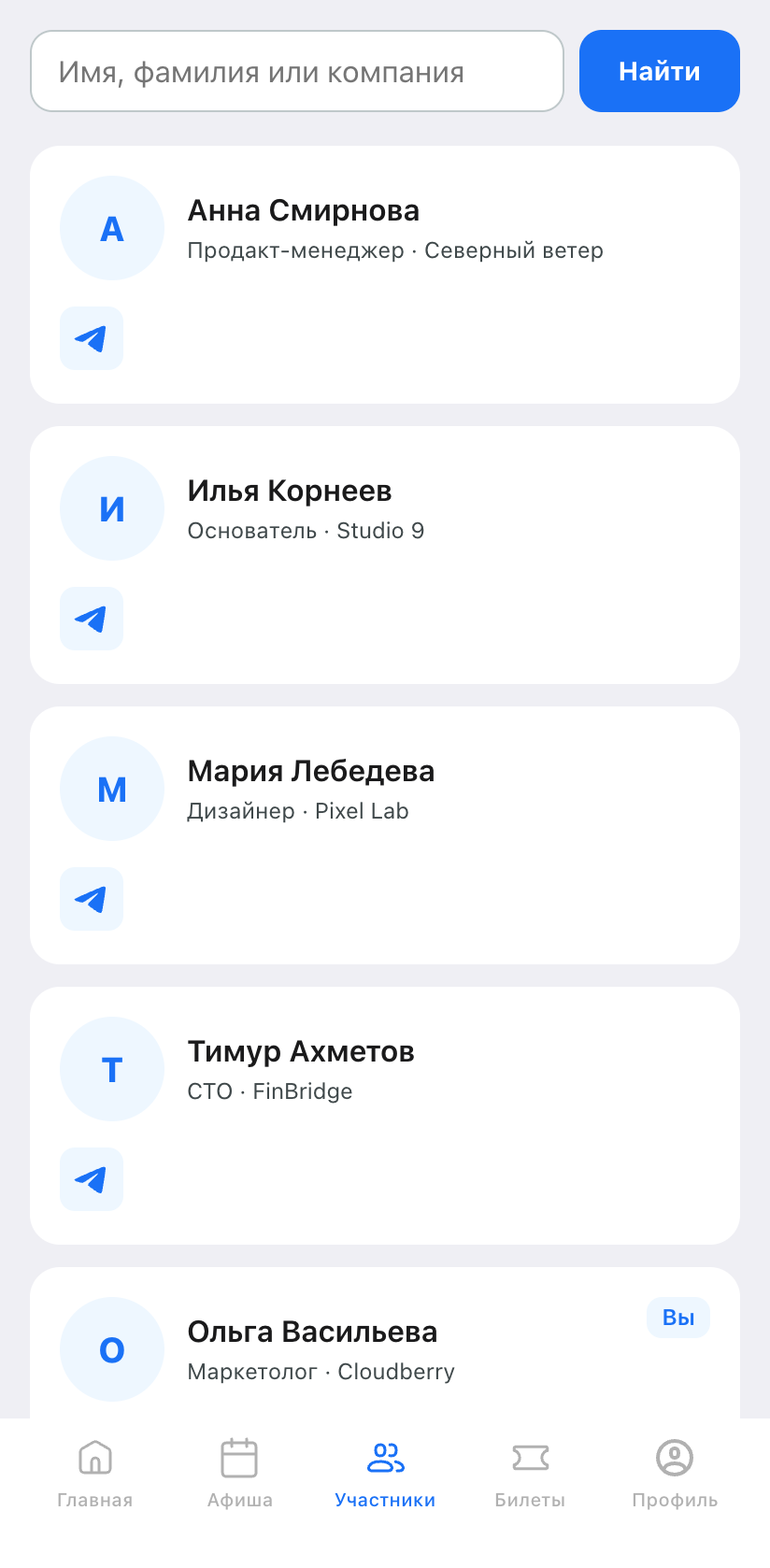
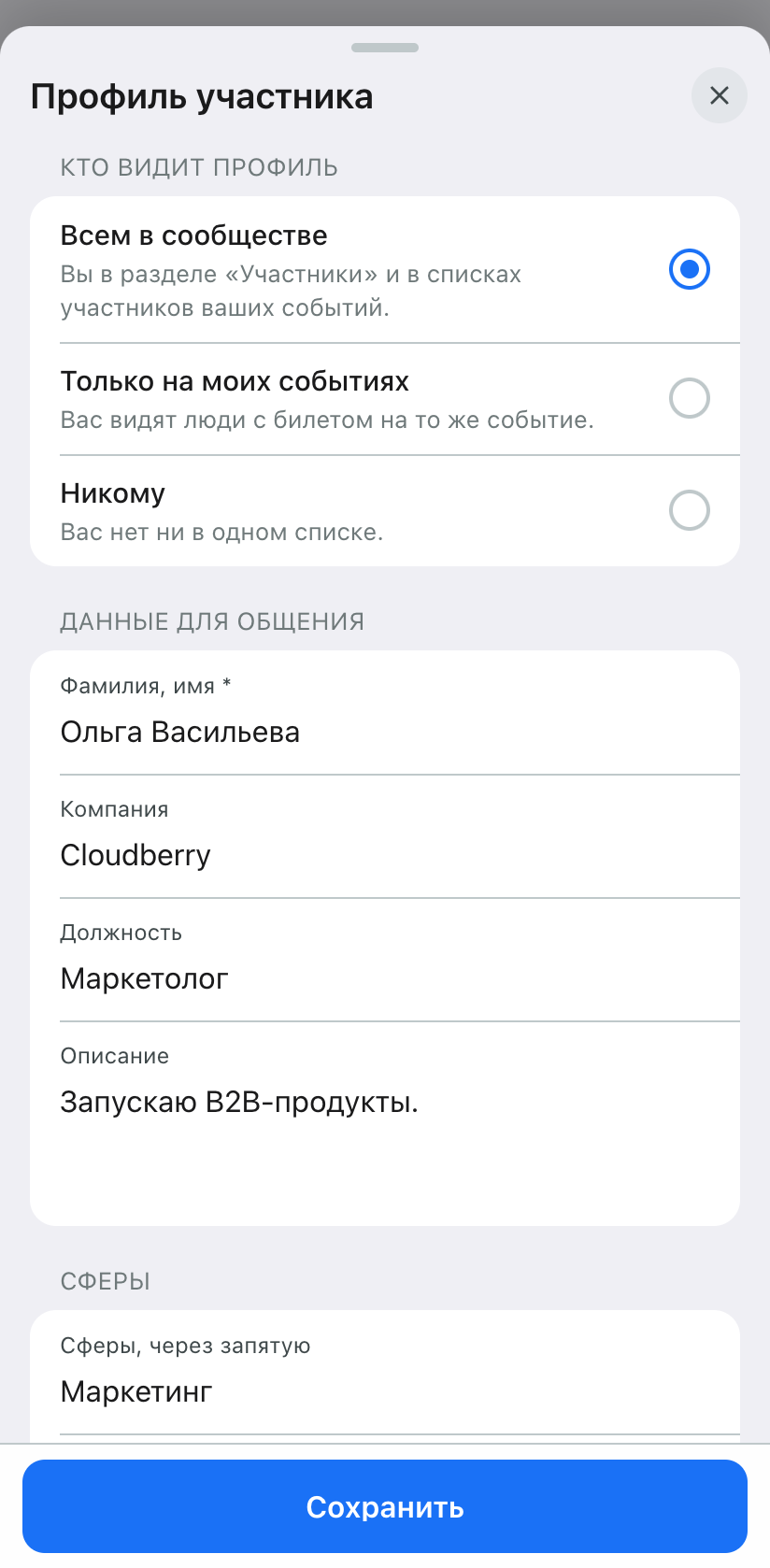
Profiles that were previously visible in event attendee lists remain visible only on events. On the first visit to the tab, the mini app offers a choice: keep the profile visible or tap “Hide me”.
If Random Coffee is enabled, the “Members” tab shows the rules window once. The “Participate” button signs a member up immediately if the profile is filled in and visible to everyone. Otherwise, the profile opens. The “I’m participating in Random Coffee” label can be turned off in the profile at any time. It is available only with “Everyone in the community” visibility.
Events mini app: feed and tickets
- In event and ticket feeds, the “All” tab is no longer available. The feed opens on upcoming events. If there are none, the “View past” button switches to past events.
- Starting the day after the event, its ticket gets the status “Finished”.
- If a ticket for an event that has already ended is scanned at the entrance, the dashboard will show the result “The event has ended”.
- On the organizer home page, the title and category are shown under the cover image.
Two profile bugs were fixed. After changing the Telegram account on one device, the mini app could retain the profile of the previous account. After saving the profile, the “Members” tab showed the previous visibility until reloaded.
Mini app: table reservation and confirmations
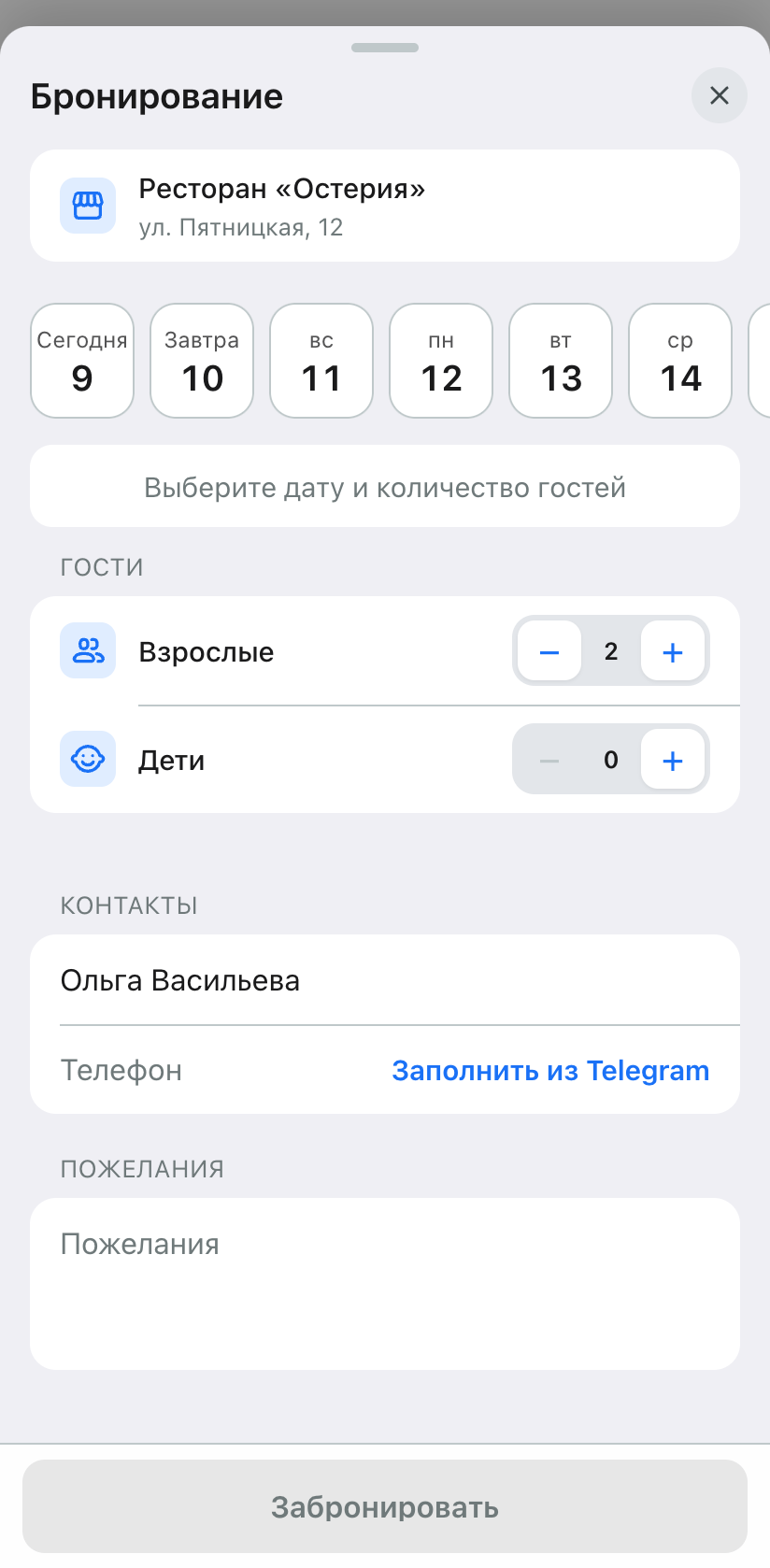
Restaurant table reservation. The full restaurant description remains on the page, and the entire reservation flow has been moved into one full-screen window, as in service booking. It contains the date, time, number of guests, contacts, and wishes. Date and time are not selected initially. Time is chosen in a single horizontal row. If you change the date or number of guests, the time resets and available slots are loaded again. The “View menu” button became smaller and secondary.
Profile confirmations for the venue. The verified identity badge opens only identity verification. The qualification badge opens only that qualification.
Dashboard: platform, team, products
“Platform” section. The “Recommended products” toggle moved from app settings to “Plugins”. Its state has been preserved. Plugin and integration cards now look the same.
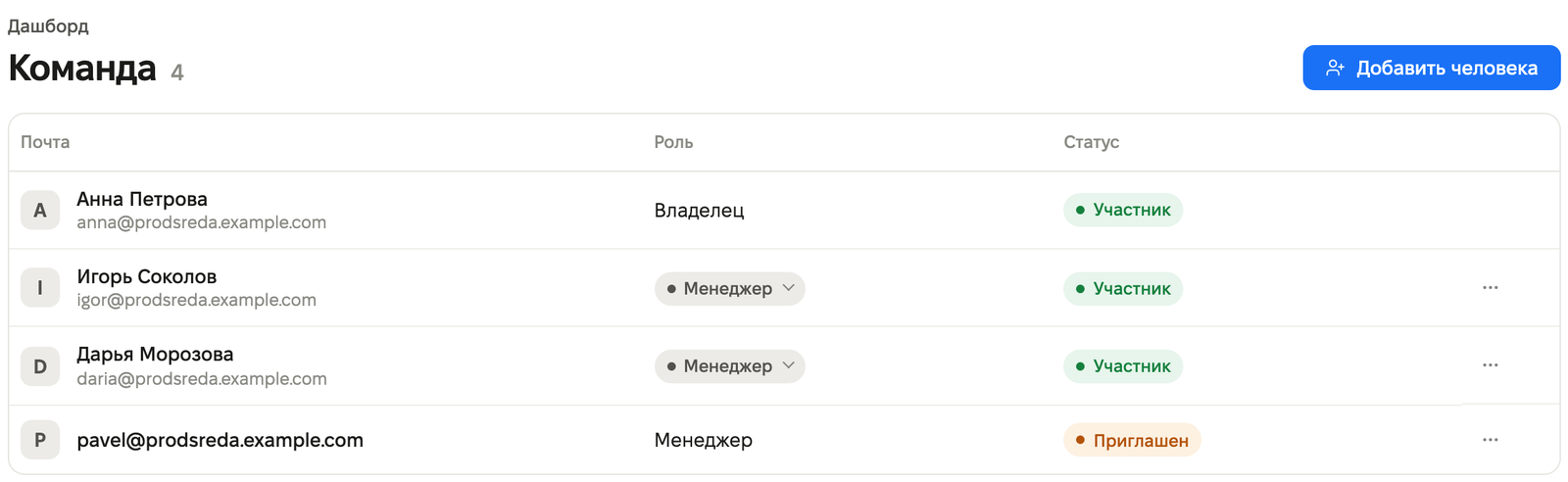
Team. In store settings, in the “Team” section, members and invitations are combined into one list with their statuses. The owner is first and cannot be removed or have their role changed. A member has the “Remove from team” action; an invitation has “Cancel invitation”. Previously, a removed member could reappear in the list because of an old accepted invitation. That no longer happens, and accepted and declined invitations are not shown in the list.
Product list. In the “Quantity, pcs” column, stock levels are shown, including zero values. If stock is not specified, “Not specified” is shown. Sorting by name, category, price, and quantity now applies to the entire list, not just one page.
Clear error messages. If the service returns an error, the dashboard explains what happened and what to do. For example: “You do not have permission for this action. Ask the owner to grant access.” or “Could not connect to the service. Check your internet connection and try again.” Nine messages about incorrectly filled fields have been made clearer, for example: “A paid product’s price must be greater than zero. A free product’s price must be zero.”
Orders. The orders page no longer crashes if you open the store from the apps list and go straight to orders.











