Update 1.53.0: support in Telegram, CRM chats like Telegram, and CRM cards
In Mini Apps Builder 1.53.0, support has moved to Telegram: the “Support” button in the dashboard and on the website opens the Mini Apps Builder bot, and the bot answers questions and brings in a team member. The release also includes: CRM chats look and work like Telegram, CRM records open as cards, and several dashboard pages have been updated to a new design.
Support in Telegram
The support chat on the website and in the dashboard has been replaced by the Mini Apps Builder bot in Telegram. At the bottom right there is now a round blue button with a headset icon; the “Support” label appears on hover. The button opens the bot in a new tab.
In the dashboard, the button also connects Telegram if it hasn’t been connected yet: the bot links the account on first launch. A small cross on the button hides it until the page is reloaded. In the CRM “Chats” section, the button is not shown so it doesn’t cover the reply field.
Mini Apps Builder bot
The bot greets you with a single welcome message and the “View demo” and “Create store” buttons. If Telegram is not linked to the account, “Create account” and “I already have an account” are added. After registration and email confirmation, the dashboard will automatically return you to Telegram connection.
“View demo” sends a link to a video. “Create store” starts creating a store directly in a chat with the bot. Without an account, the bot will first ask you to create one.
The bot answers questions even if the account is not linked: about plans and limits, and based on help center, blog, and update articles. If a human is needed, the bot hands the question over to support, and the reply will come in the same chat. While the bot prepares a response, an animated Mini Apps Builder logo and “Thinking…” are shown in the chat.
CRM: chats like in Telegram
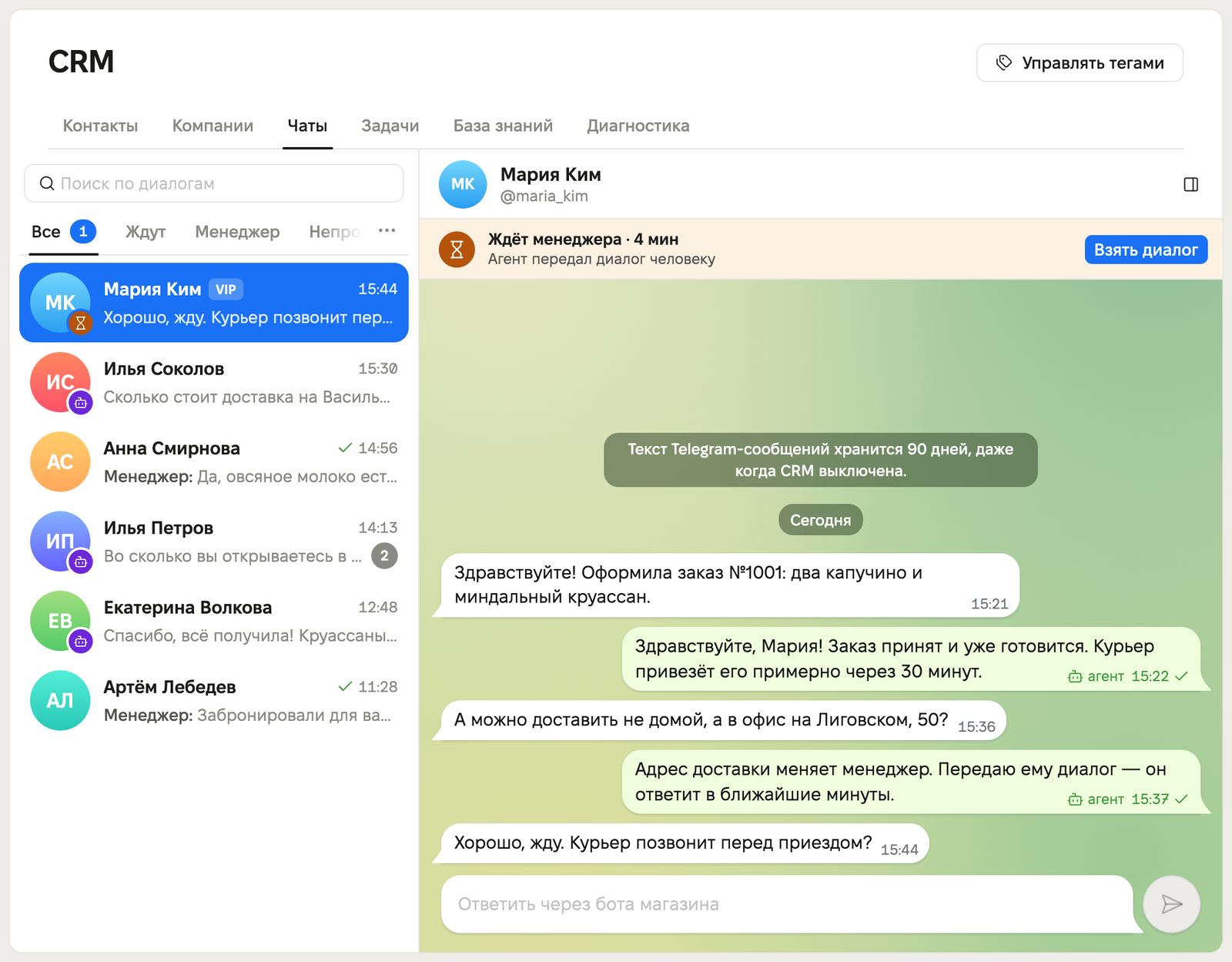
The “Chats” section takes up the full screen. On the left is the list of conversations with folders, unread counters, and search that starts finding matches as soon as you type. On the right is the conversation in bubbles, like in Telegram, and the day’s date stays pinned at the top while scrolling. The reply field grows up to 8 lines, and Enter sends the message. The reply appears in the conversation immediately, and a draft is saved for each chat.
Under the chat header you can see who is replying to the customer and how long they have been waiting for a manager. The “Take conversation” and “Return to agent” buttons switch the conversation between you and the agent. Clicking the header opens the customer card: contacts, tags, orders, and notes. The “Needs human” folder is now called “Waiting”.
On a phone, the conversation list opens first. The conversation opens full screen. You can go back with the back arrow, by swiping from the left edge, or with the browser’s Back button.
CRM: cards instead of windows
Contact, task, company, and knowledge base article open as a card. The “Edit” button turns the card into a form, and “Save” and “Cancel” return you to view mode. A new record opens directly as a form. A card link opens that exact card, so you can send it to a colleague.
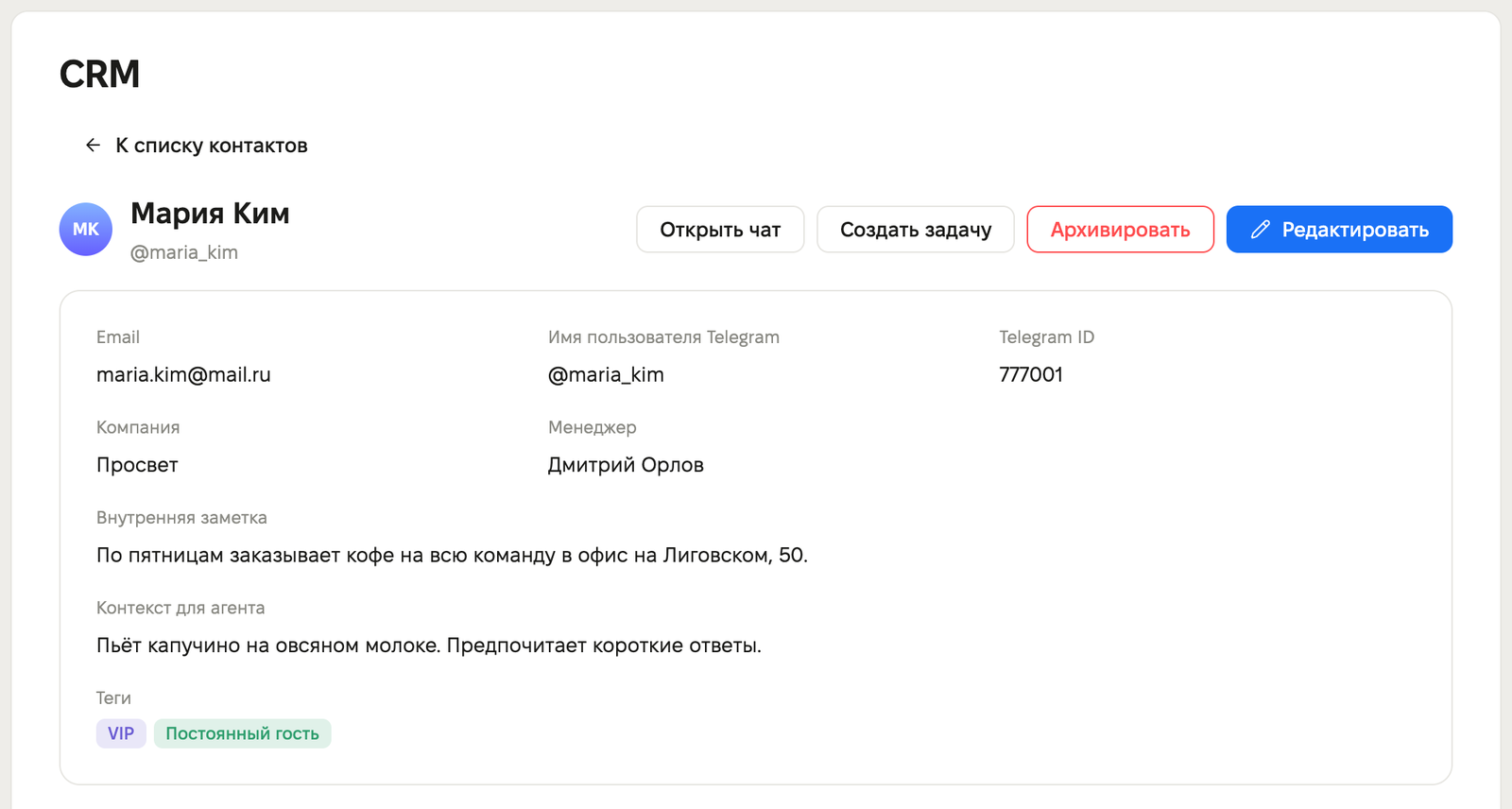
In the company card, you can see the list of its contacts and open a contact card from there. The “Archive” button sends the company to the archive. Tags are edited on a separate page. The knowledge base is split into the “Articles”, “Support Agent”, and “Test Chat” tabs. The “Dashboard › Plugins” breadcrumb has been removed from the CRM header.
On the task board, the assignee, linked record, and due date are selected in new menus. The due date is calculated according to the store’s time zone: the time no longer shifts if the computer uses a different time zone. In Russian calendars, the week starts on Monday.
Dashboard: new page design
The following pages have been updated to the new design: “Analytics”, “Notification channels”, “Integrations”, “App”, and the plugin catalog.
- In the plugin catalog, each card has a “Enabled” or “Unavailable” status. Random Coffee is visible in the event store even when “Community members” is turned off: the card prompts you to enable them first.
- In “Integrations”, the API key is entered in the side panel, and deletion must be confirmed.
- In “Notification channels” and on the “App” page, the form can be saved with the Enter key.
- “Analytics” shows loading on first open. When changing the period or point, the charts remain on screen.
Dashboard: 404 page
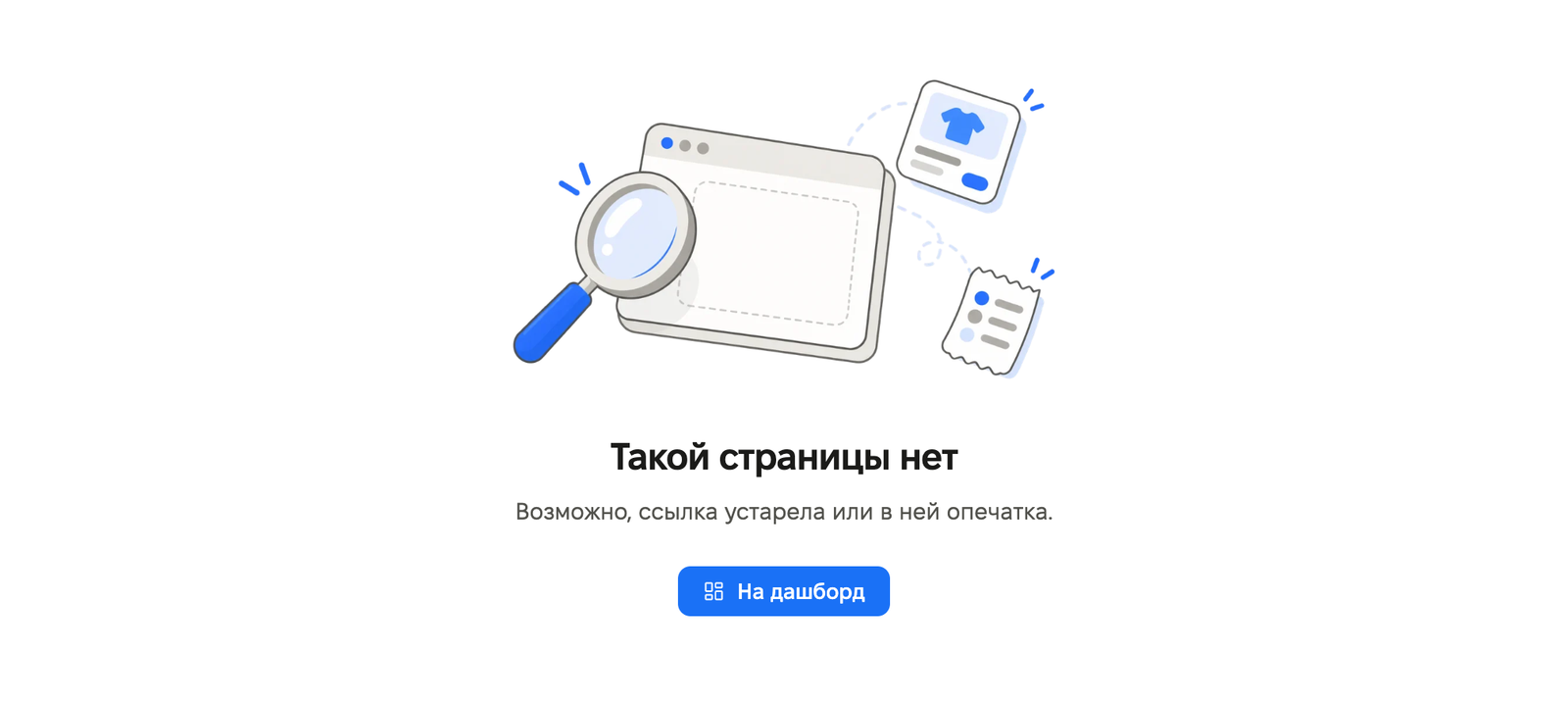
If a page doesn’t exist, the dashboard shows “This page does not exist” and keeps the store menu in place. The “To dashboard” button takes you to the store dashboard. If the app itself isn’t found, the “To apps” button takes you to the list of apps. Previously, an unknown address redirected to the dashboard, and a deleted record showed an error.
Fixes
- The “Content translations” and Telegram connection windows now close by clicking the dark background or pressing Esc. Previously, they could only be closed with the cross.
- On phones, dropdown lists in forms now open in the dashboard menu instead of the system picker, and close when tapping outside the menu.
- On phones, the bottom menu now highlights the section you are in across all its pages. Tapping the active “More” tab opens the menu.
- You can select an account again when signing in via Google.
- A deleted integration can be connected again.
- Click SuperApp is no longer suggested when adding a payment method. If it is already connected, you can change or disable it.
- Mini app: a long category name is trimmed neatly to two lines.
- Mini app: if store settings fail to load, an error screen with a “Retry” button is shown. Previously, this would crash the catalog.
- Website: a link to a non-existent blog article opens the 404 page.
This release also includes several bug fixes and stability improvements.











