Update 1.53.0: support in Telegram, CRM chats like in Telegram, and CRM cards
In Mini Apps Builder 1.53.0, support moved to Telegram: the Support button in the dashboard and on the website opens the Mini Apps Builder bot, and the bot answers questions and brings in a person from the team. Also in this release: CRM chats look and work like Telegram, CRM records open as cards, and several dashboard pages have moved to a new design.
Support in Telegram
The support chat on the website and in the dashboard has been replaced by the Mini Apps Builder bot in Telegram. In the lower right corner, there is now a round blue button with a headset icon, and the Support label appears on hover. The button opens the bot in a new tab.
In the dashboard, the button also connects Telegram if it is not yet connected: the bot links the account on first launch. A small cross on the button hides it until the page is reloaded. In the CRM Chats section, there is no button so that it does not cover the reply field.
Mini Apps Builder bot
The bot greets you with a single welcome message and the View demo and Create store buttons. If Telegram is not linked to the account, Create account and I already have an account are added. After registration and email confirmation, the dashboard automatically takes you back to Telegram connection.
View demo sends a link to a video. Create store starts store creation right in the chat with the bot. Without an account, the bot will first ask you to create one.
The bot answers questions even if the account is not linked: about plans and limits, and based on help center, blog, and update articles. If a person is needed, the bot forwards the question to support, and the reply will come in the same chat. While the bot is preparing an answer, the animated Mini Apps Builder logo and Thinking... are shown in the chat.
CRM: chats like in Telegram
The Chats section takes up the whole screen. On the left is a list of conversations with folders, unread counters, and search that filters as you type. On the right is the conversation in bubbles, like in Telegram, and the date stays at the top while scrolling. The reply field grows up to 8 lines, and Enter sends the message. The reply appears in the conversation immediately, and a draft is saved for each conversation.
Under the chat header, you can see who is replying to the customer and how long they have been waiting for a manager. The Take conversation and Return to agent buttons switch the conversation between you and the agent. Clicking the header opens the customer card: contacts, tags, orders, and a note. The Needs a person folder is now called Waiting.
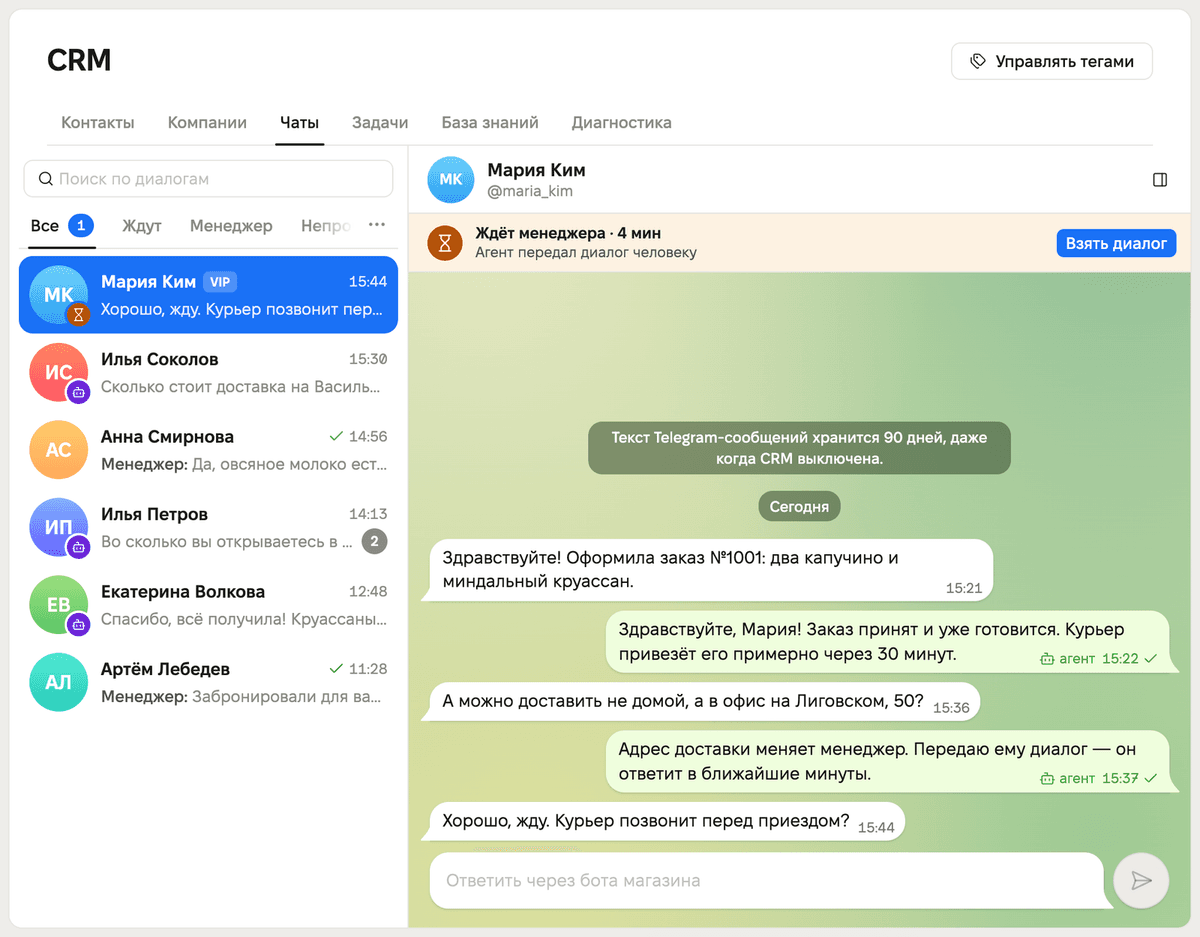
On mobile, the list of conversations opens first. A conversation opens full screen. You can go back with the arrow, by swiping from the left edge, or with the browser's Back button.
CRM: cards instead of windows
A contact, task, company, and knowledge base article now open as a card. The Edit button turns the card into a form, and Save and Cancel return you to view mode. A new record opens as a form right away. A card link opens that exact card, so you can send it to a colleague.
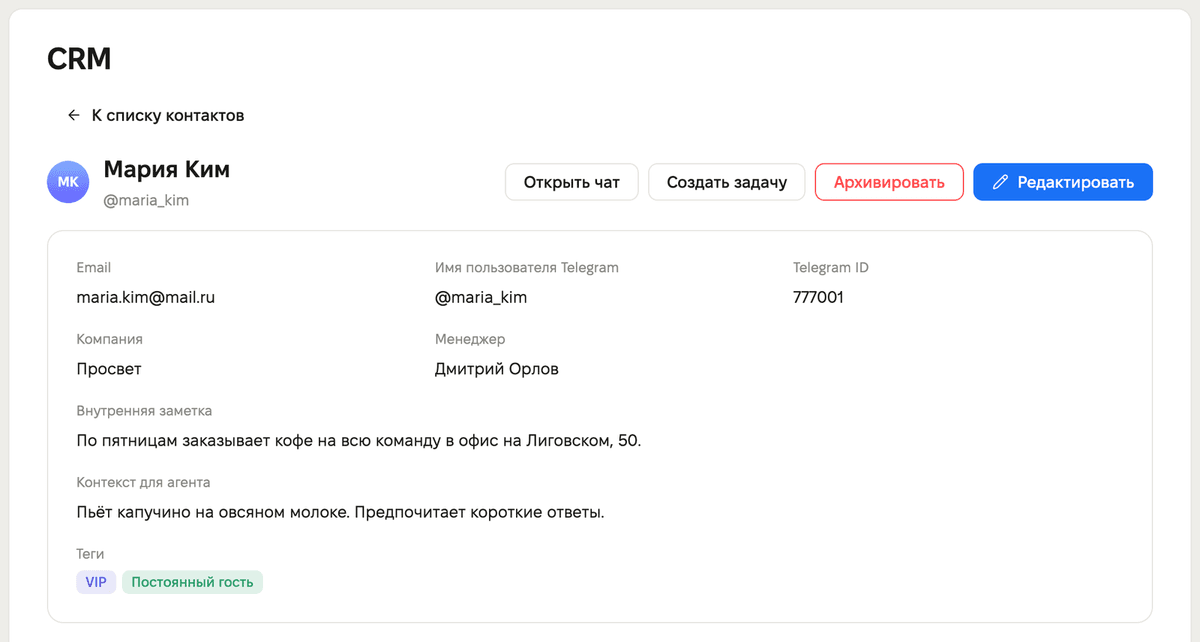
In the company card, you can see the list of its contacts, and from there you can go to a contact card. The Archive button sends the company to the archive. Tags are edited on a separate page. The knowledge base is divided into the Articles, Support Agent, and Test Chat tabs. The Dashboard › Plugins breadcrumb was removed from the CRM header.
On the task board, the assignee, related record, and due date are selected in new menus. The due date is calculated according to the store's time zone: the time no longer shifts if the computer uses a different time zone. In Russian calendars, the week starts on Monday.
Dashboard: new page design
The following pages have moved to the new design: Analytics, Notification channels, Integrations, App, and the plugins catalog.
- In the plugins catalog, the card has a Enabled or Unavailable status. Random Coffee is visible in the event store even when Community members is turned off: the card suggests enabling it first.
- In Integrations, the API key is entered in the side panel, and deletion must be confirmed.
- In Notification channels and on the App page, the form can be saved with the Enter key.
- Analytics shows a loading state on first open. When changing the period or point, the graphs stay on screen.
Dashboard: 404 page
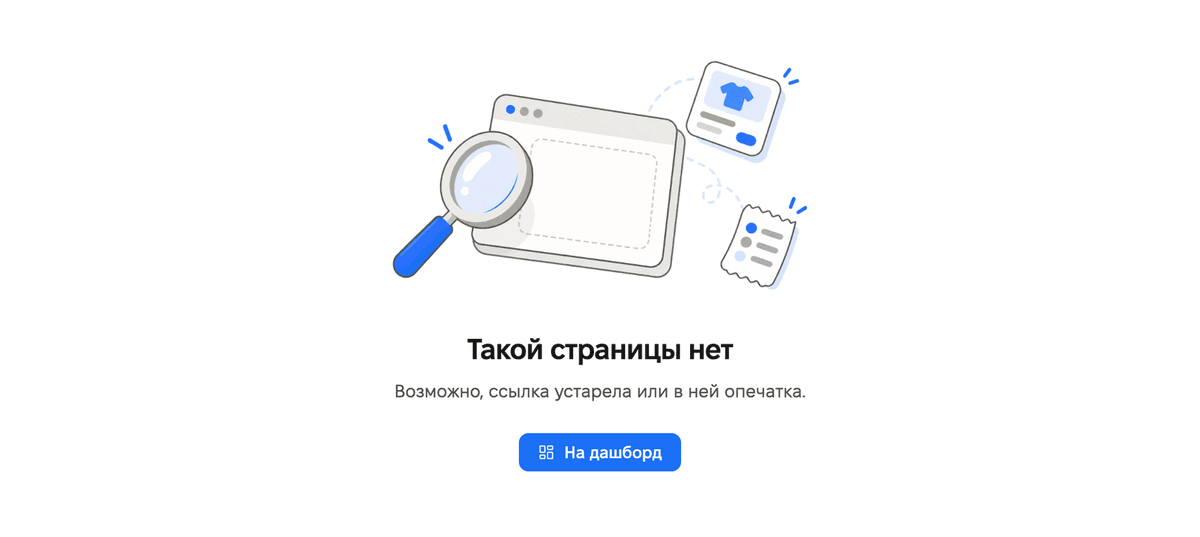
If the page does not exist, the dashboard shows This page does not exist and leaves the store menu in place. The To dashboard button takes you to the store dashboard. If the app itself is not found, the Go to apps button takes you to the list of apps. Previously, an unknown address redirected to the dashboard, and a deleted record showed an error.
Fixes
- The Content translations and Telegram connection windows can be closed by clicking the dark background or pressing Esc. Previously, they could only be closed with the cross.
- On mobile, dropdowns in forms open in the dashboard menu instead of the system picker, and close when you tap outside the menu.
- On mobile, the bottom menu highlights the section you are in across all its pages. Tapping the active More tab opens the menu.
- When signing in with Google, you can once again choose an account.
- A deleted integration can be connected again.
- Click SuperApp is no longer suggested when adding a payment method. If it is already connected, it can be changed or turned off.
- Mini app: a long category name is truncated to exactly two lines.
- Mini app: if the store settings did not load, an error screen with a Retry button is shown. Previously, the catalog would crash in this case.
- Website: a link to a non-existent blog article opens the 404 page.
This release also fixed some bugs and improved service stability.